Quick Start guide to Modeling and Animation using Blender 2.79 (Skillshare)

Offered by Skillshare,
Quick Start guide to Modeling and Animation using Blender 2.79 (Skillshare)

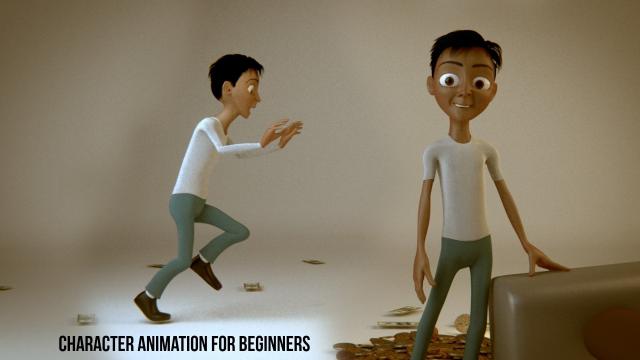
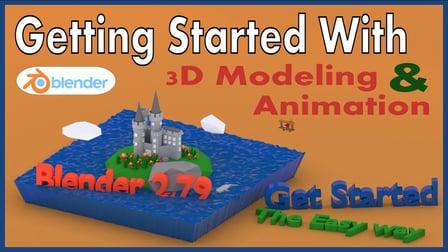
This class is the easiest and quickest way to learn the most important skills you'll need to make your first 3D models using Blender 2.79. You'll learn how to use one of the most powerful and popular 3D software tools in the world. This is all done with the absolutely free Blender 3D software.

At the end of the class, you'll be able to model objects from your own imagination and animate them.
This class focuses on getting you started as quickly as possible and covers only what you need to get started. If you're interested in the fundamental aspects of modeling and animation, check out my other class.
This class does not assume any prior knowledge. You simply need a reasonably up to date computer. It can be Mac, PC, or Linux.
Start by downloading and installing Blender here.

Project Description
Your first project will be to create a castle using what you know. You don't have to create a castle but that's what I did, and you can follow along with me in my follow-along video. Feel free to create whatever your heart desires even if that's not a castle.
The next project will be to animate something you've created. This time I used a plane that I modeled but you can use a model of your own or you can just use a block.
Also, if you have trouble remembering Blender speed keys, I've also included a cheat sheet that you can download. It's located in the resources part of the class project section.
Go to Class
MOOC List is learner-supported. When you buy through links on our site, we may earn an affiliate commission.

Related Courses

PowerPoint for Beginners - Program & Animation Basics (Free class) (Skillshare) Skillshare
Skillshare

PowerPoint for Beginners - Program & Animation Basics (Free class) (Skillshare)

This course is intended for beginner and inexperienced designers, who aspire to learn Microsoft PowerPoint for professional or private use. No matter if you want to add a new skill to your portfolio, create videos, impress at work or start beeing an online entrepreneur. If you have very little experience with the software or are a total beginner and this will be the first time you open the software - this is the right course for you!

Self Paced
Self-Paced
How To Get Motion Design Clients (Skillshare) Skillshare
Skillshare

How To Get Motion Design Clients (Skillshare)

So you have developed your animation and illustration skills, so what's next? Technical skills are important, and the skill to get clients is as important. First and foremost I'm an animator. It's my passion. That's what I love to do. And what I've learned early on in my career is that one should also learn the soft skills. I have been in business for about 9 years now and for those 9 years I have learned how to find clients, work on my network, and build genuine connections.

Self Paced
Self-Paced
Create a Hand-Drawn .GIF in Photoshop (Skillshare) Skillshare
Skillshare

Create a Hand-Drawn .GIF in Photoshop (Skillshare)

Want to spruce up your blog or website with cute, animated GIFs? Ever needed the perfect reaction GIF for that one meme you love? (We've all been there.) Take this class to learn how you can make one yourself! I'll take you through the entire process of animating hand-drawn characters and lettering in Photoshop, from rough test runs to exporting. It's a lot easier than you might think!

Self Paced
Self-Paced
Speed Up Your Workflow With Motion2 From Mt. Mograph (Skillshare) Skillshare
Skillshare

Speed Up Your Workflow With Motion2 From Mt. Mograph (Skillshare)

In this quick course I’ll show you just a handful of the many incredibly useful tools in Mt. Mograph’s Motion2 plugin. There are so many uses for this plugin, and each one of them on their own is worth the full price. I’ll show you how I use Motion2 regularly to speed up my workflow and keep things moving in After Effects.

Self Paced
Self-Paced
3D Printing: Solving Problems Through Product Design  (Skillshare) Skillshare
Skillshare

3D Printing: Solving Problems Through Product Design (Skillshare)

Invent your very own product! Join Lauren Slowik (Design Evangelist, Shapeways) to create a 3D printed object that solves a problem in your morning routine. She takes you through the steps of identifying an everyday problem, sketching a solution, making a simple 3D digital rendering, and printing your final product. Lauren shares how she iterates and evolves her plans to get the design just right — all so you can do it, too.

Self Paced
Self-Paced
Introduction to Blender For Beginners - #1 - Introduction (Skillshare) Skillshare
Skillshare

Introduction to Blender For Beginners - #1 - Introduction (Skillshare)

Welcome to the Introduction to Blender For Beginners Course! Throughout the next series of classes, you will learn the basics of (nearly) everything in Blender. Without needing to invest a whole lot of time or money, you will learn how to get started with 3D modeling, lighting, animation, sculpting, rendering, and physics to name a few with exercises spread throughout so that you can get your first experience with the software and gain overall confidence along the way.

Self Paced
Self-Paced
Modeling, Texturing and Lighting a Pineapple in Maya (Skillshare) Skillshare
Skillshare

Modeling, Texturing and Lighting a Pineapple in Maya (Skillshare)

Have you ever model a 3d Pineapple. If yes, Was your model looking unrealistic? If yes, then watch this class. Modeling, Texturing & Lighting a Pineapple in Maya, this class has lot of information which will help you model complex shapes in Maya. If you are a beginner Maya student then you should watch this class till end to learn valuable Technics in Maya, which you can use in your daily life or in professional life.

Self Paced
Self-Paced
How to create Amazing 3D Hair & Fur in Maya (Skillshare) Skillshare
Skillshare

How to create Amazing 3D Hair & Fur in Maya (Skillshare)

Creating stylised and believable hair in 3D has been traditionally technically and artistically challenging. However since Maya 2018 there is a more artist friendly set of tools to make hair. The XGen Interactive Grooming Tools, make creating and styling hair really simple by using a series of interactive grooming tools that you can use in the Maya viewport.

Self Paced
Self-Paced