Introduction To Animation (Skillshare)

Offered by Skillshare,
Introduction To Animation (Skillshare)

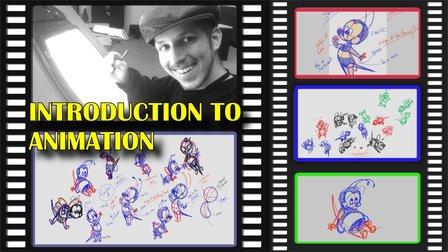
In this pilot episode, we will learn how to animate Spike the Bee from the old school Disney cartoons. For this first class, we will nail down his design, followed by drawing out thumbnails of the character in action. This is a class aimed at students who are either just starting off in the medium or for students who already have some prior knowledge of the art form. This class is great for beginners, hobbyists, and professionals in the field because you can use these skills and your understanding of the character to create your subjects on model in various expressions or poses.

Your class project will come in two parts. The first part will focus on two assignments: deconstructing and then constructing Spike the Bee. The second part will focus on one assignment: creating thumbnails for your animation of Spike the Bee. All in all, these are simple assignments just to get your feet wet in the water before we really dive deep into our animation.

For Assignment A of Part 1: Deconstruct Spike the Bee using the construction tips we learned from the class. To aid you, find four poses of the character online so you will be able to draw over them. Try to find a Front, Back, Left, and Right perspective of the character. When you are finished with those four drawings, screencap them and show that the sketches are drawn over the reference image. Post and share your work here in the class project gallery.

For Assignment B of Part 1: Construct Spike the Bee using the construction tips we learned from the class. This time, we are not going to trace over the reference images. The four drawings we make must come from our imagination. They can be from any kind of perspective you can think of. When you are finished with those four drawings, screencap them as they are since there are no reference images. Post and share your work here in the class project gallery.

For Assignment A of Part 2: Thumbnail Spike the Bee as we plan out our animation of him flying around. You can do as many thumbnails as you wish. All that matters is that you get the feel for the character and think up as many poses of him flying as you can. When you are finished, screencap all of the thumbnails together so they will all appear in one frame. Post and share your work here in the class project gallery.

Share your work and have fun!

Go to Class
MOOC List is learner-supported. When you buy through links on our site, we may earn an affiliate commission.

Related Courses

How To Get Motion Design Clients (Skillshare) Skillshare
Skillshare

How To Get Motion Design Clients (Skillshare)

So you have developed your animation and illustration skills, so what's next? Technical skills are important, and the skill to get clients is as important. First and foremost I'm an animator. It's my passion. That's what I love to do. And what I've learned early on in my career is that one should also learn the soft skills. I have been in business for about 9 years now and for those 9 years I have learned how to find clients, work on my network, and build genuine connections.

Self Paced
Self-Paced
Introduction to 3D Character Animation: #2 - Setting Up (Skillshare) Skillshare
Skillshare

Introduction to 3D Character Animation: #2 - Setting Up (Skillshare)

In this class, you will set up your environment so that you can start doing some character animation. You will also learn how we will approach animating realistic and believable 3D characters. You don't need to have any experience with any 3D software. However, it is recommended that you use the open-source 3D software Blender as that is what we will be using in this class. If you prefer your own 3D software, you will still be able to follow along and apply the principles in your preferred 3D software.

Self Paced
Self-Paced
Stylized Hand Painting in MAYA for Mobile Devices (beginners) (Skillshare) Skillshare
Skillshare

Stylized Hand Painting in MAYA for Mobile Devices (beginners) (Skillshare)

This is a FREE hand painting training for beginners. You will learn the traditional hand painting techniques for Stylized art. We will texture our asset in 2d. Which software is required? Maya 2019 and adobe photoshop. What you will learn? We are going to cover a lot of topics starting with modeling simple low poly assets, uv mapping or unwraping, texturing, hand painting techniques, ambient occlusion maps and more.

Self Paced
Self-Paced
The Creative Writer's Toolkit: Writing a Character Study | Learn with Wattpad  (Skillshare) Skillshare
Skillshare

The Creative Writer's Toolkit: Writing a Character Study | Learn with Wattpad (Skillshare)

Join Wattpad Star and author Lindsey Summers for a helpful, bite-sized class on writing a character study, an essential piece of your creative writing toolkit! Starting with a blank slate is daunting, and in this class, Lindsey shares her favorite tool for overcoming writer's block and starting your writing process: the character study.

self Paced
Self-Paced
Introduction to Blender For Beginners - #1 - Introduction (Skillshare) Skillshare
Skillshare

Introduction to Blender For Beginners - #1 - Introduction (Skillshare)

Welcome to the Introduction to Blender For Beginners Course! Throughout the next series of classes, you will learn the basics of (nearly) everything in Blender. Without needing to invest a whole lot of time or money, you will learn how to get started with 3D modeling, lighting, animation, sculpting, rendering, and physics to name a few with exercises spread throughout so that you can get your first experience with the software and gain overall confidence along the way.

Self Paced
Self-Paced
Free Class - Screenplay Character Introductions Part 1: Description (Skillshare) Skillshare
Skillshare

Free Class - Screenplay Character Introductions Part 1: Description (Skillshare)

Scripts have no space to waste. We need to get readers onboard and we need to do it fast. A great way to get people connected is to give them some insight into the characters from the moment they meet them. A generic character description isn’t going to cut it. In a short amount of time, we need our readers to be invested and curious.

Self Paced
Self-Paced
Small Doodling exercises- Handwritten letters (Skillshare) Skillshare
Skillshare

Small Doodling exercises- Handwritten letters (Skillshare)

I make illustrations with different texts and words. I use Blender for animating those. For a beginner it can be intimidating but turns out it is pretty simple to start with.Here I give you a small procedure that might help you make something creative really really fast. Try it out on your own and let me know if you had fun doing it.

Self Paced
Self-Paced
Animating Illustrations: Fundamentals of After Effects (Skillshare) Skillshare
Skillshare

Animating Illustrations: Fundamentals of After Effects (Skillshare)

Ever just want to jump right into After Effects but feel it's way too complicated? This is the perfect time for you to start! You'll be learning how to bring an illustration to life using this fabulously creative program. Firstly, we'll take a quick tour around After Effects so you can get to know the interface and from there we'll import and convert an Adobe Illustrator file for use in After Effects and then use it to do some very simple animation so you can get used to keyframing and the timeline.

Self Paced
Self-Paced
Speed Up Your Workflow With Motion2 From Mt. Mograph (Skillshare) Skillshare
Skillshare

Speed Up Your Workflow With Motion2 From Mt. Mograph (Skillshare)

In this quick course I’ll show you just a handful of the many incredibly useful tools in Mt. Mograph’s Motion2 plugin. There are so many uses for this plugin, and each one of them on their own is worth the full price. I’ll show you how I use Motion2 regularly to speed up my workflow and keep things moving in After Effects.

Self Paced
Self-Paced