3D Modeling: Character Modeling Challenge (Skillshare)

Offered by Skillshare,
3D Modeling: Character Modeling Challenge (Skillshare)

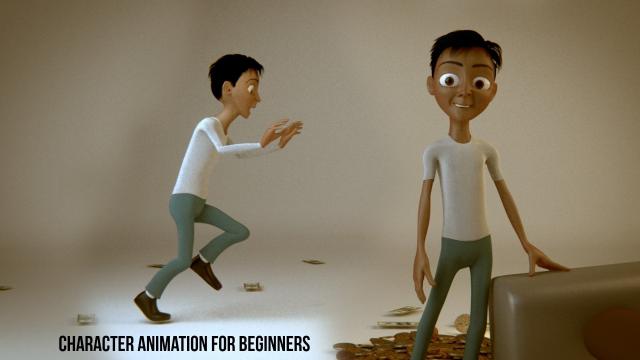
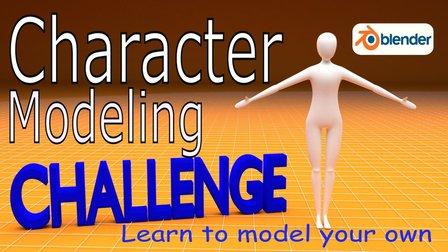
Are you tired of being a newbie with all the 3D modeling and animation you're learning? Do you want to learn and level up past being a novice? If that's you then this challenge is for you. The key to becoming great at anything is practice and progress, and that's what this challenge is all about. It doesn't matter when you start. Just get started! I'll be watching the projects closely as you create your characters each day.

In this class, you're going to use Blender 3D to model a character each day for 7 days. I'll help you get up and running with Blender with the first videos, then I'll do a walkthrough of my process for creating a character. You shouldn't spend too much time each time you model. The point of the challenge is progress, not perfection.
If you're completely new to Blender then the initial videos should have you covered. If there is anything missing feel free to ask me a question in the discussion section, or google the question directly. There are tons of resources out there for Blender. You could also watch one of my other classes where I spend much more time and go much slower.

Project Description

  • Down Load and Install Blender
  • Watch the first videos.
  • Post your character model each day to your class project.
  • Spend some extra time on your last model and post it with your feelings about how much better you've become now that you've participated in the challenge.
Go to Class
MOOC List is learner-supported. When you buy through links on our site, we may earn an affiliate commission.

Related Courses

Free Class - Screenplay Character Introductions Part 1: Description (Skillshare) Skillshare
Skillshare

Free Class - Screenplay Character Introductions Part 1: Description (Skillshare)

Scripts have no space to waste. We need to get readers onboard and we need to do it fast. A great way to get people connected is to give them some insight into the characters from the moment they meet them. A generic character description isn’t going to cut it. In a short amount of time, we need our readers to be invested and curious.

Self Paced
Self-Paced
PowerPoint for Beginners - Program & Animation Basics (Free class) (Skillshare) Skillshare
Skillshare

PowerPoint for Beginners - Program & Animation Basics (Free class) (Skillshare)

This course is intended for beginner and inexperienced designers, who aspire to learn Microsoft PowerPoint for professional or private use. No matter if you want to add a new skill to your portfolio, create videos, impress at work or start beeing an online entrepreneur. If you have very little experience with the software or are a total beginner and this will be the first time you open the software - this is the right course for you!

Self Paced
Self-Paced
Texturing characters in Autodesk Maya with Arnold (Skillshare) Skillshare
Skillshare

Texturing characters in Autodesk Maya with Arnold (Skillshare)

In this class you'll learn how to create shaders and textures for 3D characters using the Arnold render engine within Maya. Texturing will allow you to make believable materials for you character's Skin, eyes and hair. For this class you will need a copy of Maya, 2017 or higher, and some experience creating textures in Photoshop.

Self Paced
Self-Paced
Digital Illustration: Learn to Use Procreate  (Skillshare) Skillshare
Skillshare

Digital Illustration: Learn to Use Procreate (Skillshare)

Love digital illustration? Learn how to use Procreate, the award-winning painting app, for your best work yet! Become a Procreate master and learn a whole new approach to illustration in this fun, accessible class. Taught by illustrator Jarom Vogel, you'll learn how to use Procreate on your iPad to create digital artwork like never before. Whether you're new to digital art or are a seasoned illustrator, you'll unlock a whole new way to make your ideas a reality.

Self Paced
Self-Paced
Introduction to 3D Character Animation: #2 - Setting Up (Skillshare) Skillshare
Skillshare

Introduction to 3D Character Animation: #2 - Setting Up (Skillshare)

In this class, you will set up your environment so that you can start doing some character animation. You will also learn how we will approach animating realistic and believable 3D characters. You don't need to have any experience with any 3D software. However, it is recommended that you use the open-source 3D software Blender as that is what we will be using in this class. If you prefer your own 3D software, you will still be able to follow along and apply the principles in your preferred 3D software.

Self Paced
Self-Paced
Small Doodling exercises- Handwritten letters (Skillshare) Skillshare
Skillshare

Small Doodling exercises- Handwritten letters (Skillshare)

I make illustrations with different texts and words. I use Blender for animating those. For a beginner it can be intimidating but turns out it is pretty simple to start with.Here I give you a small procedure that might help you make something creative really really fast. Try it out on your own and let me know if you had fun doing it.

Self Paced
Self-Paced
Speed Up Your Workflow With Motion2 From Mt. Mograph (Skillshare) Skillshare
Skillshare

Speed Up Your Workflow With Motion2 From Mt. Mograph (Skillshare)

In this quick course I’ll show you just a handful of the many incredibly useful tools in Mt. Mograph’s Motion2 plugin. There are so many uses for this plugin, and each one of them on their own is worth the full price. I’ll show you how I use Motion2 regularly to speed up my workflow and keep things moving in After Effects.

Self Paced
Self-Paced
How to Morph Complex Shapes in After Effects (Skillshare) Skillshare
Skillshare

How to Morph Complex Shapes in After Effects (Skillshare)

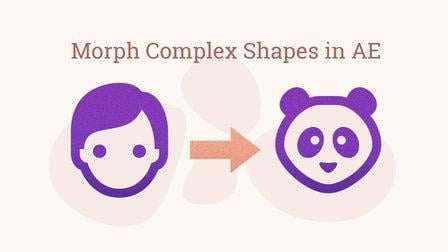
Morph Anything into Anything in After Effects Without Extra Plugins. In this tutorial, you will see the steps of morphing complex figures in After Effects. You don't need any extra plugins or programs for the animation. There are three examples of animation workflow. All of them are based on a simple principle: break the animation into steps, and morph a figure to the transitional state. In the end, you can see a screencast of a workflow on morphing a human face into Hulk.

Self Paced
Self-Paced