How To Get Motion Design Clients (Skillshare)

Offered by Skillshare,
How To Get Motion Design Clients (Skillshare)

So you have developed your animation and illustration skills, so what's next? Technical skills are important, and the skill to get clients is as important. First and foremost I'm an animator. It's my passion. That's what I love to do. And what I've learned early on in my career is that one should also learn the soft skills. I have been in business for about 9 years now and for those 9 years I have learned how to find clients, work on my network, and build genuine connections.

And in this class I will share with you everything I know about this topic.
In this class I will teach you:

  1. What's the motion design food chain look like.
  2. What's a rep?
  3. What's a sales funnel?
  4. How to get known.
  5. How to get potential clients to like you.
  6. How to gain trust.
  7. How to be recommended to other people.
Go to Class
MOOC List is learner-supported. When you buy through links on our site, we may earn an affiliate commission.


Related Courses

Digital Illustration: Learn to Use Procreate  (Skillshare) Skillshare
Skillshare

Digital Illustration: Learn to Use Procreate (Skillshare)

Love digital illustration? Learn how to use Procreate, the award-winning painting app, for your best work yet! Become a Procreate master and learn a whole new approach to illustration in this fun, accessible class. Taught by illustrator Jarom Vogel, you'll learn how to use Procreate on your iPad to create digital artwork like never before. Whether you're new to digital art or are a seasoned illustrator, you'll unlock a whole new way to make your ideas a reality.

Self Paced
Self-Paced
Modeling, Texturing and Lighting a Pineapple in Maya (Skillshare) Skillshare
Skillshare

Modeling, Texturing and Lighting a Pineapple in Maya (Skillshare)

Have you ever model a 3d Pineapple. If yes, Was your model looking unrealistic? If yes, then watch this class. Modeling, Texturing & Lighting a Pineapple in Maya, this class has lot of information which will help you model complex shapes in Maya. If you are a beginner Maya student then you should watch this class till end to learn valuable Technics in Maya, which you can use in your daily life or in professional life.

Self Paced
Self-Paced
Introduction to Hand-Drawn Animation With Animatic (Skillshare) Skillshare
Skillshare

Introduction to Hand-Drawn Animation With Animatic (Skillshare)

Learn how to get started creating animations by hand using the free Animatic app for iOS and Android devices in this free class. I'll get you up and running with Animatic and walk you through my entire process for animating by hand. We'll even touch on some basic animation practices like timing, spacing and squash & stretch. By the end of the class you'll have your very own hand-drawn animation!

Self Paced
Self-Paced
3D Modeling: Character Modeling Challenge (Skillshare) Skillshare
Skillshare

3D Modeling: Character Modeling Challenge (Skillshare)

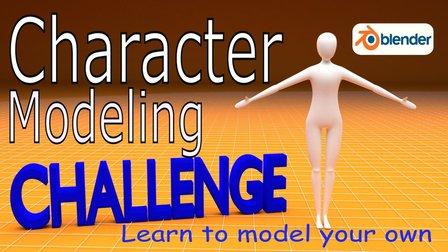
Are you tired of being a newbie with all the 3D modeling and animation you're learning? Do you want to learn and level up past being a novice? If that's you then this challenge is for you. The key to becoming great at anything is practice and progress, and that's what this challenge is all about. It doesn't matter when you start. Just get started! I'll be watching the projects closely as you create your characters each day.

Self Paced
Self-Paced
How to create Amazing 3D Hair & Fur in Maya (Skillshare) Skillshare
Skillshare

How to create Amazing 3D Hair & Fur in Maya (Skillshare)

Creating stylised and believable hair in 3D has been traditionally technically and artistically challenging. However since Maya 2018 there is a more artist friendly set of tools to make hair. The XGen Interactive Grooming Tools, make creating and styling hair really simple by using a series of interactive grooming tools that you can use in the Maya viewport.

Self Paced
Self-Paced
How to Animate a Sketch UI using Principle (Skillshare) Skillshare
Skillshare

How to Animate a Sketch UI using Principle (Skillshare)

This class will show you how to add motion to a User Interface that has been designed in Sketch using Prototype. It’s perfect for any designer who creates their UI using Sketch and wants to add motion and interaction to their designs. No prior experience of Principle is required to take the class as I’ll explain how to use it. The only thing you need to do before you take this is to download the Principle app on your machine.

Self Paced
Self-Paced
Writing Explainer Animations In After Effects (Skillshare) Skillshare
Skillshare

Writing Explainer Animations In After Effects (Skillshare)

Learn how to uniformly execute an explainer animation from scratch. If you want to learn how motion explainer animation is created from scratch. You are on the right place. Even if you are beginner or intermediate, you'll get extremely useful tips and tricks. The process that is shared makes your animation work flow much more faster than ever.

Self Paced
Self-Paced
Create Smooth Lip Syncs in After Effects (Skillshare) Skillshare
Skillshare

Create Smooth Lip Syncs in After Effects (Skillshare)

This awesome technique will enable you to create smooth lip syncs in Adobe After Effects. The technique is especially suitable for slow talking characters, but works great at other speeds as well. It's a fun and short class that's straight to the point. If you really want to spice up you character animations in Adobe After Effects, then this class is definitely for you! What are you waiting for? Let's get those lips moving! I'm sure your characters have something fun to say :-)

Self Paced
Self-Paced
Speed Up Your Workflow With Motion2 From Mt. Mograph (Skillshare) Skillshare
Skillshare

Speed Up Your Workflow With Motion2 From Mt. Mograph (Skillshare)

In this quick course I’ll show you just a handful of the many incredibly useful tools in Mt. Mograph’s Motion2 plugin. There are so many uses for this plugin, and each one of them on their own is worth the full price. I’ll show you how I use Motion2 regularly to speed up my workflow and keep things moving in After Effects.

Self Paced
Self-Paced