Character design for model animation - build cool creatures out of any material! (Skillshare)

Offered by Skillshare,
Character design for model animation - build cool creatures out of any material! (Skillshare)

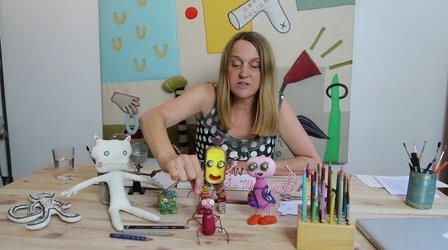
In this course, we start from the base with free doodling and out of this intuitive information we can create a whole world of creatures! And it is your very own, unique world! I will show you how to create this kind of doodles and how to create characters step by step. I will give you insight in good materials to use for model building on a small budget. We will build a small model step by step. And since I like animation, I will put in little pieces of animation wherever I can!

The end product can be a small puppet, or a cool doodle . Let´s dive into our secret doodle world!
You can relate to one of the exercises in the videos.

  1. Fill a paper with a doodle, than move with a piece of plastic (with small eyes drawn on it) over the drawing and look for hidden creatures. Draw your favorite creature. Or draw with someone else! That is also fun!
  2. Draw lot´s of basic forms (or combined forms) on a strong piece of paper or cardboard, using a thick black marker. Draw small and bigger forms, like in the video. Cut them all out carefully, until you have a nice collection of shapes and forms. Now go and collect all kind of everyday objects, look at the forms or textures, can you imagine them to be part of a creature? Then put both collections on a table and start playing with them and combine them. You will find the most funny creatures! Make pictures of them and post them here!
  3. Try to make a small model like in the video about building a puppet. If you have the right materials. You should be able to get these materials in hobby shops. Have fun!
Go to Class
MOOC List is learner-supported. When you buy through links on our site, we may earn an affiliate commission.
Related Courses

Writing Explainer Animations In After Effects (Skillshare) Skillshare
Skillshare

Writing Explainer Animations In After Effects (Skillshare)

Learn how to uniformly execute an explainer animation from scratch. If you want to learn how motion explainer animation is created from scratch. You are on the right place. Even if you are beginner or intermediate, you'll get extremely useful tips and tricks. The process that is shared makes your animation work flow much more faster than ever.

Self Paced
Self-Paced
Stylized Hand Painting in MAYA for Mobile Devices (beginners) (Skillshare) Skillshare
Skillshare

Stylized Hand Painting in MAYA for Mobile Devices (beginners) (Skillshare)

This is a FREE hand painting training for beginners. You will learn the traditional hand painting techniques for Stylized art. We will texture our asset in 2d. Which software is required? Maya 2019 and adobe photoshop. What you will learn? We are going to cover a lot of topics starting with modeling simple low poly assets, uv mapping or unwraping, texturing, hand painting techniques, ambient occlusion maps and more.

Self Paced
Self-Paced
Exporting GIFs with Adobe Media Encoder - For Windows and Mac OS (Skillshare) Skillshare
Skillshare

Exporting GIFs with Adobe Media Encoder - For Windows and Mac OS (Skillshare)

Learn how to best export your animation as a GIF, whether you are on Windows or Mac OS, using Adobe After Effects and Adobe Media Encoder. There are many ways to create a GIF and even more limitations when it comes to posting it on social media. In this class, I'll go through the process of creating encoding presets, you can use to render out your GIF, what to look out for regarding duration, social media platform and GIF format limitations!

Self Paced
Self-Paced
Modeling, Texturing and Lighting a Pineapple in Maya (Skillshare) Skillshare
Skillshare

Modeling, Texturing and Lighting a Pineapple in Maya (Skillshare)

Have you ever model a 3d Pineapple. If yes, Was your model looking unrealistic? If yes, then watch this class. Modeling, Texturing & Lighting a Pineapple in Maya, this class has lot of information which will help you model complex shapes in Maya. If you are a beginner Maya student then you should watch this class till end to learn valuable Technics in Maya, which you can use in your daily life or in professional life.

Self Paced
Self-Paced
Speed Up Your Workflow With Motion2 From Mt. Mograph (Skillshare) Skillshare
Skillshare

Speed Up Your Workflow With Motion2 From Mt. Mograph (Skillshare)

In this quick course I’ll show you just a handful of the many incredibly useful tools in Mt. Mograph’s Motion2 plugin. There are so many uses for this plugin, and each one of them on their own is worth the full price. I’ll show you how I use Motion2 regularly to speed up my workflow and keep things moving in After Effects.

Self Paced
Self-Paced
Texturing characters in Autodesk Maya with Arnold (Skillshare) Skillshare
Skillshare

Texturing characters in Autodesk Maya with Arnold (Skillshare)

In this class you'll learn how to create shaders and textures for 3D characters using the Arnold render engine within Maya. Texturing will allow you to make believable materials for you character's Skin, eyes and hair. For this class you will need a copy of Maya, 2017 or higher, and some experience creating textures in Photoshop.

Self Paced
Self-Paced
Small Doodling exercises- Handwritten letters (Skillshare) Skillshare
Skillshare

Small Doodling exercises- Handwritten letters (Skillshare)

I make illustrations with different texts and words. I use Blender for animating those. For a beginner it can be intimidating but turns out it is pretty simple to start with.Here I give you a small procedure that might help you make something creative really really fast. Try it out on your own and let me know if you had fun doing it.

Self Paced
Self-Paced