Multi-Axis CNC Toolpaths (Coursera)

Offered by Autodesk,
Multi-Axis CNC Toolpaths (Coursera)

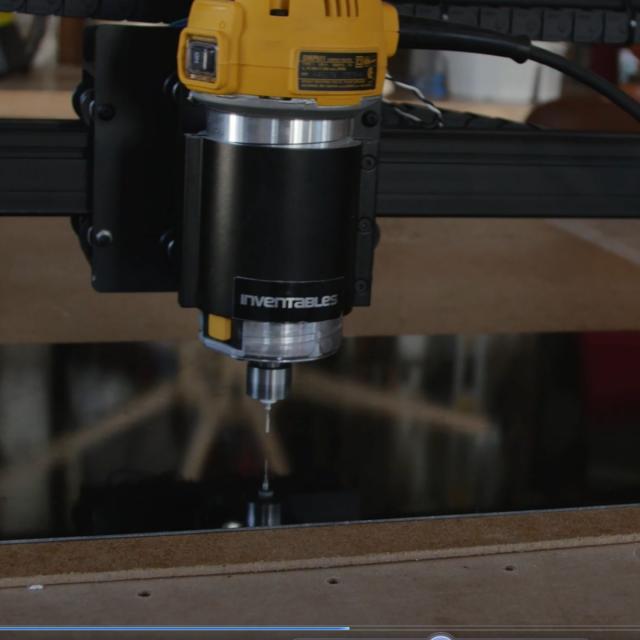
Computer Numerical Controlled machines, or CNC for short, can have a nearly endless number of options. Most machines today control tool motion in 3-axes, X, Y and Z, but can be upgraded to include a 4th or 5th axis as well, A and B. Additionally, there are many machines on the market that are already 5-axis capable. The good news is that Autodesk® Fusion 360™ has you covered if you need to control multi-axis positioning or simultaneous motion in all 5 axes at once!

Class Deals by MOOC List - Click here and see Coursera's Active Discounts, Deals, and Promo Codes.

Want to take your learning to the next level? Complete the Autodesk CAD/CAM for Manufacturing Specialization, and you’ll unlock an additional Autodesk Credential as further recognition of your success! The Autodesk Credential comes with a digital badge and certificate, which you can add to your resume and share on social media platforms like LinkedIn, Facebook, and Twitter. Sharing your Autodesk Credential can signal to hiring managers that you’ve got the right skills for the job and you’re up on the latest industry trends like generative design.
Course 4 of 4 in the Autodesk CAD/CAM for Manufacturing Specialization.

Syllabus

WEEK 1
Creating Multi-Axis Positioning Toolpaths
In Week 1, we’ll cover the use of multi-axis controls to position and machine geometry. Multi-axis positioning lets us use 4th and 5th axis control to locate the part and tool but utilize 2.5 and 3-axis cutting operations to actually remove material.

WEEK 2
Simultaneous Multi-Axis Toolpaths
In Week 2, we’ll explore how to control tool motion in 5-axes at the same time using Fusion 360. Simultaneous 5-axis machining can seem like a daunting task, but the interface and controls in Fusion 360 make it manageable.

WEEK 3
Creating Multiple Setups
In Week 3, we’ll learn the basics of creating multiple setups in Fusion 360. This process is done when a part needs to be repositioned in a machine for additional operations. We’ll focus on using this in 3-axis applications with a single “flip” of the part in a vise to highlight how to create a new setup, coordinate system, and toolpaths to finish off a part.

WEEK 4
Creating Multiple Setups for Multiple Machines
In Week 4, we’ll combine all the knowledge we have learned into programming a single part using 2 different machines. We’ll start cutting some geometry on a CNC Mill with a 3-axis workflow. This is typically done to rough, semi-finish, or finish parts that don’t require multi-axis tooling or only require a small amount of it. This keeps the machine run time down of more expensive machines that might be performing other tasks. We follow this up by creating an additional setup to utilize multi-axis positioning as well as simultaneous 5-axis finishing operations.

Go to Class
MOOC List is learner-supported. When you buy through links on our site, we may earn an affiliate commission.

Related Courses

Intro to Siemens NX: Engineering Essentials and Part Design (Coursera) Coursera
Siemens

Intro to Siemens NX: Engineering Essentials and Part Design (Coursera)

Welcome to Intro to Siemens NX: Engineering Essentials and Part Design!! This course will provide you with the essential skills needed to excel in computer-aided design (CAD), computer-aided manufacturing (CAM), and computer-aided engineering (CAE) using Siemens NX software. Be prepared to dive into the versatile capabilities of NX as it empowers engineers and designers to efficiently create, simulate, and manufacture products.

Aug 31st 2026
4 Weeks
Introducción al Control Numérico por Computadora (edX) EdX
TenarisUniversity

Introducción al Control Numérico por Computadora (edX)

El curso de Introducción al Control Numérico Computarizado te permitirá adquirir conocimientos básicos para la selección, programación y accionamiento de un CNC. Con este curso aprenderás a desarrollar y operar un proyecto con una máquina CNC. A través de la simulación de un caso real y con el objetivo de producir piezas de ajedrez para una empresa llamada “Jaque Mate”.

Self-Paced
Self-Paced
Computer-Aided Design (CAD) (saylor.org) Saylor Academy
Saylor.org

Computer-Aided Design (CAD) (saylor.org)

CAD, or computer-aided design, is a powerful modeling tool that technical professionals use. With CAD, architects can draw up building plans and engineers can develop component and system designs. Some CAD programs even allow users to perform stress analysis, demonstrating how well a proposed structure will fare when put to use. For example, when does a load become too big? How much weight can be put onto a bridge before it becomes structurally unsound? Using CAD, professionals can create precise engineering drawings in both 2- and 3-D, complete with dimensions and specifications, in a neat and readable format.

Legacy Course
Self-Paced
Introduction to CAD, CAM, and Practical CNC Machining (Coursera) Coursera
Autodesk

Introduction to CAD, CAM, and Practical CNC Machining (Coursera)

This course introduces you to the foundational knowledge in computer-aided design, manufacture, and the practical use of CNC machines. In this course we begin with the basics in Autodesk® Fusion 360™ CAD by learning how to properly sketch and model 3D parts. Before we program any toolpaths, we’ll explore CNC machining basics to ensure we have the ground level foundational knowledge needed to effectively define toolpaths.

Nov 11th 2024
4 Weeks
Manufacturing Process Control I (edX) EdX
MIT,MITx

Manufacturing Process Control I (edX)

Learn how to model variations in manufacturing processes and develop methods to reduce and control deterministic variations to achieve consistent process quality. Randomness is inherent in all processes including manufacturing. The fundamental concepts taught in this course will help learners develop powerful statistical process control methods that are the foundation of world-class manufacturing quality.

Aug 18th 2026
5-12 Weeks
Using Rapid Prototyping in the Engineering Design Process (Coursera) Coursera
Arizona State University

Using Rapid Prototyping in the Engineering Design Process (Coursera)

Hello, everyone! Welcome to this course on Using Rapid Prototyping in the Engineering Design Process. This is part of the Rapid Prototyping and Tooling specialization. In this course, I’ll cover the engineering design process and how it can be used to solve open-ended problems. I’ll discuss the different stages of prototyping and why it is advantageous to produce prototypes rapidly. I’ll then discuss engineering drawings and how to communicate information about 3-dimensional objects on 2-dimensional mediums such as paper or a computer screen.

Aug 31st 2026
4 Weeks
Generative Design for Performance and Weight Reduction (Coursera) Coursera
Autodesk

Generative Design for Performance and Weight Reduction (Coursera)

There are many considerations and factors that play a part in designing a new product. Cost is usually a big one, but sometimes there are other factors that are the main contributors to a product's direction. With vehicles, specifically motorcycles, we see advanced engineering practices performed on seemingly minor parts. In some instances, making a part as light as possible can have a big effect on performance.

Nov 11th 2024
4 Weeks
Generative Design for Part Consolidation (Coursera) Coursera
Autodesk

Generative Design for Part Consolidation (Coursera)

Designing a product is only part of the process. Now, can that product be manufactured? In many cases the end product is made up of an assembly of different pieces to simplify manufacturing. With generative design and additive manufacturing, we can now take a different approach to the process of designing and producing complex products by ultimately reducing the number of parts and steps in an assembly while optimizing a design for strength and weight reduction.

Nov 11th 2024
4 Weeks
3-Axis Machining with Autodesk Fusion 360 (Coursera) Coursera
Autodesk

3-Axis Machining with Autodesk Fusion 360 (Coursera)

As our machining geometry gets more complicated, Autodesk® Fusion 360™ is up to the task! With a host of standard and adaptive toolpaths we can rapidly remove material from even the most complicated 3d parts. In this course, we explore how to rough and finish geometry that requires tool motion in X, Y, and Z simultaneously, learning how to finish even the finest of details. We’ll wrap up this course by creating a full CNC program for a part, simulating it, and exporting it to G-code.

Nov 11th 2024
4 Weeks
Digital Manufacturing: Introduction and Smart Design (Coursera) Coursera
L&T EduTech

Digital Manufacturing: Introduction and Smart Design (Coursera)

This course has been created for Mechanical, Manufacturing, and Mechatronics Engineers. The "Digital Manufacturing and Industry 4.0" course is intended for those who want to comprehend and navigate the transformative concepts and technologies that shape modern Industry. Throughout this course, participants will learn about the fundamental principles of digital manufacturing, the path to Industry 4.0, and the emerging technology that drives smart design and production processes through three modules.

Aug 31st 2026
3 Weeks