How to Morph Complex Shapes in After Effects (Skillshare)

Offered by Skillshare,
How to Morph Complex Shapes in After Effects (Skillshare)

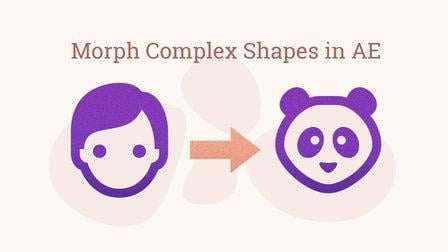
Morph Anything into Anything in After Effects Without Extra Plugins. In this tutorial, you will see the steps of morphing complex figures in After Effects. You don't need any extra plugins or programs for the animation. There are three examples of animation workflow. All of them are based on a simple principle: break the animation into steps, and morph a figure to the transitional state. In the end, you can see a screencast of a workflow on morphing a human face into Hulk.

Supplies:

  • Two icons
  • Adobe Illustrator
  • Adobe After Effects

STEP 1:

  1. Choose icons: initial and the final one
  2. Draw a circle in Illustrator
  3. Save .svg file as .ai.

STEP 2:

  1. Open After Effects, create a composition
  2. Import the prepared .ai files in After Effects
  3. Create vector shapes from layers
  4. Set the time for quick but visible animation (can be 14 frames for each transition)
  5. Choose rest time (can be 3 frames in the beginning, and 3 frames in the end)
  6. Animate the morph
  7. Add Easy Ease In and Easy Ease Out
  8. Save the file
  9. Upload it here
Go to Class
MOOC List is learner-supported. When you buy through links on our site, we may earn an affiliate commission.

Related Courses

After Effects 2019 Basic CLASS 1: Introduction (Skillshare) Skillshare
Skillshare

After Effects 2019 Basic CLASS 1: Introduction (Skillshare)

Adobe After Effects is a digital visual effects, motion graphics, and compositing application developed by Adobe Systems and used in the post-production process of film making and television production. Among other things, After Effects can be used for keying, tracking, compositing, and animation. It also functions as a very basic non-linear editor, audio editor, and media transcoder.

Self Paced
Self-Paced
PowerPoint for Beginners - Program & Animation Basics (Free class) (Skillshare) Skillshare
Skillshare

PowerPoint for Beginners - Program & Animation Basics (Free class) (Skillshare)

This course is intended for beginner and inexperienced designers, who aspire to learn Microsoft PowerPoint for professional or private use. No matter if you want to add a new skill to your portfolio, create videos, impress at work or start beeing an online entrepreneur. If you have very little experience with the software or are a total beginner and this will be the first time you open the software - this is the right course for you!

Self Paced
Self-Paced
Introduction to Blender For Beginners - #1 - Introduction (Skillshare) Skillshare
Skillshare

Introduction to Blender For Beginners - #1 - Introduction (Skillshare)

Welcome to the Introduction to Blender For Beginners Course! Throughout the next series of classes, you will learn the basics of (nearly) everything in Blender. Without needing to invest a whole lot of time or money, you will learn how to get started with 3D modeling, lighting, animation, sculpting, rendering, and physics to name a few with exercises spread throughout so that you can get your first experience with the software and gain overall confidence along the way.

Self Paced
Self-Paced
Introduction to Hand-Drawn Animation With Animatic (Skillshare) Skillshare
Skillshare

Introduction to Hand-Drawn Animation With Animatic (Skillshare)

Learn how to get started creating animations by hand using the free Animatic app for iOS and Android devices in this free class. I'll get you up and running with Animatic and walk you through my entire process for animating by hand. We'll even touch on some basic animation practices like timing, spacing and squash & stretch. By the end of the class you'll have your very own hand-drawn animation!

Self Paced
Self-Paced
Introduction To Animation (Skillshare) Skillshare
Skillshare

Introduction To Animation (Skillshare)

In this pilot episode, we will learn how to animate Spike the Bee from the old school Disney cartoons. For this first class, we will nail down his design, followed by drawing out thumbnails of the character in action. This is a class aimed at students who are either just starting off in the medium or for students who already have some prior knowledge of the art form. This class is great for beginners, hobbyists, and professionals in the field because you can use these skills and your understanding of the character to create your subjects on model in various expressions or poses.

Self Paced
Self-Paced
Texturing characters in Autodesk Maya with Arnold (Skillshare) Skillshare
Skillshare

Texturing characters in Autodesk Maya with Arnold (Skillshare)

In this class you'll learn how to create shaders and textures for 3D characters using the Arnold render engine within Maya. Texturing will allow you to make believable materials for you character's Skin, eyes and hair. For this class you will need a copy of Maya, 2017 or higher, and some experience creating textures in Photoshop.

Self Paced
Self-Paced
Speed Up Your Workflow With Motion2 From Mt. Mograph (Skillshare) Skillshare
Skillshare

Speed Up Your Workflow With Motion2 From Mt. Mograph (Skillshare)

In this quick course I’ll show you just a handful of the many incredibly useful tools in Mt. Mograph’s Motion2 plugin. There are so many uses for this plugin, and each one of them on their own is worth the full price. I’ll show you how I use Motion2 regularly to speed up my workflow and keep things moving in After Effects.

Self Paced
Self-Paced
Stylized Hand Painting in MAYA for Mobile Devices (beginners) (Skillshare) Skillshare
Skillshare

Stylized Hand Painting in MAYA for Mobile Devices (beginners) (Skillshare)

This is a FREE hand painting training for beginners. You will learn the traditional hand painting techniques for Stylized art. We will texture our asset in 2d. Which software is required? Maya 2019 and adobe photoshop. What you will learn? We are going to cover a lot of topics starting with modeling simple low poly assets, uv mapping or unwraping, texturing, hand painting techniques, ambient occlusion maps and more.

Self Paced
Self-Paced