UI and UX design is a thriving industry with numerous prospects for anyone with the right skills. This course is designed for those who are interested in starting a career in designing UI and UX experiences as well as developers who want to create web and front-end applications. It emphasizes the key concepts, tools, and methodologies used in front-end development.
Class Deals by MOOC List - Click here and see Coursera's Active Discounts, Deals, and Promo Codes.
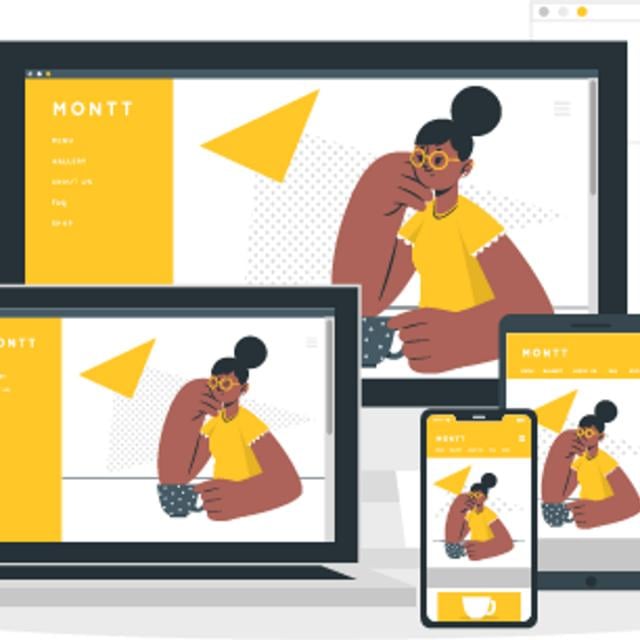
Web and mobile-accessible devices are transforming the world. Nowadays, everyone has a smartphone, tablet, smart TV, and/or laptop, which they use for communication and data searching. Companies are increasingly turning to front-end developers, mobile app developers, and UI/UX designers to assist them in producing user-friendly products. Therefore, it is crucial to provide users with a robust yet intuitive user interface and experience.
In this course, you will learn about the best practices of visual design development and identify the differences between well-designed and poor user interfaces. You will explore typography, readability, and colour theory in UI design.
You will gain insight into key methodologies in visual design like Responsive Web Design (RWD) and Progressive Web Design (PWD).
You will gain exposure to tools like Figma, a collaborative cloud-based app used for interface design. You will discover the steps to set up a Figma account and learn about its configuration. In addition, you will explore the various components, styles, libraries, and layout grids used in Figma that are essential for design.
Throughout this course, you will learn through videos, readings, activities, and quizzes designed to teach you the fundamentals of visual web and mobile design and development. You will gain a range of technical and practical knowledge and get insights and guidance from experts in the field.
The practical knowledge you will gain from the hands-on labs will further strengthen your base and enable you to perform better.
This is a beginner’s course, intended for learners with basic computer operating skills who have a fundamental knowledge of visual design development and are familiar with Figma.
To be successful in this course, you should have a basic understanding of User Interface (UI) and User Experience (UX) design as well as website wireframes, familiarity with the different kinds of layouts and tools used for visual design in various devices, and familiarity with the Figma application.
This course is part of the IBM Front-End Developer Professional Certificate.
What you'll learn
- Explain design, UI/UX concepts, best practices of visual development, and the key duties and responsibilities of a UI/UX designer.
- Examine web design methodologies like Responsive Web Design (RWD), and Progressive Web Development.
- Use Figma, the essential concepts of Figma, and its various features.
- Develop applications and websites with web development frameworks, like Bootstrap.
Syllabus
Designing Intuitive Front Ends and Mockup Design Principles
Module 1
The success of a system, product, or application relies on delivering a seamless and engaging user experience. The User-Centered Design (UCD) framework ensures that the final product aligns with the user’s requirements. It plays a crucial role when designing a product's User-Interface (UI) and User Experience (UX). Design thinking is a problem-solving process tailored explicitly for creating user-centric UI and UX designs. It includes various stages and strategies that assist designers and teams in creating the right product. Wireframes and prototypes help streamline the design process by visualizing and testing ideas early, saving time and resources. Visual design principles such as alignment, hierarchy, contrast, repetition, proximity, balance, and space are crucial in delivering meaningful experiences to users. As UI design focuses on the visual aspect of a digital product, various design tools are available for creating an engaging and intuitive UI. Visual design focuses on a website’s appearance; therefore, it is essential to use some basic elements as building blocks for developing a good design. These elements enhance the user experience. Certain aspects of UI have a massive impact on users. These include typography, readability, and color theory. A website or app’s UI includes its visual design and functionality. Therefore, designers must employ the best practices for developing different web and mobile interface components.
Web Design Methodologies
Module 2
Web browsing on various devices is increasing rapidly. To develop an online presence, creating a website that runs on diverse screen sizes is crucial. Responsive web design is an approach that aims to create web pages that render effectively across all screen sizes and resolutions, ensuring better usability. Another approach that developers use for developing web applications is a mobile-first design. It first focuses on designing products for small screens and then progressively expanding them to larger screen sizes. Other website optimization approaches for different screen sizes include adaptive and fluid design. Media queries are filters for CSS styles to modify the appearance of a website or application according to the screen size of the user’s device. As developers widely use responsive web design, it is vital to follow its best practices. Developers should test the website or application through cross-browser or responsive testing before launching it. Progressive Web Applications (PWAs) use web technologies to provide an app-like experience to users. These use various frameworks and patterns to enable them to leverage both web and native app functionalities. Single Page Applications (SPAs) make the website more like a desktop application, offering a more fluid and enjoyable experience by reducing the lag time between succeeding pages. An integral part of PWA is Service workers. These enable offline access, rapid loading, push notifications, and other features. A website can be transformed into a PWA by adding features and altering code to make it behave like an app on mobile devices. PWA Apps can provide native app-like features and even update content in the background so that the users can view the most up-to-date content.
UI Design with Figma
Module 3
Figma is a web-based design tool for creating user interfaces, icons, wireframes, and prototypes. Its unique features allow designers to create and collaborate on digital designs efficiently and effectively. The core concepts of Figma include Frames, Components, and Layers. Frames are a way to group related elements together and create sections within the design. Layers help manage the visibility and positioning of individual elements within a frame. The Component feature in Figma enables designers to construct reusable design components that can change and update in real-time across various pages and files. Components can be organized into libraries for easy access and sharing among team members. Styles can also be applied to components, such as typography, colors, and effects, to maintain consistency throughout a design. Cards and layouts are additional features within Figma that help to group related content and actions in a flexible and extensible container. Figma also offers a variety of image shapes and tools for designing, including vector shapes, images, icons, text, and plugins. To set up and configure Figma, users need to create an account, choose a plan, and customize their workspace preferences.
Final Project and Assessment
Module 4
In this module, you will design and create an interactive Sales App using Figma and Thunkable. Figma is a powerful UI design tool used to create wireframes, prototypes, and high-fidelity designs for web and mobile applications. Thunkable is a web application that is well-known for visual programming concepts with a “drag and drop” style, thus making it very easy for everyone to understand and helps to create very interactive mobile-based web applications. To create the interactive Sales app, you can design the layout and features using Figma, export the Figma assets to Thunkable, build functionality using pre-built components, and test the app on a mobile device or using web preview.