Interagir com sistemas operativos (Coursera)

Offered by Google,
Interagir com sistemas operativos (Coursera)

Neste curso, através de uma combinação de palestras em vídeo, demonstrações e experiências práticas, vai adquirir conhecimentos acerca dos componentes principais de um sistema operativo e como realizar tarefas críticas, como gerir software e utilizadores e configurar hardware. Vamos terminar com um exemplo de como este conteúdo pode surgir no contexto de uma entrevista.

Class Deals by MOOC List - Click here and see Coursera's Active Discounts, Deals, and Promo Codes.

No final deste curso, será capaz de:
● Navegar nos sistemas de ficheiros do Windows e do Linux através de uma interface gráfica do utilizador e de um intérprete de linha de comandos.
● Configurar utilizadores, grupos e autorizações de acesso a contas.
● Instalar, configurar e remover software nos sistemas operativos Windows e Linux.
● Configurar partições do disco e sistemas de ficheiros.
● Perceber como funcionam os processos dos sistemas e como os gerir.
● Trabalhar com registos de sistemas e ferramentas de ligação remota.
● Utilizar os conhecimentos sobre os sistemas operativos para resolver problemas comuns como especialista de apoio técnico de TI.

Course 3 of 5 in the Apoio Técnico de TI da Google Professional Certificate

Syllabus

WEEK 1
Navegar no sistema
Damos-lhe as boas-vindas ao curso Sistemas operativos da Certificação profissional de apoio técnico de TI! Na primeira semana deste curso, vamos abordar os princípios básicos dos sistemas operativos (SO) Windows e Linux. Vamos adquirir conhecimentos acerca do funcionamento dos diretórios e ficheiros nos SO Windows e Linux. Também vai aprender formas práticas de manipular ficheiros e diretórios na interface gráfica do utilizador (GUI) do Windows, na interface de linhas de comando (CLI) do Windows e na shell do Linux. No final deste módulo, vai interagir com ficheiros e diretórios e efetuar a manipulação básica de texto nos SO Windows e Linux.

WEEK 2
Utilizadores e autorizações
Na segunda semana deste curso, vamos aprender a configurar utilizadores e autorizações no Windows e SO Linux. Como especialista do apoio técnico de TI, é importante saber como conceder as autorizações adequadas aos utilizadores e grupos para o Windows e o SO Linux. No final deste módulo, saberá como adicionar, modificar e remover utilizadores para um computador e para ficheiros e pastas específicos ao utilizar a GUI do Windows, a CLI do Windows e a shell do Linux.

WEEK 3
Gestão de pacotes e software
Na terceira semana deste curso, vamos abordar a gestão de pacotes e software nos sistemas operativos Windows e Linux. É importante saber como funcionam as instalações de pacotes, assim como compreender como são geridos os dispositivos e os controladores nestes sistemas operativos. Vamos ainda aprender diferentes métodos de empacotamento e compressão de ficheiros. No final deste módulo, deverá saber como criar, atualizar e remover software com a GUI e a CLI do Windows, bem como com a shell do Linux.

WEEK 4
Sistemas de ficheiros
Na quarta semana deste curso, vamos aprender como funcionam os sistemas de ficheiros nos sistemas operativos Windows e Linux. Vamos conhecer os tipos de sistemas de ficheiros e o motivo pelo qual são diferentes em determinados sistemas operativos. Vamos saber mais sobre partição do disco e memória virtual, bem como por que motivo são tão importantes para uma função de especialista de apoio técnico de TI. Vamos abordar ainda formas de montagem e desmontagem de sistemas de ficheiros, leitura da utilização do disco e reparação de sistemas de ficheiros. No final deste módulo, vai fazer a partição e a formatação de um disco no Windows e Linux.

WEEK 5
Gestão de processos
Na quinta semana deste curso, vamos explorar a gestão de processos. Para um especialista de apoio técnico de TI, é importante utilizar as ferramentas do sistema para ler e compreender os estados dos processos das máquinas. Vamos abordar as formas de iniciar e terminar um processo no Windows e Linux. Vamos também aplicar ferramentas de resolução de problemas para resolver problemas com processos e recursos. No final deste módulo, vai utilizar comandos do Windows e Linux para fazer a manutenção de processos.

WEEK 6
Sistemas operativos na prática
Parabéns, chegou à semana final do curso! Na última semana deste curso, vamos abordar alguns dos aspetos práticos dos sistemas operativos que vai utilizar no apoio técnico de IT. Vamos abordar o acesso remoto e a resolução de problemas à distância. Vamos explorar ferramentas de virtualização para gerir e remover instâncias virtuais, utilizar registos para monitorização do sistema e conhecer algumas técnicas diferentes de implementação do SO. No final deste módulo, vai aplicar todas as competências deste curso para depurar alguns problemas no SO Windows e Linux. Boa sorte!

Go to Class
MOOC List is learner-supported. When you buy through links on our site, we may earn an affiliate commission.

Related Courses

Quantitative Model Checking (Coursera) Coursera
EIT Digital

Quantitative Model Checking (Coursera)

The integration of ICT (information and communications technology) in different applications is rapidly increasing in e.g. Embedded and Cyber physical systems, Communication protocols and Transportation systems. Hence, their reliability and dependability increasingly depends on software. Defects can be fatal and extremely costly (with regards to mass-production of products and safety-critical systems).

Sep 7th 2026
5-12 Weeks
Introduction to Embedded Systems Software and Development Environments (Coursera) Coursera
University of Colorado Boulder

Introduction to Embedded Systems Software and Development Environments (Coursera)

Welcome to the Introduction to Embedded Systems Software and Development Environments. This course is focused on giving you real world coding experience and hands on project work with ARM based Microcontrollers. You will learn how to implement software configuration management and develop embedded software applications. Course assignments include creating a build system using the GNU Toolchain GCC, using Git version control, and developing software in Linux on a Virtual Machine.

Sep 14th 2026
4 Weeks
Linux Fundamentals (Coursera) Coursera
LearnQuest

Linux Fundamentals (Coursera)

This course is the first of a series that aims to prepare you for a role working as an information technology professional. In this course, you will be introduced to the Linux operating system. You will learn about the licensing model and several Linux distributions. We will go through some services delivered in the Linux operating system. We will conclude this course by looking at how to search and analyze text using command line tools in the operating system.

Sep 14th 2026
4 Weeks
Embedded Hardware and Operating Systems (Coursera) Coursera
EIT Digital

Embedded Hardware and Operating Systems (Coursera)

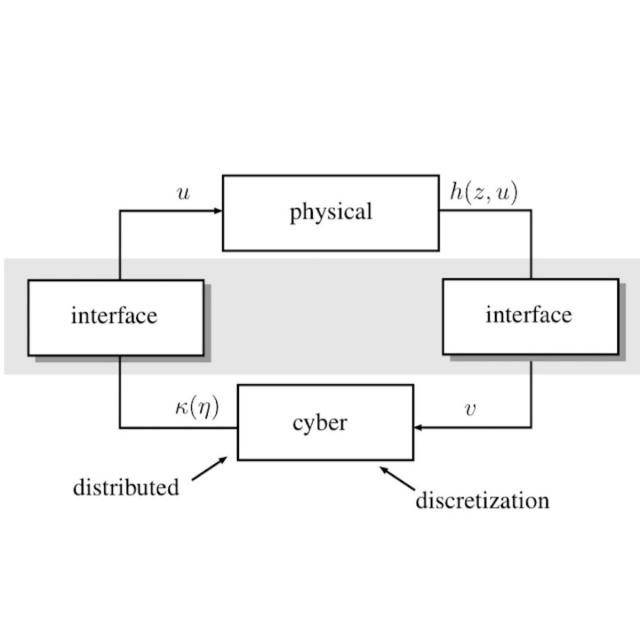
This course is intended for the Bachelor and Master's students, who like practical programming and making IoTs applications! In this course we will talk about two components of a cyber physical system, namely hardware and operating systems. After completing this course, you will have the knowledge of both hardware components and operating systems. You are able to plan and use embedded operating systems in resource-constraint devices for Internet-of-Things (cyber physical system) applications.

Sep 21st 2026
4 Weeks
Version Control with Git (Coursera) Coursera
Atlassian

Version Control with Git (Coursera)

The Version Control with Git course provides you with a solid, hands-on foundation for understanding the Git version control system. Git is open source software originally created by Linus Torvalds. Git manages team files for large and small projects. This allows the team to continuously improve its product. It is used by most major technology companies, and is assumed knowledge for many modern programming and IT jobs. It is a core component of DevOps, continuous delivery pipelines and cloud-native computing. You could also use Git to manage the many continuously improving revisions of that book that you are writing.

Sep 7th 2026
4 Weeks
Linux Server Management and Security (Coursera) Coursera
University of Colorado System

Linux Server Management and Security (Coursera)

Whether you are accessing a bank website, Netflix or your home router, chances are that your computer is interacting with a Linux system. The world runs on Linux. In this course, we will dive into how Linux works from an enterprise perspective. In week 1 we will look at what Linux is used for in the enterprise. By the end of week 1, you will be able to differentiate between different versions of Linux and understand how they are used in an enterprise environment. In week 2, we will explore how Linux systems are configured.

Sep 7th 2026
5-12 Weeks
Introduction to Software, Programming, and Databases (Coursera) Coursera
IBM

Introduction to Software, Programming, and Databases (Coursera)

There are many types of software and understanding software can be overwhelming. This course aims to help you understand more about the types of software and how to manage software from an information technology (IT) perspective. This course will help you understand the basics of software, cloud computing, web browsers, development and concepts of software, programming languages, and database basics.

Sep 14th 2026
5-12 Weeks
Architecting Smart IoT Devices (Coursera) Coursera
EIT Digital

Architecting Smart IoT Devices (Coursera)

This course will teach you how to develop an embedded systems device. In order to reduce the time to market, many pre-made hardware and software components are available today. You'll discover all the available hardware and software components, such as processor families, operating systems, boards and networks. You'll also learn how to actually use and integrate these components.

Sep 21st 2026
5-12 Weeks
Sensors and Sensor Circuit Design (Coursera) Coursera
University of Colorado Boulder

Sensors and Sensor Circuit Design (Coursera)

After taking this course, you will be able to: understand how to specify the proper thermal, flow, or rotary sensor for taking real-time process data; implement thermal sensors into an embedded system in both hardware and software; add the sensor and sensor interface into a microprocessor based development kit; create hardware and firmware to process sensor signals and feed data to a microprocessor for further evaluation; study sensor signal noise and apply proper hardware techniques to reduce it to acceptable levels.

Sep 7th 2026
5-12 Weeks
Network Principles in Practice: Linux Networking (Coursera) Coursera
University of Colorado Boulder

Network Principles in Practice: Linux Networking (Coursera)

Welcome! In this course, titled "Network Principles in Practice: Linux Networking," we delve into the dynamic domain of Linux Networking, featuring a robust set of features essential for contemporary networked systems. Departing from traditional approaches, our emphasis is on practical application over foundational knowledge. Throughout the course, you'll explore the integration of concepts into Linux, gaining hands-on experience in architecting and implementing complex networks and systems.

Sep 14th 2026
5-12 Weeks