Habilidades de Excel para negócios: Fundamentos (Coursera)

Offered by Macquarie University,
Habilidades de Excel para negócios: Fundamentos (Coursera)

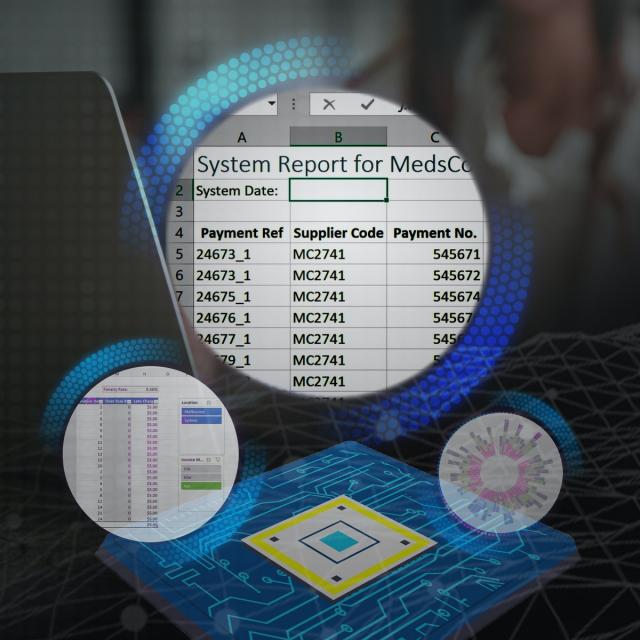
Neste primeiro curso da especialização Habilidades de Excel para negócios, você aprenderá os fundamentos do Microsoft Excel. Dentro de seis semanas, você poderá navegar habilmente pela interface de usuário do Excel, realizar cálculos básicos com fórmulas e funções, formatar planilhas profissionalmente e criar visualizações de dados por meio de gráficos e tabelas.

Class Deals by MOOC List - Click here and see Coursera's Active Discounts, Deals, and Promo Codes.

Se você é autodidata e quer preencher as lacunas para melhor eficiência e produtividade, ou se você nunca usou o Excel antes, este curso irá prepará-lo com uma base sólida para se tornar um usuário confiante e desenvolver habilidades mais avançadas em cursos posteriores.
Nós reunimos uma ótima equipe de ensino que estará com você em cada etapa do caminho. Uma ampla gama de testes e desafios práticos proporcionará ótimas oportunidades para desenvolver seu conjunto de habilidades. Trabalhe em cada novo desafio com nossa equipe e, em pouco tempo, você se surpreenderá com o quanto chegou longe.
O software de planilha é um dos softwares mais onipresentes usados em locais de trabalho em todo o mundo. Aprender a operar esse software com confiança significa adicionar um ativo altamente valioso ao seu portfólio de empregabilidade. Em um momento em que os empregos em habilidades digitais estão crescendo muito mais rapidamente do que os empregos não digitais, certifique-se de se posicionar à frente do resto adicionando habilidades do Excel ao seu portfólio de empregos.

Syllabus

WEEK 1
Núcleo crítico do Excel
Neste módulo, você aprenderá sobre os principais recursos fundamentais do Excel: A interface de usuário do Excel, terminologia básica do Excel, como operar controles de navegação essenciais no Excel e como executar a entrada básica de dados com planilhas do Excel.

WEEK 2
Execução de cálculos
A sintaxe de fórmulas é muito importante no Excel. Neste módulo, você conhecerá as fórmulas e funções - aprenda como escrevê-las, usá-las para realizar cálculos e entender as diferentes referências de células.

WEEK 3
Formatação
A formatação ajuda a destacar mensagens-chave e tornar os dados apresentáveis. Este módulo abrange várias ferramentas de formatação, como formatação de fonte, bordas, alinhamento, formatação de número, bem como os estilos e temas do Excel.

WEEK 4
Trabalhar com dados
Este módulo trata de trabalhar com dados – e facilitar o trabalho com eles. Nesta semana, você aprenderá como gerenciar suas planilhas – encontrar dados com Filtrar e Classificar, recuperar e alterar dados usando Localizar e Substituir e usar a Formatação Condicional para destacar dados específicos.

WEEK 5
Impressão
Às vezes, você precisa imprimir suas planilhas e este módulo o ajudará com isso. Saiba como você pode otimizar sua planilha para impressão gerenciando margens, orientação, cabeçalhos e rodapés e muito mais.

WEEK 6
Gráficos
Os gráficos são uma das maneiras mais comuns de apresentar dados visualmente. Este módulo orienta você na criação e modificação de gráficos no Excel.
Avaliação final


Go to Class
MOOC List is learner-supported. When you buy through links on our site, we may earn an affiliate commission.

Related Courses

Power Query Fundamentals (Coursera) Coursera
Corporate Finance Institute

Power Query Fundamentals (Coursera)

In this online Power Query Fundamentals course, we’ll explore the world of data transformation and automation. You’ll learn to extract data from multiple different sources, and transform it into layouts more suited to analysis. We will show you how to automate data connections and transformations, as well as how to extract and consolidate data from multiple files. Finally, we’ll end by looking at how to deal with common errors.

Aug 31st 2026
5-12 Weeks
Google Sheets - Advanced Topics (Coursera) Coursera
Google Cloud

Google Sheets - Advanced Topics (Coursera)

This course builds on some of the concepts covered in the earlier Google Sheets course. In this course, you will learn how to apply and customize themes In Google Sheets, and explore conditional formatting options. You will learn about some of Google Sheets’ advanced formulas and functions. You will explore how to create formulas using functions, and you will also learn how to reference and validate your data in a Google Sheet.

Aug 24th 2026
1 Week
Excel Fundamentals for Data Analysis (Coursera) Coursera
Macquarie University

Excel Fundamentals for Data Analysis (Coursera)

As data becomes the modern currency, so the ability to analyse the data quickly and accurately has become of paramount importance. Excel with its extraordinarily broad range of features and capabilities is one of the most widely used programs for doing this. In the first course of our Excel Skills for Data Analysis and Visualization Specialization, you will learn the fundamentals of Excel for data analysis. When you have completed the course, you will be able to use a range of Excel tools and functions to clean and prepare data for analysis; automate data analysis with the help of Named Ranges and Tables; and use logical and lookup functions to transform, link and categorise data.

Aug 24th 2026
5-12 Weeks
Business Metrics for Data-Driven Companies (Coursera) Coursera
Duke University

Business Metrics for Data-Driven Companies (Coursera)

In this course, you will learn best practices for how to use data analytics to make any company more competitive and more profitable. You will be able to recognize the most critical business metrics and distinguish them from mere data. You’ll get a clear picture of the vital but different roles business analysts, business data analysts, and data scientists each play in various types of companies. And you’ll know exactly what skills are required to be hired for, and succeed at, these high-demand jobs.

Aug 24th 2026
4 Weeks
Competencias digitales. Herramientas de ofimática (Microsoft Word, Excel, Power Point) (Coursera) Coursera
Universitat Autònoma de Barcelona

Competencias digitales. Herramientas de ofimática (Microsoft Word, Excel, Power Point) (Coursera)

Los continuos cambios tecnológicos, sobre todo en aquellos aspectos vinculados a las tecnologías de la información y la comunicación (TIC) hacen que las personas tengan la necesidad de actualizarse de forma continua para que sus conocimientos no queden obsoletos. En este contexto, para las empresas se convierte en algo imprescindible disponer de profesionales que tengan las competencias necesarias para ejercer con éxito las actividades que requieren en su lugar de trabajo.

Aug 31st 2026
5-12 Weeks
Business intelligence and data analytics: Generate insights (Coursera) Coursera
Macquarie University

Business intelligence and data analytics: Generate insights (Coursera)

‘Megatrends’ heavily influence today’s organisations, industries and societies, and your ability to generate insights in this area is crucial to your organisation’s success into the future. This course will introduce you to analytical tools and skills you can use to understand, analyse and evaluate the challenges and opportunities ‘megatrends’ will inevitably bring to your organisation.

Aug 24th 2026
5-12 Weeks
Math for MBA and GMAT Prep (Coursera) Coursera
Emory University

Math for MBA and GMAT Prep (Coursera)

This course gives participants a basic understanding of statistics as they apply in business situations. A fair share of students considering MBA programs come from backgrounds that do not include a large amount of training in mathematics and statistics. Often, students find themselves at a disadvantage when they apply for or enroll in MBA programs. This course will give you the tools to understand how these business statistics are calculated for navigating the built-in formulas that are included in Excel, but also how to apply these formulas in an range of business settings and situations.

Sep 7th 2026
5-12 Weeks
Excel Skills for Business: Intermediate I (Coursera) Coursera
Macquarie University

Excel Skills for Business: Intermediate I (Coursera)

In this second course of our Excel specialization Excel Skills for Business you will build on the strong foundations of the Essentials course. Intermediate Skills I will expand your Excel knowledge to new horizons. You are going to discover a whole range of skills and techniques that will become a standard component of your everyday use of Excel.

Aug 24th 2026
5-12 Weeks
Excel/VBA for Creative Problem Solving, Part 2 (Coursera) Coursera
University of Colorado Boulder

Excel/VBA for Creative Problem Solving, Part 2 (Coursera)

Excel/VBA for Creative Problem Solving, Part 2" builds off of knowledge and skills obtained in "Excel/VBA for Creative Problem Solving, Part 1" and is aimed at learners who are seeking to augment, expand, optimize, and increase the efficiency of their Excel spreadsheet skills by tapping into the powerful programming, automation, and customization capabilities available with Visual Basic for Applications (VBA).

Sep 7th 2026
4 Weeks
Introduction to Computers and Office Productivity Software (Coursera) Coursera
The Hong Kong University of Science and Technology - HKUST

Introduction to Computers and Office Productivity Software (Coursera)

In this course, you will learn the following essential computer skills for the digital age: major hardware components of a computer system; different types of software on a computer system; photo Editing using GIMP; and word processing applications, including MS Word, MS Excel, and MS PowerPoint.

Aug 31st 2026
5-12 Weeks