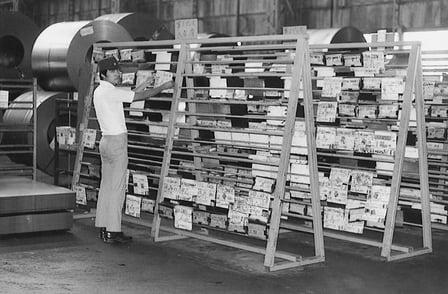
The first in a series of classes concerning 'creative productivity', or how creative individuals responsible for their own projects and deadlines can get things done without feeling overwhelmed. In this short class we will concentrate on a simple tool called a Kanban or Kanban chart, an idea that comes from the world of manufacturing, but that I think has real applicability for creatives.
Along the way we'll discuss tangential subjects like task design, paralysis and how to manage your creative life with your other responsibilities.
Create and post your own Kanban table. You can use a standard three column scheme or customize the table more for your needs. You're free to do this with digital or analog tools that I describe below. If you need some inspiration, check out my project or this Pinterest board I set up for the class with other examples. Just make sure to give us a little bit of background when you post your project, so that we know what you're working on, what you thought of the Kanban tool, etc.
Analog Kanban Options: This can be any scale, on a page in your notebook or on a large poster. Personally, when I have a complicated long-term project I like to 'draw' a table with painters tape on my wall and use post it notes to record and move tasks around. If this sounds intriguing, check out the second video of my 'Writing with Post-Its' class ('Supplies List') where I give some advice concerning walls, post-its and tape.
Digital Options: There are a couple of apps that allow you to easily create and monitor your Kanban board. The other nice thing about them is that they allow you to hyperlink, collaborate, and archive things more easily. I have used these in the past, I think it just depends on the project and your mood. Here are some options, I think each takes just a few minutes to get the hang of, but if you get stuck or need help leave me a question concerning them in the discussion forum:
- KanbanFlow
- Trello
Make sure to check out my other classes and sign up for my newsletter!