AutoLayout (Udacity)

Offered by Udacity,
AutoLayout (Udacity)

Using Constraint-Based Design. With this course, you will learn about AutoLayout and how to use stack views and constraints to create pixel-perfect UIs. Also, you will take a deep dive and learn about some of the most commonly misunderstood properties affecting layout like distribution, alignment, content hugging, and compression resistance.

Class Deals by MOOC List - Click here and see Udacity's Active Discounts, Deals, and Promo Codes.

Then, you will put all of this knowledge to use and start creating functional interfaces with multiple stack views and UI elements. In fact, you will recreate an interface from a very well known app. And, by the end of this course, you will be ready to create beautiful interfaces from scratch.
For many developers, AutoLayout can be a curse: a complex system with unpredictable behavior that you can't run away from.
This course will remove the veil of mystery that shrouds AutoLayout.
You will be able to create any UI for any device.
Even better, you will actually understand what's going on!

What you will learn

Welcome to AutoLayout!
Learn all the possible ways of laying out a view.
Determine how views should adapt when the available screen size changes.
Explore AutoLayout and constraints — the premiere tools for building adaptive views.

Using AutoLayout
Survey various methods for implementing AutoLayout.
Use stack views to intuitively construct interfaces without getting muddled in the details.

View Properties
Investigate the properties which control how elements are sized using AutoLayout.
Examine the nuances of compression resistance and content hugging.

StackViews 101
Build and tweak layouts while exploring all the properties of stack views.
Modify axes, spacing, alignments, and distributions to arrange contained subviews.

Positioning StackViews
Generate and configure constraints using Interface Builder and storyboards.
Analyze the interplay between stack views and different UI elements and devices.

Horizontal Layouts
Troubleshoot common problems affecting horizontal stack views and elements with similar view properties.
Compose interfaces that embed stack views within stack views.

Vertical Layouts
Use stack views to experiment with vertical layouts.
Recreate an interface from a very well known app!

Prerequisites and requirements
You will need to be familiar with UIKit and Storyboards.

Go to Class
MOOC List is learner-supported. When you buy through links on our site, we may earn an affiliate commission.

Related Courses

Design and Conduct of Clinical Trials (Coursera) Coursera
Johns Hopkins University

Design and Conduct of Clinical Trials (Coursera)

In this course, you’ll learn how to design and carry out clinical trials. Each design choice has implications for the quality and validity of your results. This course provides you and your team with essential skills to evaluate options, make good design choices, and implement them within your trial. You’ll learn to control for bias, randomize participants, mask treatments and outcomes, identify errors, develop and test hypotheses, and define appropriate outcomes.

Oct 19th 2026
4 Weeks
Introducción al diseño de hardware con Verilog (edX) EdX
Galileo University,GalileoX

Introducción al diseño de hardware con Verilog (edX)

Aprende el lenguaje de descripción de hardware Verilog, utilizado en la industria en el diseño de hardware digital y microprocesadores a la medida. En la actualidad, el hardware de soporte en sistemas digitales se suele diseñar en un solo circuito integrado FPGA (Field Programmable Gate Array), en parte debido al abundante espacio físico que ocuparía una implementación con varios circuitos integrados dedicados para este fin.

Self Paced
Self-Paced
Human-Computer Interaction III: Ethics, Needfinding & Prototyping (edX) EdX
Georgia Institute of Technology,GTx

Human-Computer Interaction III: Ethics, Needfinding & Prototyping (edX)

Build on your knowledge of HCI’s core principles by learning to design interfaces in the real world. Begin with the ethics of human subjects research, then learn critical methods for requirements gathering and brainstorming design alternatives. In this course, you’ll begin by learning the design life cycle. This is the process by which we investigate user needs, brainstorm potential designs, create prototypes, and evaluate those prototypes. This life cycle provides the structure for the third and fourth courses in this professional certificate.

Self Paced
Self-Paced
Knowledge-Based AI: Cognitive Systems (Udacity) Udacity
Georgia Institute of Technology,Udacity

Knowledge-Based AI: Cognitive Systems (Udacity)

The Core of Artificial Intelligence. This is a core course in artificial intelligence. It is designed to be a challenging course, involving significant independent work, readings, assignments, and projects. It covers structured knowledge representations, as well as knowledge-based methods of problem solving, planning, decision-making, and learning.

Self Paced
Self-Paced
Enabling Community-Based Leadership in Design: Sustainable Development of Historic Faith Buildings (FutureLearn) FutureLearn
The Open University,UNESCO UNITWIN Complex Systems Digital Campus,The Glass-house

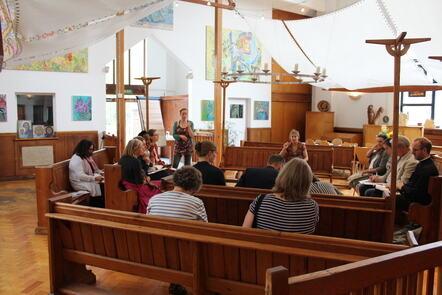
Enabling Community-Based Leadership in Design: Sustainable Development of Historic Faith Buildings (FutureLearn)

Mobilise the power of communities to re-imagine and shape their place. Learn how to enable communities to lead design initiatives in places of worship. Apart from being special places where people practise their faith, places of worship play an important role for the wider community by providing pastoral care and much-needed local services. Community-based design initiatives can enhance the value of these places as a sustainable resource for multiple communities.

Self Paced
5-12 Weeks
Data Visualization in Tableau (Udacity) Udacity
Udacity

Data Visualization in Tableau (Udacity)

Learn the fundamentals of data visualization and practice communicating with data. This course covers how to apply design principles, human perception, color theory, and effective storytelling with data. If you present data to others, aspire to be a business analyst or data scientist, or if you’d like to become more effective with visualization tools, then you can grow your skills with this course.

Self Paced
Self-Paced
Open Design (Coursera) Coursera
Duke University

Open Design (Coursera)

What is design? How is it a deeply human endeavor? How can we design better products, services, and experiences in our communities? If you’re interested in helping create a more equitable and accessible world, this Center for Computational Thinking module on Open Design is for you.

Nov 9th 2026
1 Week
Google Slides (Coursera) Coursera
Google Cloud

Google Slides (Coursera)

With Google Slides, you can create and present professional presentations for sales, projects, training modules, and much more. Google Slides presentations are stored safely in the cloud. You build presentations right in your web browser—no special software is required. Even better, multiple people can work on your slides at the same time, you can see people’s changes as they make them, and every change is automatically saved. You will learn how to open Google Slides, create a blank presentation, and create a presentation from a template. You will explore themes, layout options, and how to add and format content, and speaker notes in your presentations.

Oct 26th 2026
1 Week
Principios esenciales de diseño en Tableau (Coursera) Coursera
Universidad Austral

Principios esenciales de diseño en Tableau (Coursera)

En este curso, analizarás y aplicarás principios de diseño esenciales para tus visualizaciones en Tableau. Este curso asume que comprendes las herramientas dentro de Tableau y tienes algún conocimiento de los conceptos fundamentales de visualización de datos. Definirás y examinarás las similitudes y diferencias del análisis exploratorio y estudio, así como comenzarás a hacerte las preguntas correctas sobre lo que se necesita en una visualización.

Nov 9th 2026
4 Weeks
Platform Thinking: designing a Platform (Coursera) Coursera
Politecnico di Milano

Platform Thinking: designing a Platform (Coursera)

Platforms changed the way we live and we do business. This module of the “Platform Thinking” series aims to help innovators in designing and building platforms. At first sight, it may seem that platforms "simply" connect different kinds of users, as Airbnb links travelers and hosts or as Uber links drivers and riders. Well, this is true: platforms link different kinds of users. Nevertheless, this is just the enabling factor to have a platform, definitely not enough to describe the wide range of activities they actually do.

Oct 19th 2026
4 Weeks