EdX

VideoX: Creating Video for the edX Platform (edX)

Offered by edX,
VideoX: Creating Video for the edX Platform (edX)

Learn the best and most efficient ways to create video content for the edX platform. VideoX is an introduction to the video creation process for edX.org. This course is part of the edX Course Creator XSeries and should be taken after completing StudioX.

Class Deals by MOOC List - Click here and see EdX's Active Discounts, Deals, and Promo Codes.

After completing this course, you will be able to:

  • identify best practices for video production and implement them in your edX course,
  • recognize common pitfalls in the video production process and determine how to avoid such difficulties,
  • train your instructor on edX best practices, including edX course segmentation and how to present content on-camera,
  • create an effective plan for video production that accounts for time, resources and your production team's abilities,
  • identify the main recording methods used in video production, understand what each method involves (in terms of technical, physical and logistical considerations) and employ them to create high-quality, impactful videos,
  • utilize non-linear editing systems to manipulate your raw footage and incorporate graphics, animations and third-party media to produce polished video segments,
  • describe the editing process from start to finish,
  • encode your finished videos, upload them to edX and incorporate them into your course, and
  • how to work with instructors - segmentation and how to talk to the camera

VideoX is a course for everyone and does not require any previous experience in video production. So what are you waiting for? Get started today!

This course is part of the Course Creator Plus Professional Certificate.
What you'll learn

  • best practices for video production
  • how to get a video from an idea to delivery
  • advice for instructors and course teams
  • marketing video guidelines

Syllabus

Introduction
Getting started on video creation. You will learn the four steps of video creation and how best to use video within an edX.org course.

Pre-Production
The planning stage of video creation. This segment covers the differences between Marketing and Course Content videos, and best practices for the planning and budgeting of both. This includes course segmentation and instructor coaching.

Production
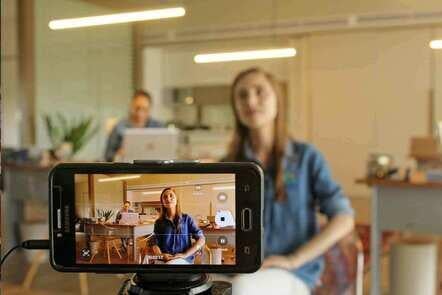
The recording stage of video creation. This segment includes best practices for Do-It-Yourself recording as well as standard recording techniques, including the use of cameras, audio and lighting.

Post-Production
The editing stage of video creation. This includes best practices for the use of third-party media, color correction and audio mixing.

Delivery
How to encode and upload video segments into your edX.org course using edX Studio.

Go to Class
MOOC List is learner-supported. When you buy through links on our site, we may earn an affiliate commission.

Related Courses

Soundcool: Módulos de vídeo y propuestas creativas (edX) EdX
Universitat Politècnica de València,UPValenciaX

Soundcool: Módulos de vídeo y propuestas creativas (edX)

Aprende los conceptos básicos para poder usar la parte correspondiente a vídeo del sistema Soundcool para educación musical y creación colaborativa mediante móviles, tablets y Kinect. En este curso en línea aprenderás los conceptos básicos para poder usar la parte de vídeo del sistema Soundcool para educación musical y creación colaborativa mediante móviles, tablets y otros dispositivos.

Self Paced
Self-Paced
BlendedX: Blended Learning with edX (edX) EdX
edX

BlendedX: Blended Learning with edX (edX)

Explore ways to blend educational technology with traditional classroom learning to improve educational outcomes. Perfect for instructors or institutional leadership interested in creating blended learning experiences with edX. Educational technology is developing rapidly, and that development has presented educators with an opportunity to rethink and improve their pedagogical practices.

Self Paced
Self-Paced
Intro to Film & Video - Exposing your Images (Skillshare) Skillshare
Skillshare

Intro to Film & Video - Exposing your Images (Skillshare)

In this class you will learn the basics of exposing video. It's very similar to photography in many ways, but there is a clear separation between shooting film or video and shooting photography.You'll follow along with Tyler Donley as you learn how to take any camera on the market and how to use the basic functions of your camera to control the exposure and color of your images.

Self Paced
Self-Paced
Ready to Roll – The Video Production Process (Coursera) Coursera
University of Colorado Boulder

Ready to Roll – The Video Production Process (Coursera)

If you’ve done your pre-production thoroughly, then you should feel confident moving on to this next step — gathering the raw materials that you will use to build your visual story. These raw materials are your camera shots, including b-roll and interviews. The production stage is where you will finally collect the images and sound that will communicate directly to your audience. We’ll show you how to enhance your visual story by raising the quality of your shots: getting proper exposure, using the rule of thirds; and shooting sequences that promote continuity.

Jul 20th 2026
5-12 Weeks
Low-Budget Video Production: Visual Communication for Small Charities (FutureLearn) FutureLearn
The Open University

Low-Budget Video Production: Visual Communication for Small Charities (FutureLearn)

Understand how video can expand and enhance your organisation’s communications and develop practical skills for your productions. Learn how to produce your own low-budget video to convey your charity’s message. Small charities understand that to compete in a tough economic climate they should engage with digital media and video content. But a lack of staff, time, knowledge and resources can get in the way. This practical video production course is designed to bridge that gap and help small charities develop the skills they need for successful video production.

Self Paced
4 Weeks
How To Color Grade Footage & Create Custom Video LUTs in Premiere Pro CC For Beginners (Skillshare) Skillshare
Skillshare

How To Color Grade Footage & Create Custom Video LUTs in Premiere Pro CC For Beginners (Skillshare)

Welcome to this beginners class on How To Color Grade Your Footage & Create Custom Video LUTs in Premiere Pro CC! Almost every big-budget feature film has been color graded to look a certain way, and in recent years, it's become increasingly easy to color grade your own footage using popular video editing software!

Self Paced
Self-Paced
How to Create Video for Online Courses (FutureLearn) FutureLearn
University of Edinburgh

How to Create Video for Online Courses (FutureLearn)

Discover tools and techniques to plan, film, and edit high-quality videos for online learning. Learn how to create effective and engaging educational media. Increasingly, as education pivots online, educators are looking to filmmaking as a way of creating new and exciting content. On this two-week course from the University of Edinburgh, you’ll learn how to turn your mobile phone into a full-featured video production suite to create effective and engaging online course videos and media.

Self Paced
2 Weeks
Youtube An Advance Guide For A Successful Youtube Channel (Eduonix) Eduonix
Eduonix Learning Solutions Pvt. Ltd.

Youtube An Advance Guide For A Successful Youtube Channel (Eduonix)

Learn the ins and outs of becoming a successful vlogger & correctly setting up your YouTube Channel in this YouTube Course. The names Pewdiepie, iisuperwomanii and Grace Helbig have become household names owing to their fame on YouTube. YouTube has become a phenomenon platform for, as its motto suggests, to broadcast yourself. With the right tools and knowledge, you can become a famous YouTuber, yourself.

Self Paced
Self-Paced
VR and 360 Video Production (Coursera) Coursera
Google AR & VR

VR and 360 Video Production (Coursera)

Welcome to Daydream Impact Virtual Reality (VR) and 360 video production course! Our mission is to give you the skills needed to use VR to advocate for a cause and communicate your mission. This course will introduce you to Virtual Reality (VR) and 360 video production, guiding you through a step-by-step process to create VR content. To begin, we recommend taking a few minutes to explore the course site and review the material.

Jul 20th 2026
4 Weeks