Siemens NX Mastery: Advanced Design & Applications (Coursera)

Offered by Siemens,
Siemens NX Mastery: Advanced Design & Applications (Coursera)

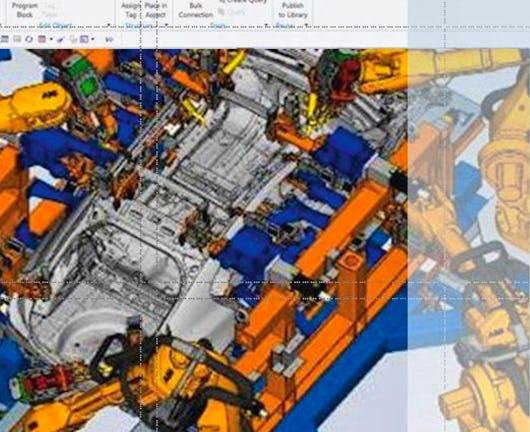
Welcome to Siemens NX Mastery: Advanced Design & Applications! This course builds upon the foundational knowledge found in our introductory course, "Intro to Siemens NX: Engineering Essentials and Part Design". Siemens NX is an integrated solution for computer-aided design (CAD), computer-aided manufacturing (CAM), and computer-aided engineering (CAE). It is a flexible and powerful tool that helps engineers and designers in various disciplines to create, simulate, and manufacture products.

Class Deals by MOOC List - Click here and see Coursera's Active Discounts, Deals, and Promo Codes.

This advanced course will delve deeper into NX's capabilities, exploring complex designs and 3D modeling methodologies. Prepare to explore various concepts including create detailed drawings from part models, explore different assembly modeling techniques, and design complex models using free-form modeling techniques using NX.
As previously mentioned, this course is a follow up course. To ensure success in this course, be sure you have completed the prerequisite course: "Intro to Siemens NX: Engineering Essentials and Part Design".

Syllabus

Advanced Design and Part Modeling With NX
Welcome to Week 1 of "Siemens NX Mastery: Advanced Design & Applications"! This course is designed to build upon the foundational skills you acquired in "Intro to Siemens NX: Engineering Essentials and Part Design," elevating your NX proficiency to the next level. First, we'll start with an overview of the course layout and available resources to support you throughout this learning journey. Then we will delve into the fundamentals of drafting in NX. This week focuses on learning how to create a drawing from a part model. We'll explore adding and manipulating views within a drawing to enhance the clarity and comprehensibility of your designs, making them more effective and easier to understand. This week also introduces more advanced techniques, such as converting traditional 2D drawings to Product and Manufacturing Information (PMI), leveraging NX's advanced capabilities. T By the conclusion of this module, you'll have a solid understanding of the fundamentals of drafting in NX, setting a strong foundation for the more advanced topics awaiting you.

Assembly Modeling
Welcome to week 2! This week, you'll explore essential principles and vocabulary of Assembly Modeling, a pivotal technique for crafting and overseeing intricate designs. Additionally, we'll scrutinize Top-Down and Bottom-Up modeling methodologies, empowering you to select the most suitable approach for your design objectives. Through hands-on practice, you'll gain mastery over assembly constraints in NX, enabling you to regulate the interrelations between various components in an assembly. Additionally, we'll walk you through the process of generating exploded views in NX, a valuable proficiency facilitating clear visualization of component relationships and arrangements within an assembly. To embed your learning in real-world scenarios and provide practical experience, you'll apply the acquired skills to the Jackscrew assembly model. By the conclusion of this module, you'll possess a solid command of Assembly Modeling in NX, equipping you with the means to proficiently manage and visualize intricate assemblies.

Free-Form and Simulation Design
Welcome to Week 3! This week we'll focus on Freeform Surface Modeling and Finite Element Analysis. You'll explore the NX Freeform Modeling tool, receiving guidance as you navigate the intricacies of designing models using freeform and curve techniques. In the latter part of this module, you'll explore the basics of Finite Element Analysis (FEA). We'll delve into mass properties using NX, providing you with a comprehensive grasp of how to assess the physical characteristics of 3D designs. By the conclusion of this module, you'll be proficient in freeform surface modeling and possess a robust understanding of FEA in NX, positioning you for success as we tackle more challenging design endeavors.

Implementation and Special Features
Welcome to Week 4!! This week, we'll focus on Convergent Modeling and Sheet Metal modeling. You'll start with an exploration of Convergent Modeling. Through guidance, you'll explore the intricacies of Convergent Modeling, which seamlessly blends the strengths of parametric and direct modeling approaches.. Later in the week, we'll shift gears to Sheet Metal Modeling. You'll learn essential techniques for shaping intricate sheet metal components, a skill highly sought after across various industries. Additionally, we'll deepen your proficiency in evaluating the physical properties of your designs. By the end of the week, you'll have a firm understanding of both Convergent Modeling and Sheet Metal Modeling, equipping you with advanced tools to tackle real-world design tasks head-on. Let's dive into this final week of learning!

Go to Class
MOOC List is learner-supported. When you buy through links on our site, we may earn an affiliate commission.

Related Courses

Engineering Drawing | 工程制图 (edX) EdX
Tsinghua University,TsinghuaX

Engineering Drawing | 工程制图 (edX)

“Engineering Drawing” is a fundamental course of engineering technology, including two parts: basic theories and advanced practices. The first part will introduce the theory of projection and its application on drawings. The second part is to give students general experience in producing a variety of mechanical drawings.

Self Paced
Self-Paced
Multi-Axis CNC Toolpaths (Coursera) Coursera
Autodesk

Multi-Axis CNC Toolpaths (Coursera)

Computer Numerical Controlled machines, or CNC for short, can have a nearly endless number of options. Most machines today control tool motion in 3-axes, X, Y and Z, but can be upgraded to include a 4th or 5th axis as well, A and B. Additionally, there are many machines on the market that are already 5-axis capable. The good news is that Autodesk® Fusion 360™ has you covered if you need to control multi-axis positioning or simultaneous motion in all 5 axes at once!

Nov 11th 2024
4 Weeks
Introduction to Engineering: Imagine. Design. Engineer! (edX) EdX
Arizona State University

Introduction to Engineering: Imagine. Design. Engineer! (edX)

Explore engineering through design. Learn tools and techniques engineers use to develop innovative solutions to real world problems. Do you ever say to yourself, “there has to be a better way!” Then engineering is for you! Engineering can be done by everyone, as long as you have a passion for problem solving. In this credit-eligible course, we will walk you through the steps of how to become a true engineer by teaching the engineering design process in a hands-on learning environment.

No sessions available
13-24 Weeks
Using Rapid Prototyping in the Engineering Design Process (Coursera) Coursera
Arizona State University

Using Rapid Prototyping in the Engineering Design Process (Coursera)

Hello, everyone! Welcome to this course on Using Rapid Prototyping in the Engineering Design Process. This is part of the Rapid Prototyping and Tooling specialization. In this course, I’ll cover the engineering design process and how it can be used to solve open-ended problems. I’ll discuss the different stages of prototyping and why it is advantageous to produce prototypes rapidly. I’ll then discuss engineering drawings and how to communicate information about 3-dimensional objects on 2-dimensional mediums such as paper or a computer screen.

Jun 8th 2026
4 Weeks
PTC Creo Parametric - Foundation (Codienter) Other Providers
Codienter

PTC Creo Parametric - Foundation (Codienter)

This course is intended for Students and Working Professionals wanting to get introduced to the basic capabilities of Creo Parametric with a focus on Core Modeling Skills. Topics include explanation of the User Interface along with understanding of the basic Creo Parametric concepts, Selection and Editing, Sketching and Sketcher Tools, and basic Feature creation. This course also includes a comprehensive design project that enables you to practice your new skills by creating realistic Parts.

Self Paced
Self-Paced
Computer-Aided Design (CAD) (saylor.org) Saylor Academy
Saylor.org

Computer-Aided Design (CAD) (saylor.org)

CAD, or computer-aided design, is a powerful modeling tool that technical professionals use. With CAD, architects can draw up building plans and engineers can develop component and system designs. Some CAD programs even allow users to perform stress analysis, demonstrating how well a proposed structure will fare when put to use. For example, when does a load become too big? How much weight can be put onto a bridge before it becomes structurally unsound? Using CAD, professionals can create precise engineering drawings in both 2- and 3-D, complete with dimensions and specifications, in a neat and readable format.

Legacy Course
Self-Paced
Digital Design (edX) EdX
HKUSTx,HKU School of Professional and Continuing Education

Digital Design (edX)

The course is an introduction to digital design technology. It allows you to understand the basics of digital design and helps you develop skills from computer aided design to animation covering topics such as rigging, key framing, rendering and more. Digital Design is about designing in digital space so that the created contents can be displayed and seen on a digital device. With the availability of high computing power, designers are able to quickly create designs in digital space prior to actual deployment.

Self Paced
Self-Paced
Intro to Siemens NX: Engineering Essentials and Part Design (Coursera) Coursera
Siemens

Intro to Siemens NX: Engineering Essentials and Part Design (Coursera)

Welcome to Intro to Siemens NX: Engineering Essentials and Part Design!! This course will provide you with the essential skills needed to excel in computer-aided design (CAD), computer-aided manufacturing (CAM), and computer-aided engineering (CAE) using Siemens NX software. Be prepared to dive into the versatile capabilities of NX as it empowers engineers and designers to efficiently create, simulate, and manufacture products.

Jun 8th 2026
4 Weeks
Introduction to Mechanical Engineering Design and Manufacturing with Fusion 360 (Coursera) Coursera
Autodesk

Introduction to Mechanical Engineering Design and Manufacturing with Fusion 360 (Coursera)

Design for manufacturing is the process of designing parts, components, or products with the understanding surrounding design requirements for a specific manufacturing method. This course explores the design for manufacture workflow and shows how to validate models and create the G code, the programming language needed to instruct the CNC machine on how to move.

Nov 11th 2024
4 Weeks
Computational Geometry (Coursera) Coursera
Saint Petersburg State University

Computational Geometry (Coursera)

This course represents an introduction to computational geometry – a branch of algorithm theory that aims at solving problems about geometric objects. Its application areas include computer graphics, computer-aided design and geographic information systems, robotics, and many others. You will learn to apply to this end various algorithmic approaches, and asses their strong and weak points in a particular context, thus gaining an ability to choose the most appropriate method for a concrete problem.

May 16th 2022
5-12 Weeks