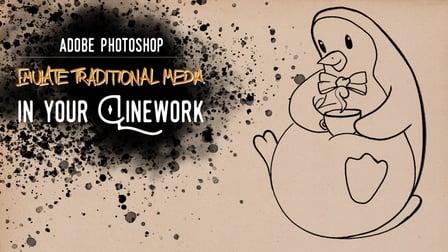
Photoshop: Emulate Traditional Media in Your Linework (Skillshare)

Offered by Skillshare,
Photoshop: Emulate Traditional Media in Your Linework (Skillshare)

What You'll Learn. One of Photoshop's most amazing features for creating digital drawings is the possibility to influence how your brush tool works.
This becomes particularly exciting when you use Photoshop to emulate traditional drawing media, like for example pencil, watercolor, ink or brush pen.

In this free and short class, I want to show you how you can use your standard brush tool to give your linework a more textured and nuanced look and how to make people swear that your lines were actually drawn on paper.
What You'll Need
Not that much, actually. If you want to replicate the work I do in this class exactly, you will need the "Megapack" from Kyle T. Webster. Kyle makes the most amazing brushes for emulating traditional media in Photoshop, and I highly recommend getting this pack. At the time of this writing, the Megapack costs $15.
If you don't want to spend that money on brushes right now, I can totally get that, in which case, a quick Google search will ensure that you start this class with traditional brushes that totally suit your style.
In the class project, you will find the "Layer Mask & Fill" Photoshop action I use in the class, as well as the sketch of the penguin I use as an example.
For your class project, you will take an old sketch you have lying around, scan it into Photoshop and use what you learned and your newly acquired brushes to do the cleanest and most amazing linework you ever did!
Don't feel pressured to do anything special for the project, and don't make a new sketch just to prepare for the class, we want to focus on the look and feel of the linework, not the actual subject matter of your sketch.
If you don't have a sketch that you would like to use for the project, you can go ahead and download the PSD file of the sketch I used in this class.
I can't wait to see all the cool linework you make!

Go to Class
MOOC List is learner-supported. When you buy through links on our site, we may earn an affiliate commission.

Related Courses

Watercolor cactuses in Procreate - digital illustration (Skillshare) Skillshare
Skillshare

Watercolor cactuses in Procreate - digital illustration (Skillshare)

Today I will teach you: how to draw cactuses in new watercolor style, where we will combine actually watercolor and pencil together; how to locate those lovely cactuses on the canvas in a beautiful way; how to create texture paper; How to create patterns; where to get reference pictures that you can use for commercial and personal purposes.

Self Paced
Self-Paced
How to design a logo with golden Ratio (Skillshare) Skillshare
Skillshare

How to design a logo with golden Ratio (Skillshare)

How to design a logo with golden Ratio. Many designers search for a good tutorial about golden ratio and how to use it in logo design, I was searching for this before and I found a hard time to find some good resources but there is never the good explained video. So today, I tried my best to explain how to use the golden ratio in logo design and how to make a logo using golden circles.

Self Paced
Self-Paced
Drawing Patterns : Finding Zen in Zentangle Inspired Art (Skillshare) Skillshare
Skillshare

Drawing Patterns : Finding Zen in Zentangle Inspired Art (Skillshare)

The Zentangle Method is an easy-to-learn, relaxing, and fun way to create beautiful images by drawing structured patterns. It can increase your focus and creativity, provide artistic satisfaction along with an increased sense of personal well-being. You can find Zen in Zentangle. Everyone will end up with a different piece of art based on their unique spin on the tangle patterns.

Self Paced
Self-Paced