Navigating Logic Pro X: The Basics of Moving Through Logic (Skillshare)

Offered by Skillshare,
Navigating Logic Pro X: The Basics of Moving Through Logic (Skillshare)

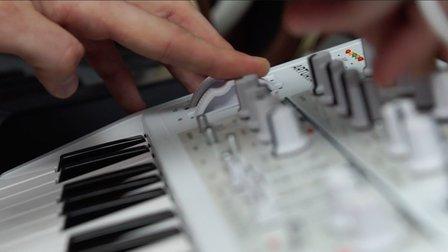
In this class, we will go over all of the buttons at Logic shows when you first open a project. I know that when first opening Logic Pro X, it can be intimidating. Logic displays so many different options, it's hard to know exactly where to start. This class demystifies the myriad of buttons that Logic shows and will give you a better idea of how to start producing music.

Included in the bottom right-hand corner of each video is the name of the button that I'm currently covering at the time. This will make it easier if you are scrubbing through quickly and want to find a specific description of a button.

Included below are the buttons we will be covering in the course:
Overview of Buttons 0-2:00
Library/Mixer/Editing View Buttons 2:00 – 8:50
Transport Buttons 8:50 – 13:20
LCD Control Buttons 13:20 – 16:19
Modes/ Tools Buttons 16:19 – 19:02
Sample Audio Buttons 19:02 – 21:52
Crash Course 21:59 – 24:42
Conclusion 24:42 – 25:20

For your project for this class, start a new project in Logic Pro X and add a button that you haven't used before. Adding new buttons can help expand your creative horizons and could lead to new musical ideas.
Go to Class
MOOC List is learner-supported. When you buy through links on our site, we may earn an affiliate commission.

Related Courses

Simply Journaling (Skillshare) Skillshare
Skillshare

Simply Journaling (Skillshare)

In this class, you will discover how easy it is to keep a regular, plain old journal. If you've felt the call to keep a journal, but didn't feel like you could commit to a daily journaling habit, don't have the best penmanship, or have nothing to write about, then this class is for you. I'll show the three ways journal, and I'll let you off the hook for spelling, grammar, and being a jerk. I hope you find this class helpful. Happy Journaling to You All!

Self Paced
Self-Paced
Introduction to Photoshop Elements (Skillshare) Skillshare
Skillshare

Introduction to Photoshop Elements (Skillshare)

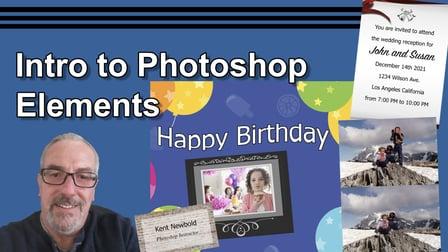
This class is designed for the beginner, someone who has never opened Photoshop Elements before will be able do just fine in this class. It is also a good refresher course for anyone who has worked with Photoshop Elements before. In this class you will learn: How to open a file; How to use the most common tools including the selection tools, the spot healing brush, the clone stamp tool, the type tool, and the color picker; How to use the layers panel; How to use Effects, Filters, Styles, and Graphics; Many of the keyboard short cuts to help speed up your work flow.

Self Paced
Self-Paced
15 Essential Blues Guitar Licks (Skillshare) Skillshare
Skillshare

15 Essential Blues Guitar Licks (Skillshare)

Probably The Most Valuable FREE Blues Guitar Lesson You’ll Ever Take - With TAB! Bobby Harrison from Absolute Blues Guitar presents an in-depth blues guitar course with tab, standard notation fretboard diagrams two high quality backing tracks. In this tutorial, we will learn 15 essential blues licks in the context of a 12 bar blues solo over a shuffle groove in the good old-fashioned key of A.

Self Paced
Self-Paced
Learn Acrylic Seascape Painting with Marouane Bembli (Skillshare) Skillshare
Skillshare

Learn Acrylic Seascape Painting with Marouane Bembli (Skillshare)

Welcome! In this class, we are going to paint a seascape using basic brushes and knives to create with long sweeping blue waves. You will learn: What (basic) tools you need; How to add a solid foundation layer; The important role of adding contrast; Painting with knives - create cool wave effects with one stroke; Highlighting using 100% white paint, and so much more!

Self Paced
Self-Paced
Low-Tech Printing: Get Started in Print Design! (Skillshare) Skillshare
Skillshare

Low-Tech Printing: Get Started in Print Design! (Skillshare)

While there are a lot of complex ways to make prints, you can also create lovely, simple designs with very little time and a just few things you probably have around your house. In this class, we'll explore the wonderful world of Low-Tech Printing. I'll show you three methods to experiment with. Using just little paint and creativity, today can be the day you print something stellar!

Self Paced
Self-Paced