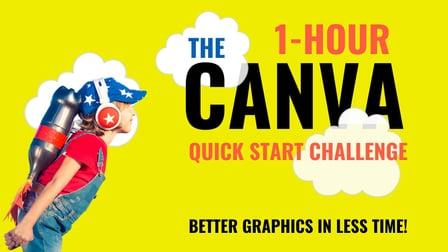
The 1-Hour Canva Quick Start Challenge (Skillshare)

Offered by Skillshare,
The 1-Hour Canva Quick Start Challenge (Skillshare)

No one enjoys the frustration that comes with learning something new. Why Won't This Work! I'm going to throw my computer out the window! Hey, I get it. We've all been there. There's nothing more frustrating in today's busy modern world then feeling stuck. That's why I'm here to help with this 1-hour Canva Quick Start Challenge!

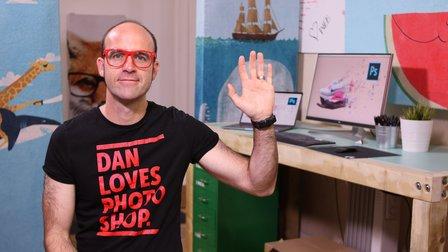
My name is Greg and I am a Canva Certified Creative who has been working with design software for over 2 decades (multiple years w/Canva). Give me 1 hour and I will give you the confidence and the know-how you need to work efficiently in Canva. Even though I believe Canva has a really smart streamlined user interface, there are still things that can trip you up and I'm here to make sure they don't!
Becoming proficient and starting to excel in any software requires at least a little time commitment. I'm here to put you on the fast track to success in Canva in just 1 hour.

We'll cover:

  • The User and Project Interface
  • tips and tricks for resizing images and elements
  • how to select, group, and position elements
  • how to precisely position text elements in relation to each other and the page
  • the real power of grids (which everyone usually misses)
  • some of the best keyboard shortcuts for saving time
  • additional tools/resources that will help you on your journey
  • and more!

And this course is FREE! You have no excuse. The time you can save by watching this course will greatly exceed the ~1 hour it will take to watch all the lessons. So, let's learn Canva together.
I look forward to helping you on your journey.
For your class project, I'd love for you to post a graphic that you created with Canva. It can be anything at all, just a graphic you're proud of that represents where you currently are on your journey with Canva. It's not about comparing your image against others, just celebrating you and your journey!
Upload your image to the Class Project area and tell us your favorite new Canva trick you learned from the course (or one of your own).
I look forward to seeing your work.
Go to Class
MOOC List is learner-supported. When you buy through links on our site, we may earn an affiliate commission.

Related Courses

How to paint watercolor recipe in Procreate - Christmas digital illustration + free brushes (Skillshare) Skillshare
Skillshare

How to paint watercolor recipe in Procreate - Christmas digital illustration + free brushes (Skillshare)

Let’s paint all together cool illustration of recipe in watercolor style. You can choose my sketch or create yours, you can even print it later and hang the picture on the wall in a kitchen. And today we will use new paper. Today I want to show you that watercolor is so simple and it’s a real fun! And in the end of my class you can see it.

Self Paced
Self-Paced
Learn to Use Canva: The Easy, Effective Design Solution for Non-Designers  (Skillshare) Skillshare
Skillshare

Learn to Use Canva: The Easy, Effective Design Solution for Non-Designers (Skillshare)

Demystify graphic design! Join educator and designer Lisa Larson-Kelley for this 25-minute class on the ins and outs of Canva, the friendly design software that makes graphic design easy, accessible, and effective. These short video lessons cover some basic conceptual approaches to layout, text, and shape. Then, you can put them all into action as you design your own invitation in Canva.

Self Paced
Self-Paced
Graphic Design Basics: Core Principles for Visual Design  (Skillshare) Skillshare
Skillshare

Graphic Design Basics: Core Principles for Visual Design (Skillshare)

Great graphic design comes from understanding just a few basic principles. Cracking the code to great design is much easier with a solid foundation of core principles. Join designers Ellen Lupton and Jennifer Cole Phillips for an essential, 35-minute class as they walk through 5 basic principles of graphic design, perfect for use in all projects using images and type — creative design, marketing materials, and even photography!

Self Paced
Self-Paced
Designing Repeat Patterns: From Icons to Apparel and Beyond  (Skillshare) Skillshare
Skillshare

Designing Repeat Patterns: From Icons to Apparel and Beyond (Skillshare)

It's all about idioms and icons in this 30-minute class on designing a repeat pattern using symbols and icons! Kimi Lewis, artist and product designer at the Noun Project, will walk you through her process of creating a pattern in full repeat — one that you can apply to clothing, bags, accessories, wallpaper, or practically anywhere you’d like.

Self Paced
Self-Paced
How to create watercolor digital sticker pack in Procreate + free brush (Skillshare) Skillshare
Skillshare

How to create watercolor digital sticker pack in Procreate + free brush (Skillshare)

Today I will teach you: how to create your own digital sticker pack that you can sell on different art platforms; how to save watercolor picture with transparent background (how to separate your painting form textured background); How to create cover picture for your sticker set and how to locate different elements on the canvas in a beautiful way; how to paint flowers in watercolor style; how to create texture paper; How to be ready for selling your own pictures.

Self Paced
Self-Paced
Simply Journaling (Skillshare) Skillshare
Skillshare

Simply Journaling (Skillshare)

In this class, you will discover how easy it is to keep a regular, plain old journal. If you've felt the call to keep a journal, but didn't feel like you could commit to a daily journaling habit, don't have the best penmanship, or have nothing to write about, then this class is for you. I'll show the three ways journal, and I'll let you off the hook for spelling, grammar, and being a jerk. I hope you find this class helpful. Happy Journaling to You All!

Self Paced
Self-Paced
Design Basics: The Four Core Principles (Skillshare) Skillshare
Skillshare

Design Basics: The Four Core Principles (Skillshare)

Design is a principle based discipline, so the first step in becoming a designer is to learn the core principles that guide great design. In this class we will cover all of the 4 core principles to give you the basic understanding you need before you start designing. We will also engage in a fun class project to help you start to see the principles in the world around you.

Self Paced
Self-Paced
Demystifying Beauty: Inspiration for Design (Skillshare) Skillshare
Skillshare

Demystifying Beauty: Inspiration for Design (Skillshare)

What do we mean by "beauty"? How can you bring beauty into your own work? Join museum curators Ellen Lupton and Andrea Lipps for a half-hour class exploring beauty! Go inside New York City's Cooper Hewitt, Smithsonian Design Museum. Explore 5 themes through dozens of examples from contemporary art and design. Create a beautiful pattern of your own — a surprising and powerful prompt to engage with your own notions of beauty.

Self Paced
Self-Paced
How To Draw Impossible Shapes (Optical Illusions) - Simple Drawing Projects for Beginners (Skillshare) Skillshare
Skillshare

How To Draw Impossible Shapes (Optical Illusions) - Simple Drawing Projects for Beginners (Skillshare)

In this class, you learn how to draw a variety of 3D optical illusions called "impossible shapes." These are not called "impossible shapes" because they are impossible to draw. Rather, it is because these shapes can not actually exist in real life. By practicing these drawings, you'll learn basic drawing skills like how to create 3 dimensional forms and how to shade them. There are fun drawings that will help hone your art skills and wow your friends with cool optical illusions!

Self Paced
Self-Paced