EdX

Introducción a Power BI para los negocios (edX)

Introducción a Power BI para los negocios (edX)

Te presentamos los componentes de Power BI, te mostramos la herramienta gratuita Power BI Desktop y te enseñamos a usarla para cargar y tratar datos de diversas fuentes, relacionar los datos importados e incorporar medidas para extraer la información importante y manejar las visualizaciones gráficas más habituales y utilizar los filtros para presentarla de la mejor manera posible.

Class Deals by MOOC List - Click here and see EdX's Active Discounts, Deals, and Promo Codes.

¿Necesitas incorporar la inteligencia de negocio a tu empresa de forma que te permita analizar cantidades ingentes de datos para tomar las mejores decisiones? Power BI Desktop, la herramienta gratuita de análisis de datos de Microsoft te ayudará a conseguirlo con el menor esfuerzo posible.
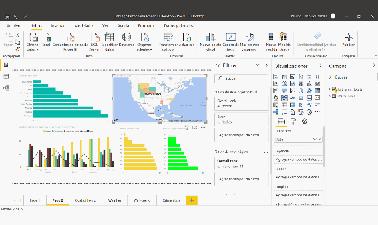
Power BI Desktop te ofrece Power Query, una herramienta para importar, limpiar y acondicionar los datos a través de procesos automatizados, el modelo de datos, que te permitirá establecer relaciones entre los datos importados y añadir medidas complejas que sinteticen las conclusiones más importantes y una gran cantidad de visualizaciones que te permitirán presentar estos datos de forma interactiva y conectada y, no solo esto, si necesitas trabajar en equipo te ofrece una potente herramienta colaborativa en la nube (de pago) que, además, se integra con las herramientas de Microsoft Office y Teams.
En este primer curso de Power BI te presentamos los componentes de Power BI, te mostramos la herramienta gratuita Power BI Desktop y te enseñamos a usarla para cargar y tratar datos de diversas fuentes, relacionar los datos importados e incorporar medidas para extraer la información importante y manejar las visualizaciones gráficas más habituales y utilizar los filtros para presentarla de la mejor manera posible.
This course is part of the Power Bi para los negocios Professional Certificate.
What you'll learn
En este curso aprenderás

  • Qué es Power BI y cuáles son sus componentes
  • Cómo cargar datos de distintas fuentes en Power BI Desktop usando Power Query
  • Cómo establecer relaciones entre los datos cargados y cómo añadir campos y medidas para extraer la información que te interesa
  • Cómo crear paneles de datos que comuniquen la información de forma efectiva
  • Cuáles son las principales visualizaciones dispobles en Power BI, como organizarlas en el canvas y cómo filtrar la información

Syllabus

Módulo 1: ¿Qué es Power BI?
Módulo 2: Carga de datos con Power Query
Módulo 3: El Modelo de datos y las medidas
Módulo 4: Visualización de datos
Examen final


Go to Class
MOOC List is learner-supported. When you buy through links on our site, we may earn an affiliate commission.

Related Courses

Data-Driven Decisions with Power BI (Coursera) Coursera
Knowledge Accelerators

Data-Driven Decisions with Power BI (Coursera)

New Power BI users will begin the course by gaining a conceptual understanding of the Power BI desktop application and the Power BI service. Learners will explore the Power BI interface while learning how to manage pages and understand the basics of visualizations. Learners will engage in numerous hands-on experiences to discover how to import, connect, clean, transform, and model their own data in the Power BI desktop application.

Nov 9th 2026
5-12 Weeks
Microsoft PL-300 Exam Preparation and Practice (Coursera) Coursera
Microsoft

Microsoft PL-300 Exam Preparation and Practice (Coursera)

This course will help you prepare for the Microsoft PL-300 exam. In this course, you’ll refresh your knowledge of all the key areas assessed in the Microsoft-certified Exam PL-300: Microsoft Power BI Data Analyst. In addition, you will prepare for the certification exam by taking a mock exam with a similar format and content as in the Microsoft PL-300 exam.

Oct 19th 2026
5-12 Weeks
Analyzing and Visualizing Data with Power BI (edX) EdX
Davidson College,DavidsonX

Analyzing and Visualizing Data with Power BI (edX)

Step up your analytics game and learn one of the most in-demand job skills in the United States. Power BI is a robust business analytics and visualization tool from Microsoft that helps data professionals bring their data to life and tell more meaningful stores. This four-week course is a beginner's guide to working with data in Power BI and is perfect for professionals. You'll become confident in working with data, creating data visualizations, and preparing reports and dashboards.

Self Paced
Self-Paced
Business Analyst (Dataquest) Dataquest
Dataquest

Business Analyst (Dataquest)

Gain the skills you need to start a career as a Business Analyst. In this path, you will learn practical SQL, Excel, and Power BI skills. By the end, you will be able to analyze data, communicate insights, and make data-driven decisions.

Self Paced
Self-Paced
Comprendre l'esport (FUN) FUN
Université de Caen

Comprendre l'esport (FUN)

L’esport correspond à la pratique compétitive d’un jeu vidéo. Cette pratique interroge et soulève de nombreuses questions : est-ce possible de la qualifier de sport ? Comment protéger les joueuses et joueurs ? Comment reconnaître leurs compétences et les développer ? L’esport est-il un levier d’inclusion ou d’exclusion ? Le modèle économique de l’esport est-il durable ? Quel est son ancrage territorial ou son lien avec les collectivités ? Et enfin, question renforcée par la crise sanitaire de 2020, l’esport va-t-il renouveler notre rapport à la pratique sportive ou à la consommation de spectacle sportif ?

Mar 29th 2021
5-12 Weeks
Power BI Desktop Introduction - A Complete Beginners Guide (Skillshare) Skillshare
Skillshare

Power BI Desktop Introduction - A Complete Beginners Guide (Skillshare)

This class is an introduction to Power BI Desktop. This class is a complete beginners guide to the software. It starts by explaining what Power BI Desktop is and why you would use it. We then show how to install the software and the different options available. We then create a Power BI report following the entire process. We get the data from different external sources, clean and shape the data, model it and then create DAX formulas and visualizations.

Self Paced
Self-Paced
Herramientas de la Inteligencia de Negocios (edX) EdX
Galileo University,GalileoX

Herramientas de la Inteligencia de Negocios (edX)

Aprende el proceso de extraer y transformar data para generar insumos y tomar decisiones. Usa software, herramientas y sistemas de apoyo. Con este curso aprenderas a tomar decisiones empresariales exitosas. Para ello, aprenderas el proceso completo desde extraer data, hasta su integracion, visualizacion, depuracion, analisis y uso. Podr as transformar data cruda en insumos para la toma de decisiones. Dominaras el uso de software, herramientas y sistemas de apoyo.

Self Paced
Self-Paced
Insights of Power BI (Coursera) Coursera
Fractal Analytics

Insights of Power BI (Coursera)

Today's business world is becoming increasingly data-driven. Small and large businesses use data to make decisions about sales, hiring, goals, and all areas they have data for. While most businesses have access to data of one type or another, it can be intimidating for an average business user to understand the data without a background in data analytics.

Oct 26th 2026
4 Weeks
Preparing Data for Analysis with Microsoft Excel (Coursera) Coursera
Microsoft

Preparing Data for Analysis with Microsoft Excel (Coursera)

This course forms part of the Microsoft Power BI Analyst Professional Certificate. This Professional Certificate consists of a series of courses that offers a good starting point for a career in data analysis using Microsoft Power BI. In this course, you’ll learn how to make use of Excel in business scenarios for data analysis. You’ll also learn how to utilize formulas and functions for data analysis. 

Oct 14th 2026
4 Weeks