Illustrate Your Day: An Intro to Symbol Design (Skillshare)

Offered by Skillshare,
Illustrate Your Day: An Intro to Symbol Design (Skillshare)

Symbols are incredibly powerful communication tools. They can communicate faster than words, in memorable and powerful ways, and in a universal way that transcends cultural and language barriers. They are the one language we all can understand. During this class you will learn how to create these amazing communication tools using vector editing software, and use symbols to tell the story of a day in your life.

What You'll Learn

  • Selecting Your Referents. We'll start off by bubbling ideas for icons we'd like to create and begin sketching them.
  • Design Techniques to Maximize User Comprehension. We'll cover some basic elements of icon design then apply design technique to our referents to create more refined sketches.
  • Drawing Symbols in Illustrator. We'll use Adobe Illustrator to create digital vectors of our icon designs.
  • Polishing Your Designs. We'll finalize our icons and share them with the world.

What You'll Make
You will start off the class by documenting what your daily routine is. After you think through this, you will narrow down these items to a list of the 20 essential activities or objects that define your daily life. Once you have these 20 referents you will learn how to design a symbol that visually communicates the essence of each one of these concepts.
Once the designs are completed you will create a linear timeline using your symbols. This will serve as a visual representation of your life.
This class is perfect for anyone wanting to learn more about Adobe Illustrator, graphic design, iconography, illustration, and creative storytelling.

Design a set of symbols that tells the story of your day
Introduction and Selecting Your Referents

  1. Create a list of your daily routine

Create a chronological list of all the "steps" you go through your day. Think about this list as a story arc from the moment you awake to the moment you go to bed. Be as specific as possible.
Lets try to keep this list PG-13.

  1. Narrow your list

Once your list is created:

  • Narrow down the list to the 20 core concepts you think truly define your day.
  • Write your final 20 referents in chronological order.
  • Upload a picture to the project section.

Design Techniques to Maximize User Comprehension

  1. Define your referent

Create a list of the core components or visual elements that define your referent.

  1. Experiment with design techniques

Choose two referents. Sketch one where the Iconic design technique will be used, and the other where the Narrative design technique will be used.

  1. Sketch your referents

On a page of your sketchbook or piece of paper create a sketch that visually communicates each one of your referents. The sketches should use one of the design techniques discussed.

  1. Share your sketches

Upload an image of your sketches to your project page. Offer feedback to your classmates on their project pages.

Drawing Symbols in Illustrator

  1. Draw your icons with Illustrator

Use the line and fill techniques we covered in the video lesson.

  1. Share an icon

Share an image of the single design you are most proud of.

Polishing Your Designs and Putting it all Together

  1. Finish your vectors

Arrange your icons into an illustrative timeline.
Merge your layers to create a final polished vector design.

  1. Share your timeline

Share an image of your final visual timeline. The timeline will consist of the 20 symbols you've designed. Be sure to offer feedback on your classmates' project pages.

  1. Upload your project to The Noun Project

Create an account at The Noun Project.
Upload the symbols to your Noun Project account.
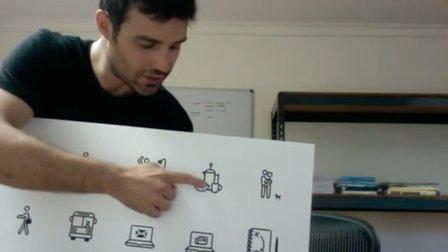
Attached below is my final artboard.

Go to Class
MOOC List is learner-supported. When you buy through links on our site, we may earn an affiliate commission.

Related Courses

Getting Started with Canva for Beginners : CANVA BASICS #1 (Skillshare) Skillshare
Skillshare

Getting Started with Canva for Beginners : CANVA BASICS #1 (Skillshare)

Today, being online often means having beautiful, well designed images, be it graphics, photographs, or both. However, not everyone has the budget to hire a graphic designer to create weekly content for them. That’s where Canva comes in. Canva is a free online design tool that anyone can use to create beautiful graphics that can be used online, be it on social media, their websites, in the emails, etc.

Self Paced
Self-Paced
How to draw watercolor recipe in Procreate - digital illustration + free brush (Skillshare) Skillshare
Skillshare

How to draw watercolor recipe in Procreate - digital illustration + free brush (Skillshare)

Today I will teach you: how to draw recipe in watercolor style, where we will combine actually watercolor and pencil together; how to locate receipt elements on the canvas in a beautiful way; how to create texture paper; How to add decorations; where to get reference pictures that you can use for commercial and personal purposes.

Self Paced
Self-Paced
People and flowers in watercolor style in Procreate - digital tutorial for beginners + free brushes (Skillshare) Skillshare
Skillshare

People and flowers in watercolor style in Procreate - digital tutorial for beginners + free brushes (Skillshare)

Let’s paint all together cool illustrations of girl on a bicycle in watercolor style. You can use the illustrations you create for posting in Instagram, add it to your portfolio and so on. Or just share it with someone whom you really like. I am sure they will be so happy to get an illustration that is created by you. Today I want to show you that watercolor is so simple and it’s a real fun!

Self Paced
Self-Paced
How to paint watercolor recipe in Procreate - Christmas digital illustration + free brushes (Skillshare) Skillshare
Skillshare

How to paint watercolor recipe in Procreate - Christmas digital illustration + free brushes (Skillshare)

Let’s paint all together cool illustration of recipe in watercolor style. You can choose my sketch or create yours, you can even print it later and hang the picture on the wall in a kitchen. And today we will use new paper. Today I want to show you that watercolor is so simple and it’s a real fun! And in the end of my class you can see it.

Self Paced
Self-Paced
Learn to Use Canva: The Easy, Effective Design Solution for Non-Designers  (Skillshare) Skillshare
Skillshare

Learn to Use Canva: The Easy, Effective Design Solution for Non-Designers (Skillshare)

Demystify graphic design! Join educator and designer Lisa Larson-Kelley for this 25-minute class on the ins and outs of Canva, the friendly design software that makes graphic design easy, accessible, and effective. These short video lessons cover some basic conceptual approaches to layout, text, and shape. Then, you can put them all into action as you design your own invitation in Canva.

Self Paced
Self-Paced
How to create watercolor digital sticker pack in Procreate + free brush (Skillshare) Skillshare
Skillshare

How to create watercolor digital sticker pack in Procreate + free brush (Skillshare)

Today I will teach you: how to create your own digital sticker pack that you can sell on different art platforms; how to save watercolor picture with transparent background (how to separate your painting form textured background); How to create cover picture for your sticker set and how to locate different elements on the canvas in a beautiful way; how to paint flowers in watercolor style; how to create texture paper; How to be ready for selling your own pictures.

Self Paced
Self-Paced
Watercolor cactuses in Procreate - digital illustration (Skillshare) Skillshare
Skillshare

Watercolor cactuses in Procreate - digital illustration (Skillshare)

Today I will teach you: how to draw cactuses in new watercolor style, where we will combine actually watercolor and pencil together; how to locate those lovely cactuses on the canvas in a beautiful way; how to create texture paper; How to create patterns; where to get reference pictures that you can use for commercial and personal purposes.

Self Paced
Self-Paced