Demystifying Graphic Design: How Posters Work (Skillshare)

Offered by Skillshare,
Demystifying Graphic Design: How Posters Work (Skillshare)

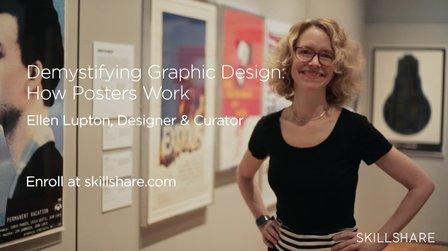
Join museum curator Ellen Lupton for a one-hour class exploring how posters work! You'll go inside New York City's Cooper Hewitt, Smithsonian Design Museum, explore the six moves that make modern graphic design so compelling, and create a film poster of your own — a surprising and powerful homage to a cinematic masterpiece.

This course is inspired by Cooper Hewitt's 2015 book and exhibition How Posters Work, presenting works from the museum's astonishing collection of over 4,000 historic and contemporary posters. Every lesson is filled with inventive and authentic pieces from this astonishing collection, from Polish film posters to political propaganda. Ellen shows you how to tell a story, excite the eye, and use visual language to create emotional, effective design.
This class is perfect for graphic designers, illustrators, and enthusiasts alike. All you need is a passion for design, a curious eye, and love for a visual story.

What You'll Learn

Introduction. People may tell you that posters are dead. They’re not — they’re all around us, telling visual stories, announcing events, and bringing ideas to life. In this class, you’ll learn graphic design as it applies to poster making by working on your own poster and exploring the poster collection from the Cooper Hewitt Museum in New York.
Assignment. Ellen Lupton will assign you the task of making a movie poster for a film with a simple object name in its title. You’ll start by coming up with the story you want your poster to tell before moving onto iconography, simplification, overlapping, and making your poster dynamic.
Tell a story. When you design posters, you’re using a single frame to communicate an entire story arc. You’ll learn how to bring action into your poster through suspense, surprise, and by focusing on essential elements. “Knowing how much to put in and how much to take out,” says Ellen, is key to ensuring every piece of your poster contributes to the drama.
Activate the diagonal. You can add energy and motion to your 2-D design with diagonal lines. You’ll learn how angles can suggest motion and depth and how to think about taking viewers’ eyes on a journey when you’re designing graphics for your poster.
Simplify. You’ll learn how to represent items in their simplest forms. Whether you’re out to design book covers, billboards, or TV posters, using pared down icons can help you communicate big ideas while staying low on clutter. You’ll consider the “iconic” forms of everyday items and figure out what’s worth highlighting and what’s worth eliminating.
Overlap. You’ll learn how to create illusions of depth in 2-D spaces through overlap and transparency. Ellen will look at posters that employ multiple planes and collapsing design elements.
Focus the eye. You’ll explore various ways to use design to direct how people look at your poster, drawing inspiration from psychedelic posters of the 1960s to single-focus posters of the early 1900s. Ellen will explain how you can choose between having a single focal point and no focal points, depending on what you want viewers to pay attention to first.
Assault the surface. Graphic designing is an active process, and you can show that in your poster. Ellen will teach you how to transform your work into a physical artifact by transforming the making of the poster into part of its own narrative. You’ll establish the mood for your movie poster.
Visiting Cooper Hewitt, Smithsonian Design Museum. You’ll take a second look at many of the posters examined earlier in this lesson and see how you can physically experience design with interactive projects.
Creating a poster. Now it’s time to put what you’ve learned so far to use. You’ll watch as Ellen designs her own movie poster for Alfred Hitchcock’s “The Birds” and get inside her process, from brainstorming to sketching to final product.
Final thoughts. Now that we’ve studied these universal principles of design, Ellen encourages you to take what you’ve learned and apply it! Through this class, you’re able to recognize the action and emotion of a movie to create a poster that accurately represents the movie’s personality.

ASSIGNMENT
Design a film poster, using the six core techniques to create narrative, tension, and excitement. Will you tell a story? Simplify icons? Use overlap or diagonals to create movement? Or will you — if you dare — assault the surface?
Select a movie with a simple object in the title, such as Rear Window, 12 Angry Men, The Matrix, or Gone Girl. Use the attached list for inspiration. Draw by hand, jump on the computer, or experiment with materials. Try a few different approaches, and be sure to play!

DELIVERABLE
Share your poster in the project gallery. A complete project might include:

  • Movie title brainstorm
  • Sketches
  • Final poster design(s)

Don't wait to upload your project all at once! Dive in, ask questions for student feedback, and update it over time.
Go to Class
MOOC List is learner-supported. When you buy through links on our site, we may earn an affiliate commission.

Related Courses

Getting Started with Canva for Beginners : CANVA BASICS #1 (Skillshare) Skillshare
Skillshare

Getting Started with Canva for Beginners : CANVA BASICS #1 (Skillshare)

Today, being online often means having beautiful, well designed images, be it graphics, photographs, or both. However, not everyone has the budget to hire a graphic designer to create weekly content for them. That’s where Canva comes in. Canva is a free online design tool that anyone can use to create beautiful graphics that can be used online, be it on social media, their websites, in the emails, etc.

Self Paced
Self-Paced
Demystifying Beauty: Inspiration for Design (Skillshare) Skillshare
Skillshare

Demystifying Beauty: Inspiration for Design (Skillshare)

What do we mean by "beauty"? How can you bring beauty into your own work? Join museum curators Ellen Lupton and Andrea Lipps for a half-hour class exploring beauty! Go inside New York City's Cooper Hewitt, Smithsonian Design Museum. Explore 5 themes through dozens of examples from contemporary art and design. Create a beautiful pattern of your own — a surprising and powerful prompt to engage with your own notions of beauty.

Self Paced
Self-Paced
How to create watercolor digital sticker pack in Procreate + free brush (Skillshare) Skillshare
Skillshare

How to create watercolor digital sticker pack in Procreate + free brush (Skillshare)

Today I will teach you: how to create your own digital sticker pack that you can sell on different art platforms; how to save watercolor picture with transparent background (how to separate your painting form textured background); How to create cover picture for your sticker set and how to locate different elements on the canvas in a beautiful way; how to paint flowers in watercolor style; how to create texture paper; How to be ready for selling your own pictures.

Self Paced
Self-Paced
Adobe Illustrator: Make Paths Fast & Easy (Skillshare) Skillshare
Skillshare

Adobe Illustrator: Make Paths Fast & Easy (Skillshare)

Live Corners is hands down the BEST feature to come from Adobe Illustrator CC. What might seem like a simple little perk at first quickly becomes an incredibly versatile, time-saving tool when you dig deeper. Join in me in this free class where I walk through the many uses that can come from Live Corners and show you how they can be applied just about anywhere :)

Self Paced
Self-Paced
How to paint watercolor recipe in Procreate - Christmas digital illustration + free brushes (Skillshare) Skillshare
Skillshare

How to paint watercolor recipe in Procreate - Christmas digital illustration + free brushes (Skillshare)

Let’s paint all together cool illustration of recipe in watercolor style. You can choose my sketch or create yours, you can even print it later and hang the picture on the wall in a kitchen. And today we will use new paper. Today I want to show you that watercolor is so simple and it’s a real fun! And in the end of my class you can see it.

Self Paced
Self-Paced
Illustrate Your Day: An Intro to Symbol Design (Skillshare) Skillshare
Skillshare

Illustrate Your Day: An Intro to Symbol Design (Skillshare)

Symbols are incredibly powerful communication tools. They can communicate faster than words, in memorable and powerful ways, and in a universal way that transcends cultural and language barriers. They are the one language we all can understand. During this class you will learn how to create these amazing communication tools using vector editing software, and use symbols to tell the story of a day in your life.

Self Paced
Self-Paced
Learn to Use Canva: The Easy, Effective Design Solution for Non-Designers  (Skillshare) Skillshare
Skillshare

Learn to Use Canva: The Easy, Effective Design Solution for Non-Designers (Skillshare)

Demystify graphic design! Join educator and designer Lisa Larson-Kelley for this 25-minute class on the ins and outs of Canva, the friendly design software that makes graphic design easy, accessible, and effective. These short video lessons cover some basic conceptual approaches to layout, text, and shape. Then, you can put them all into action as you design your own invitation in Canva.

Self Paced
Self-Paced
Graphic Design Basics: Core Principles for Visual Design  (Skillshare) Skillshare
Skillshare

Graphic Design Basics: Core Principles for Visual Design (Skillshare)

Great graphic design comes from understanding just a few basic principles. Cracking the code to great design is much easier with a solid foundation of core principles. Join designers Ellen Lupton and Jennifer Cole Phillips for an essential, 35-minute class as they walk through 5 basic principles of graphic design, perfect for use in all projects using images and type — creative design, marketing materials, and even photography!

Self Paced
Self-Paced