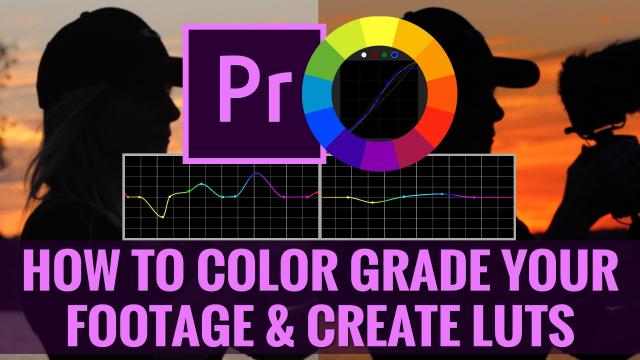
How To Color Grade Footage & Create Custom Video LUTs in Premiere Pro CC For Beginners (Skillshare)

Offered by Skillshare,
How To Color Grade Footage & Create Custom Video LUTs in Premiere Pro CC For Beginners (Skillshare)

Welcome to this beginners class on How To Color Grade Your Footage & Create Custom Video LUTs in Premiere Pro CC! Almost every big-budget feature film has been color graded to look a certain way, and in recent years, it's become increasingly easy to color grade your own footage using popular video editing software!

In this course for beginners you will learn:

  • What color correcting is and how to color correct a clip that's provided in the course
  • What color grading is and how it can be used to make your footage look even better
  • How to color grade your footage using Premiere Pro CC
  • How to use the secondary color correction tab to change certain parts of your footage
  • How to work with footage shot in a flat LOG profile and color grade it
  • The fundamentals of color grading scopes inside Premiere Pro and how they can be leveraged when color grading, or correcting your footage
  • What LUTs are and how to apply a corrective LUT to log footage
  • How to create and export custom LUTs
  • Where to place your custom created LUTs and how to name them so they show up conveniently inside Premiere Pro CC

and more!

In the class project, you'll find the same footage files we used in the course so that you can download them and follow along! (We encourage you to do so because it will help you retain the information required to color grade footage.)
Welcome to the class project!

Please download the footage provided. (5 clips inside 2 .zip compressed folders)

  1. Download the footage
  2. Open Premiere Pro CC, and follow along
  3. Once you've completed the course, and have successfully learned how to color grade and create LUTs, using the footage provided, implement the skills you learned in this course to change the look and style of that footage so that you have your own creatively color graded footage!
  4. Then upload and share them with me!

Your uploaded class project should consist of at least 1 clip from the course that you've downloaded and color graded in a creative way.
Go to Class
MOOC List is learner-supported. When you buy through links on our site, we may earn an affiliate commission.

Related Courses

How to Create Video for Online Courses (FutureLearn) FutureLearn
University of Edinburgh

How to Create Video for Online Courses (FutureLearn)

Discover tools and techniques to plan, film, and edit high-quality videos for online learning. Learn how to create effective and engaging educational media. Increasingly, as education pivots online, educators are looking to filmmaking as a way of creating new and exciting content. On this two-week course from the University of Edinburgh, you’ll learn how to turn your mobile phone into a full-featured video production suite to create effective and engaging online course videos and media.

Self Paced
2 Weeks
Premiere Pro CC Basics In 40 Mins: Free For Beginners Crash Course (Skillshare) Skillshare
Skillshare

Premiere Pro CC Basics In 40 Mins: Free For Beginners Crash Course (Skillshare)

Welcome to Premiere Pro CC Basics In 40 Mins: For Beginners Crash Course! In this crash course, I will walk you through how to: Open Premiere Pro and create a new project; Move the panel windows to create a custom layout; Import footage and music; Create a sequence for video editing; Perform basic editing functions such as trim, cut, time stretch, and move clips; Separate audio from footage; Understand the timeline layers; Pick selects and assemble a rough cut; Time your edit to music; Perform basic zoom in and position animations; Create titles; Color correct footage; Apply the crop effect; Export to a final video.

Self Paced
Self-Paced
A Blueprint for Success – Your Video Pre-Production (Coursera) Coursera
University of Colorado Boulder

A Blueprint for Success – Your Video Pre-Production (Coursera)

In this course, we will learn about pre-production, which requires levels of planning before you ever pick up a camera. We will share with you the terminology used widely in production work, along with our ideas for affordable camera gear and editing applications. We’ll also discuss strategies to help you generate story ideas and the focus, find characters, write treatments and scripts, draw storyboards, and even pointers on how to pitch your stories.

Aug 3rd 2026
3 Weeks
Bring Your Story to Life – Video Post-Production (Coursera) Coursera
University of Colorado Boulder

Bring Your Story to Life – Video Post-Production (Coursera)

In this course, we will explore the power and artistry of picture and sound editing. Although you’re welcome to use the editing software of your choice, we’ll be demonstrating non-linear editing using Adobe Premiere. We’ll share with you our editing workflow for completing a visual story, from scripting and writing conversationally to the visuals, to recording voice overs, to building the rough cut, and polishing with the final cut.

Aug 3rd 2026
5-12 Weeks
Low-Budget Video Production: Visual Communication for Small Charities (FutureLearn) FutureLearn
The Open University

Low-Budget Video Production: Visual Communication for Small Charities (FutureLearn)

Understand how video can expand and enhance your organisation’s communications and develop practical skills for your productions. Learn how to produce your own low-budget video to convey your charity’s message. Small charities understand that to compete in a tough economic climate they should engage with digital media and video content. But a lack of staff, time, knowledge and resources can get in the way. This practical video production course is designed to bridge that gap and help small charities develop the skills they need for successful video production.

Self Paced
4 Weeks
Create Basic Lower Thirds in Adobe After Effects 2019 (Skillshare) Skillshare
Skillshare

Create Basic Lower Thirds in Adobe After Effects 2019 (Skillshare)

In this tutorial I will show you create a basic lower third. Lower thirds are useful graphics for displaying short text in videos like a names and job titles. I will show you how to create this graphic in Adobe After Effects and also show you how to render it as a motion graphics template to be used in Adobe Premiere so you can update the text and easily create a new lower third without having to go back into After Effects.

Self Paced
Self-Paced
How to Make a VR YouTube Video (Skillshare) Skillshare
Skillshare

How to Make a VR YouTube Video (Skillshare)

Hey, I run a VR YouTube Channel with consistent high views and engagement and I am going to show you how you can make your very own VR content. This is a beginners course, but the results will be outstanding. We’ll be using Unity and Adobe Premiere. In this class, you will learn the basics of Unity 3D, which you can also use for video game development.

Self Paced
Self-Paced
Adobe Premiere Pro: How to Save Time Editing and Edit More Efficiently in Premiere Pro (Skillshare) Skillshare
Skillshare

Adobe Premiere Pro: How to Save Time Editing and Edit More Efficiently in Premiere Pro (Skillshare)

In this class Alli Saunders will teach you how to edit faster in Adobe Premiere Pro. Alli Saunders has been a professional video editor for 5 years and owns a video production company in Toronto, Canada that specializes in commercial and web videos. She edits most of her video projects in Premiere Pro and over the years has come up with several ways to make her editing workflow more efficient and much faster.

Self Paced
Self-Paced