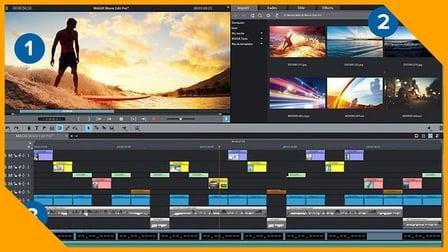
Learn how to create your first video with the Green Screen Effect also known as Chroma Key Effect with the World's best, free, intuitive, yet advanced Video Editor - DaVinci Resolve 16. Why spend hundreds of dollars a year to do Beginner to Professional Video Editing, when you can do it for free with DaVinci Resolve. For those who are interested in DaVinci Resolve and haven't created their first video yet, I suggest you just GO AND DO IT! So you have your first experience doing actual creation. That to me is the best way to learn.
I designed this tutorial to make it as straightforward and simple as possible for those with no experience.
All you have to do is download the program, my files I used to create the sample video, and follow this 12 minute step-by-step tutorial, and Viola! You will have created your first video with green screen effect and hopefully there will be no stopping you from making valuable, interesting, fabulous videos in the near future.
Be a Creator! Start Creating, It's Fun and Rewarding!
This course will cover all the elements you need to create the green screen effect, including:
Add Alpha Output
Qualifier
Selection Range
Picker
Hue, Saturation, Luminance
Zoom and Position
Window
Course Goals:
You will not be intimidated by advanced video editors like DaVinci Resolve 16, in fact you will quickly learn to love what it can do for you.
You will learn the basics of video editing and creating a green screen effect
You will be able to unleash your Creative Passions and produce your own unique videos.
Go forth and set the world on fire with your ideas!