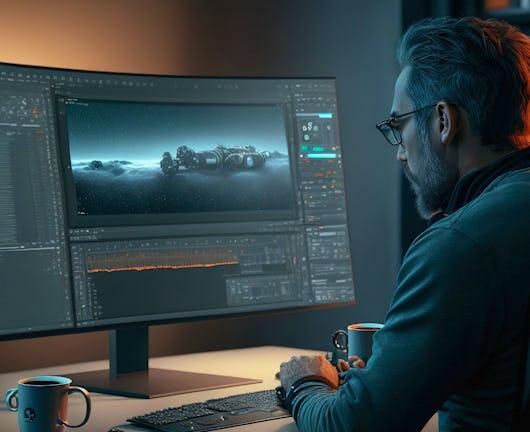
Embark on a transformative journey into Adobe After Effects, gaining fundamental and advanced skills. Explore the intricacies of the interface, create compositions and master timeline dynamics. Dive into hands-on experiences, shaping proficiency in animation, advanced text techniques, and masking for enhanced visual effects. Discover the profound impact of light, colors, and perspective, refining chroma keying, compositing, and motion tracking skills. Immerse yourself in 3D integration, lighting, and tracking for dynamic storytelling.
Class Deals by MOOC List - Click here and see Coursera's Active Discounts, Deals, and Promo Codes.
Master advanced techniques like Graph Editor precision, keyframe intricacies, and 3D text creation. Elevate skills in keying, particle systems, and cutting-edge special effects, crafting polished compositions. Conclude with foundational color correction, Lumetri Panel mastery, and effective portfolio building.
By the end of this course, you'll:
1) Acquire a robust set of skills in Adobe After Effects.
2) Proficiently navigate the After Effects interface, master the art of composition creation and effectively manipulate the timeline for seamless animations.
3) Understand the profound impact of light, colors, and perspective, employing chroma keying, compositing, and motion tracking for impactful visual storytelling.
4) Your skills will culminate in advanced keying, particle systems, and special effects, resulting in polished and visually engaging compositions.
The course concludes with proficiency in color correction, mastery of the Lumetri Panel, and effective portfolio-building strategies, ensuring you are well-equipped for professional success in Adobe After Effects.
Syllabus
Getting Started with After Effects
This module provides a comprehensive exploration of Adobe After Effects, equipping learners with fundamental skills and advanced techniques. You will grasp the intricacies of the After Effects interface, proficiently creating compositions, importing and arranging footage, and managing diverse file formats. Building on this foundation, the module delves into timeline mastery, emphasizing the importance of the Current Time Indicator (CTI), efficient media linking, and sequence importation. Furthermore, you will develop expertise in composition and layer manipulation, exploring advanced features such as pre-composition and layer styling duplication for a thorough understanding of After Effects' powerful capabilities.
Fundamentals of Motion Graphics
This module empowers you to showcase proficiency in Adobe After Effects through hands-on experiences. You will master the creation and manipulation of shapes, understand shape parameters, and execute advanced techniques such as shape morphing. You will identify the art of mastering shape animation, creating loopable animations with precision using the Ellipse and Square tools, and gaining proficiency with the Pen Tool. The module delves into the Graph Editor to demonstrate smooth animations, apply anticipation techniques, and master advanced features like Trim Path and Repeater. Additionally, you will develop expertise in crafting dynamic text animations, exploring text properties, and creating professional lower thirds. The mastery extends to masking techniques for enhancing visual effects and seamlessly refining composition elements. Furthermore, you will explain their attainment of proficiency in After Effects by creating captivating logo animations, exploring varied animation techniques, and elevating brand representation through motion.
Fundamentals of VFX
This module guides you in acquiring expertise in Adobe After Effects, focusing on impactful visual enhancements. You will describe your understanding of the profound impact of light, colors, and perspective, laying the foundation for effective visual enhancement. Mastery in chroma keying will be demonstrated through applying techniques like Linear Color Key, matte refinement, and the strategic use of Spill Suppressor. The module further advances skills in compositing by seamlessly integrating elements with backgrounds, ensuring a cohesive and visually appealing composition. Proficiency will be interpreted through mastering rotoscoping techniques, adjusting the matte hue, and skillfully employing masking to reveal and conceal text. Identification of mastery extends to motion tracking in After Effects, encompassing seamless integration of elements, linking track data, and advancing skills in comprehensive motion tracking techniques.
3D Integration and Visual Effects
This module empowers you to demonstrate proficiency in integrating 3D elements into After Effects, mastering fundamentals, analyzing shots for conversion, creating matte paintings, and effectively stylizing compositions. You will develop expertise in After Effects 3D lighting, camera animation, and material manipulation, enhancing skills for immersive and dynamic visual storytelling. Mastery in After Effects 3D tracking will be identified, showcasing accurate camera tracking, creation of cameras from tracks, and seamless linking of text for the creation of dynamic compositions. The module offers a comprehensive exploration of advanced techniques, providing you with the skills necessary for impactful and visually engaging 3D integration in After Effects.
Advanced Motion Graphics and Animation
This module guides you in advancing their After Effects proficiency through the mastery of advanced Graph Editor techniques, ensuring precise control, and refining animations for professional-quality outputs. Mastery of advanced keyframe techniques will be demonstrated by exploring the intricate capabilities of the Puppet Tool and effectively refining motion dynamics. You will identify your expertise in After Effects through the creation of impactful 3D text, animated cameras, manipulated 3D materials, and stylized compositions for maximum impact. The module also covers the mastery of creating explainer videos, including the import and animation of AI layers, stylizing animations with smoke, and precision organization. Excellence in kinetic typography and motion graphics is interpreted through creating text, synchronizing with audio, animating, and seamlessly incorporating impactful effects.
Visual Effects and Special Effects
This module empowers you to demonstrate mastery in advanced keying techniques within After Effects, employing tools like Keylight and Primatte Keyer while seamlessly integrating Lightwrap for polished outcomes. You will identify their mastery in After Effects particle systems, effectively creating dynamic effects such as shattering, generating smoke, utilizing Saber, and manipulating Particle World attributes. Additionally, the module explains the enhancement of rotoscoping skills in After Effects by seamlessly transitioning to Mocha, performing rotoscoping within Mocha AE, applying matte techniques, and proficiently utilizing the advanced Roto Brush 3.0 tool for precise and efficient results.
Compositing VFX Project
This module empowers you to master advanced After Effects techniques. Learn to expertly execute 3D tracking and compositing, meticulously planning footage, generating images, linking elements, and seamlessly applying lens blur finesse. Identify and refine keying and compositing proficiency in After Effects, leveraging 3D tracking, linking textures, and seamlessly integrating keyed elements with backgrounds for polished and visually engaging outcomes.
Adding and Compositing Elements
This module guides you through the process of becoming proficient in adding special effects in After Effects, explaining the importance of planning compositions, tracking sequences, and masking through tracking. You will attain proficiency by integrating techniques like burn, smoke, reflections, and character removal for impactful visual storytelling. The module then advances to the creation of a futuristic city, analyzing scenes, tracking, and seamlessly integrating a spaceship, enabling you to attain proficiency in crafting immersive and dynamic compositions. Furthermore, you will develop advanced compositing skills by adding radial elements, compositing a futuristic city scene, and effectively rendering compositions for polished and visually engaging outcomes.
Advanced Color Correction and Grading Techniques in After Effects
This module provides you with foundational skills in After Effects, focusing on the interpretation of color correction and grading. You will master basic correction techniques and effectively manipulate light parameters for impactful visual enhancements. Proficiency in the After Effects Lumetri Panel will be identified through the comprehension of creative parameters, exploration of curves, color wheels, HSL secondary adjustments, and the effective implementation of vignettes. Additionally, you will develop skills for creating an impressive portfolio in After Effects by following tips for effective presentation and content selection, ensuring their work is showcased in a professional and compelling manner.