Photography Foundations: Using Shutter Speed To Capture Motion (Skillshare)

Offered by Skillshare,
Photography Foundations: Using Shutter Speed To Capture Motion (Skillshare)

Have you ever wanted to stop your kids from running around for just one second?* Want to capture the blurry excitement of a fast moving car? Have you always wanted to shoot start trails or "write" with sparklers? You can learn all how to do all of this with your photography when you learn how to use shutter speed!

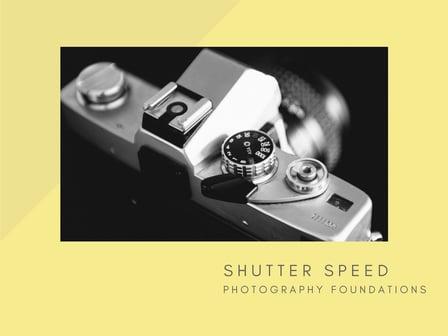
Using Shutter Speed To Capture Motion is the second course in my Photography Foundations Series. This class will focus on using your shutter speed in manual mode on your DSLR or mirrorless camera. Understanding how to use shutter speed is key to make creative choices on how motion is seen in your images.
We'll talk about the effects of both slow and fast shutter speed on motion, how to utilize shutter speed in night images as well as some fun bonus ideas for using alternative light sources at night.
The Photography Foundations Series is created to get you out of auto mode and into manual mode on your camera so that you can take control of your images and to create the images that you want to make. Each class is short and sweet at less than 35 minutes. You can even learn on your lunch hour!
*BTW this class won't actually teach you how to stop your kids from running around IRL, but it CAN teach you how to freeze their moves in a photo ;)
This class is for beginners who are learning how to use their camera in manual mode and for anyone else who is looking for a refresher in the basics of manual camera use.
REQUIRED: DSLR camera or other camera with manual mode capabilities.
In this class, we'll be shooting a variety of images using various shutter speeds. The project for this class allows for creative choices on how you'd like to experiment with shutter speed. You'll be sharing 3 -5 images from your shoots with the class along with how you got the shot.
You can choose to shoot the same subject using different shutter speeds to share with the class. Alternatively, or in addition to that, you can shoot different subjects utilizing any of the tips and lessons on both slow and fast shutter speeds.
Go to Class
MOOC List is learner-supported. When you buy through links on our site, we may earn an affiliate commission.

Related Courses

Simple Mobile Editing for iPhone Using the VSCO App (Skillshare) Skillshare
Skillshare

Simple Mobile Editing for iPhone Using the VSCO App (Skillshare)

This class is an introduction to mobile photography editing using the VSCO app. After taking this class you will be able to successfully add simple edits that will bring the best out of your mobile photos. We will review how utilize five key features in the VSCO editing process. Exposure, contrast, saturation, cropping, and finally, choosing a filter. Your final project will consist of your own set of 4-8 photos that show your before and after editing process.

Self Paced
Self-Paced
How to Enhance Eyes in Snapseed Like a Pro - iPhone & Android Mobile (Skillshare) Skillshare
Skillshare

How to Enhance Eyes in Snapseed Like a Pro - iPhone & Android Mobile (Skillshare)

Eyes are detailed,and often the main focal point of a portrait. In this tutorial, learn how to adjust the highlights and shadows, add and enhance colours, and apply sharpening to help any set of eyes look extraordinary. Welcome to my class, Today we will be using a powerful, yet free tool that is available on both iPhone and android.

Self Paced
Self-Paced
How to shoot film WITHOUT shooting on Film (Getting the Film look) (Skillshare) Skillshare
Skillshare

How to shoot film WITHOUT shooting on Film (Getting the Film look) (Skillshare)

Creating beautiful narratives through film emulation. Shooting on film is very aesthetically pleasing but not many of us have the luxury of being able to shoot on a film camera. This class teaches you how to shoot something that looks "film" without having to be on film. I show the behind the scenes process of how I plan my shoot, what equipment I use, and what to look for when I go on my shoots.

Self Paced
Self-Paced
4 Basic Steps to Editing Professional Car Photos (Skillshare) Skillshare
Skillshare

4 Basic Steps to Editing Professional Car Photos (Skillshare)

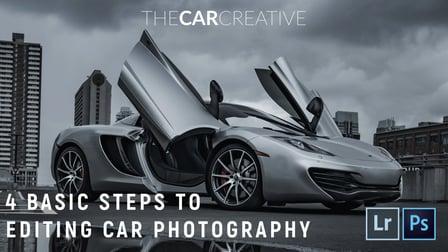
In this class, we will be talking about the 4 basic steps that I use to edit professional looking car photos using Adobe Lightroom and Photoshop. In the first lesson, we will talk about the basics of tone, exposure, contrast, and saturation. Following that, we will learn some simple tools in Adobe Photoshop to clean up our image and remove anything we don’t want. Thirdly, we will look at highlighting and drawing attention to our subject, in this case, our car.

Self Paced
Self-Paced
The Adventure Series – Learn Landscape Photography in the Field! (Skillshare) Skillshare
Skillshare

The Adventure Series – Learn Landscape Photography in the Field! (Skillshare)

Join me as I explore Switzerland and teach you everything I know about travel Photography and Filmmaking! This course is suitable for all levels. Topics covered in this course: Photography Fundamentals; Landscape Photography; Long Exposure Photography; Drone Photography & Videography; First Person View (FPV) Drone Filmmaking; Composition; and much more!

Self Paced
Self-Paced
Easy Photo Editing for Social Media: Profile, Product, and Cover Photos in PicMonkey (Skillshare) Skillshare
Skillshare

Easy Photo Editing for Social Media: Profile, Product, and Cover Photos in PicMonkey (Skillshare)

Learn how to edit a photo from good to great without ever touching Photoshop! PicMonkey's Jenn Reiner is here to share all the easy essentials of photo editing. What: In this easy-to-follow class, you'll learn tips and tricks for photo retouching, resizing, collaging, watermarking, and more. Every bite-sized lesson include tips, demonstration, and ways to use your new photos on social media and beyond.

Self Paced
Self-Paced
Intro to HDR Photography: Shooting and Editing High Dynamic Range | Learn with macphun (Skillshare) Skillshare
Skillshare

Intro to HDR Photography: Shooting and Editing High Dynamic Range | Learn with macphun (Skillshare)

Just what is HDR photography all about? Join photographer Matt Suess in an Arizona ghost town, and learn how he creates artistic, high-contrast scenes that jump off the screen. HDR stands for high dynamic range, a photography technique that mimics what the eye can see, merging multiple bracketed exposures into one vibrant image. Perfect for scenic landscapes, building interiors, and – in this case – vintage Americana, HDR allows you to bring out surreal detail in your highlights and shadows.

Self Paced
Self-Paced