Graphic Design Basics: Core Principles for Visual Design (Skillshare)

Offered by Skillshare,
Graphic Design Basics: Core Principles for Visual Design  (Skillshare)

Great graphic design comes from understanding just a few basic principles. Cracking the code to great design is much easier with a solid foundation of core principles. Join designers Ellen Lupton and Jennifer Cole Phillips for an essential, 35-minute class as they walk through 5 basic principles of graphic design, perfect for use in all projects using images and type — creative design, marketing materials, and even photography!

The lessons include both examples and demonstration, giving you a foundation to create inspired, functional design. You’ll learn to:

  • Identify and define 5 basic design principles
  • Critique your work for effectiveness and balance
  • Apply each core concept in future projects

Whether you're new to these principles or are looking for a refresher, you'll gain a solid understanding of the visual language that fuels all great design.

What You'll Learn

Introduction.Ellen Lupton and Jennifer Cole Phillips will lay out the 5 basic principles of graphic design — symmetry, scale, framing, hierarchy, and grids — and preview what you’ll learn in the rest of their design course.
Symmetry vs. asymmetryEllen will expound on her love for symmetry in design, and Jennifer will talk about her passion for asymmetry. You’ll learn how both should employ balance and can be dynamic, especially with the introduction of contrasting colors, shapes, and patterns.
Scale.Scale is about size, but more than that, it’s about relationships. Ellen and Jennifer will explain how these relationships can tell a visual story by creating tension and energy on (and with) the page. You’ll discover how to surprise an audience using scale by playing with their expectations, and you’ll learn how scale can take on an especially important role in business logo design.
Framing.“Every time you change the cropping in Instagram, you’re framing,” Ellen says, and it’s true — framing is something you already do all the time. In this lesson, you’ll learn how prevalent framing is in the design process and get introduced to the 3 main types of framing: margins, bleeds, and partial bleeds.
Hierarchy.The keys to hierarchy are separation and difference. You’ll see how to use the two to order information and direct readers across a text — important lessons to keep in mind when creating logos. Ellen and Jennifer will go over an exercise in which you’ll apply hierarchy to a plain block of text, and you’ll learn the usefulness of color when it comes to textual hierarchy.
Grids.A grid is a powerful tool for bringing structure and efficiency to your page design. In exploring different grids, you’ll learn the difference between margins and gutters, how blank space doesn’t have to feel like empty space, and how to make a basic grid in Adobe InDesign. You’ll also examine the difference between web and print grids.
Demo:Bringing it all together. In this exercise, you’ll start by choosing 3 to 6 photographs and 1 to 2 typefaces. These will be the basic elements you’ll incorporate into your page layout design. You’ll learn how to create guides in InDesign and use pencil-drawn thumbnails as “mini blueprints” for your design. You’ll then watch as Jennifer defines typographic hierarchy, plays with scale, and anchors text to images.
Conclusion. Ultimately, you’ll find that you can design icons, magazines, web pages, and even wedding scrapbooks using the 5 basic graphic design principles Ellen and Jennifer discuss in their class. Beyond the 5 basic principles, students can take their knowledge further by exploring advanced graphic design essentials like layers, transparency, time and motion, and gestalt psychology. The key takeaway from this course? Graphic design is all about relationships — the relationships between one design element and another, that element and the page, and that element and yourself.
Put the core principles of graphic design to the test! Use InDesign, Photoshop, or even PowerPoint to arrange both text and image in a way that lets you practice using these 5 core principles of visual layout:

  • Symmetry & Asymmetry
  • Scale
  • Framing
  • Hierarchy
  • Grids

You can start a brand-new project or upload and improve something from your portfolio. Remember that your core challenge is to create a layout that is both engaging and effective. As a reader, is your eye drawn to the most important thing? How does the layout change if you make an important element bigger, smaller, or even move it to the side? Play with the principles to find the right fit!

Go to Class
MOOC List is learner-supported. When you buy through links on our site, we may earn an affiliate commission.

Related Courses

Learn to Use Canva: The Easy, Effective Design Solution for Non-Designers  (Skillshare) Skillshare
Skillshare

Learn to Use Canva: The Easy, Effective Design Solution for Non-Designers (Skillshare)

Demystify graphic design! Join educator and designer Lisa Larson-Kelley for this 25-minute class on the ins and outs of Canva, the friendly design software that makes graphic design easy, accessible, and effective. These short video lessons cover some basic conceptual approaches to layout, text, and shape. Then, you can put them all into action as you design your own invitation in Canva.

Self Paced
Self-Paced
Learn How to Paint in Photoshop (Skillshare) Skillshare
Skillshare

Learn How to Paint in Photoshop (Skillshare)

Hello, artist. This class is about digital painting in Photoshop. This class is for artist and Photoshop users that are new to digital painting. It’s also for digital artist looking to learn a few tips to help improve their workflow and art. We’ll learn about tablets, Photoshop's tools, how to paint and blend colors, special effects, and much more.

Self Paced
Self-Paced
Get Discovered With a Knockout Portfolio (Skillshare) Skillshare
Skillshare

Get Discovered With a Knockout Portfolio (Skillshare)

Over the last couple of years, having an online portfolio has gone from a nice-to-have to a must-have for any creative professional — and Behance is leading the charge to make it possible. In this class, we’ll walk through their list of best practices on how to make a good portfolio great and how to get you and your work discovered in the creative communities you care about. You'll leave this short class with a list of tips on getting an online footprint that shows off who you are, tells the world what you can do, and gets you found.

Self Paced
Self-Paced
Build an Online Shop: Design and Launch Your Own Big Cartel Store (Skillshare) Skillshare
Skillshare

Build an Online Shop: Design and Launch Your Own Big Cartel Store (Skillshare)

Big Cartel helps artists, makers, and other creatives sell their work online. In this 40-minute class, you’ll learn how to set up and customize your own online shop with Kate Miss, an independent jewelry and graphic designer who works with artists all around the world to create successful Big Cartel shops.

Self Paced
Self-Paced
The Quick Start Guide to Procreate (Skillshare) Skillshare
Skillshare

The Quick Start Guide to Procreate (Skillshare)

Tired of unboxing a program and having to spend 3 weeks to figure out how to use the thing……we were too. People learn faster when they have a project, and so we developed the quick start guide to Procreate, so whether you are brand new to digital art, or just trying to figure out where the transformation tool is in this program…we have created a course that gets you up and creating through creating 2 projects .

Self Paced
Self-Paced
How To Draw Impossible Shapes (Optical Illusions) - Simple Drawing Projects for Beginners (Skillshare) Skillshare
Skillshare

How To Draw Impossible Shapes (Optical Illusions) - Simple Drawing Projects for Beginners (Skillshare)

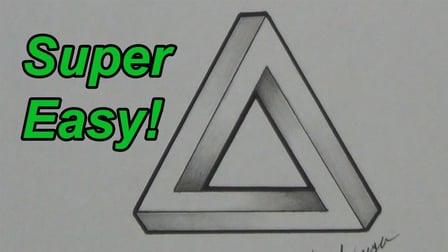
In this class, you learn how to draw a variety of 3D optical illusions called "impossible shapes." These are not called "impossible shapes" because they are impossible to draw. Rather, it is because these shapes can not actually exist in real life. By practicing these drawings, you'll learn basic drawing skills like how to create 3 dimensional forms and how to shade them. There are fun drawings that will help hone your art skills and wow your friends with cool optical illusions!

Self Paced
Self-Paced
How to draw watercolor recipe in Procreate - digital illustration + free brush (Skillshare) Skillshare
Skillshare

How to draw watercolor recipe in Procreate - digital illustration + free brush (Skillshare)

Today I will teach you: how to draw recipe in watercolor style, where we will combine actually watercolor and pencil together; how to locate receipt elements on the canvas in a beautiful way; how to create texture paper; How to add decorations; where to get reference pictures that you can use for commercial and personal purposes.

Self Paced
Self-Paced
How to paint watercolor recipe in Procreate - Christmas digital illustration + free brushes (Skillshare) Skillshare
Skillshare

How to paint watercolor recipe in Procreate - Christmas digital illustration + free brushes (Skillshare)

Let’s paint all together cool illustration of recipe in watercolor style. You can choose my sketch or create yours, you can even print it later and hang the picture on the wall in a kitchen. And today we will use new paper. Today I want to show you that watercolor is so simple and it’s a real fun! And in the end of my class you can see it.

Self Paced
Self-Paced
Design A Book Cover - Graphic Design Basics (Skillshare) Skillshare
Skillshare

Design A Book Cover - Graphic Design Basics (Skillshare)

Have fun designing a book cover! Sharpen your design skills and play with how to arrange and scale visual elements to catch the eye. This class includes three lessons, each lesson includes an overview of a core visual principle and inspiration examples from award winning book covers. Students will have a chance to use each principle themselves in a book cover design.

Self Paced
Self-Paced