Excel Skills for Business: Intermediate I (Coursera)

Offered by Macquarie University,
Excel Skills for Business: Intermediate I (Coursera)

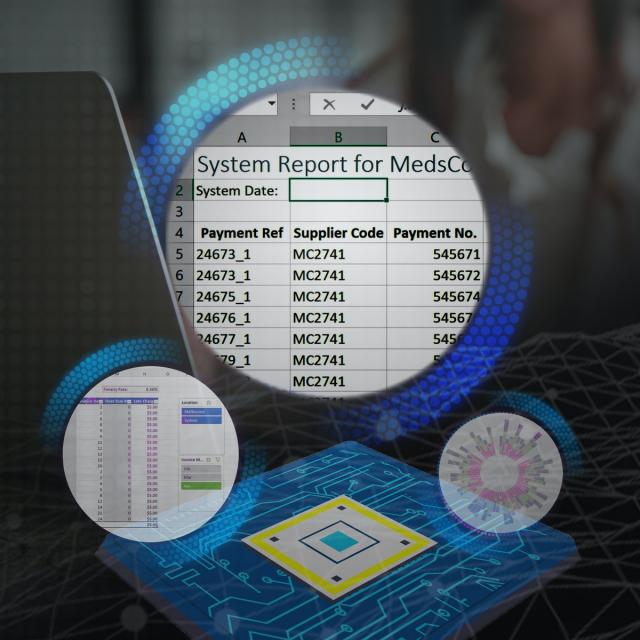
In this second course of our Excel specialization Excel Skills for Business you will build on the strong foundations of the Essentials course. Intermediate Skills I will expand your Excel knowledge to new horizons. You are going to discover a whole range of skills and techniques that will become a standard component of your everyday use of Excel.

Class Deals by MOOC List - Click here and see Coursera's Active Discounts, Deals, and Promo Codes.

Spreadsheet software remains one of the most ubiquitous pieces of software used in workplaces across the world. Learning to confidently operate this software means adding a highly valuable asset to your employability portfolio. In the United States alone, millions of job advertisements requiring Excel skills are posted every day. Research by Burning Glass Technologies and Capital One shows that digitals skills lead to higher income and better employment opportunities at a time when digital skills job are growing much faster than non-digital jobs.
In this course, you will build a solid layer of more advanced skills so you can manage large datasets and create meaningful reports. These key techniques and tools will allow you to add a sophisticated layer of automation and efficiency to your everyday tasks in Excel.
Once again, we have brought together a great teaching team that will be with you every step of the way. Prashan and Nicky will guide you through each week (and I am even going to make a guest appearance in Week 5 to help you learn about my favourite tool in Excel - shh, no spoilers!). Work through each new challenge step-by-step and in no time you will surprise yourself by how far you have come. This time around, we are going to follow Uma's trials and tribulations as she is trying to find her feet in a new position in the fictitious company PushPin. For those of you who have done the Essentials course, you will already be familiar with the company. Working through her challenges which are all too common ones that we encounter everyday, will help you to more easily relate to the skills and techniques learned in each week and apply them to familiar and new contexts.
Course 2 of 4 in the Excel Skills for Business Specialization.

Syllabus

WEEK 1
Working with Multiple Worksheets & Workbooks
This module is all about working with multiple worksheets and workbooks. Learn how you can combine data, manage datasets and perform calculations across multiple sources. And don't forget the Toolbox with handy shortcuts and ninja tips.

WEEK 2
Text and Date Functions
By the end of this module, you will be an expert in Date and Text functions. This module discusses ways you can extract information and manipulate data to fulfil specific business requirements.

WEEK 3
Named Ranges
Learn how you can create, manage and apply Named Ranges to enhance your calculations.

WEEK 4
Summarising Data
Graduate to advanced formulas in this module. Learn how you can use functions like COUNTIFS to extract information from data, as well as generate graphical representations of it.

WEEK 5
Tables
Tables, tables, tables. Start with creating, formatting and managing tables and then move on to sorting and filtering tables to get the data you need. Finally, wrap up this module automating your tables to make your work more efficient.

WEEK 6
Pivot Tables, Charts and Slicers
This module deep dives into the popular (and very useful) pivot tables. Learn how you can create and modify them to solve a variety of business problems. Then gain skills to create interactive dashboards with pivot charts and slicers.
Final Assessment


Go to Class
MOOC List is learner-supported. When you buy through links on our site, we may earn an affiliate commission.

Related Courses

Introduction to Computers and Office Productivity Software (Coursera) Coursera
The Hong Kong University of Science and Technology - HKUST

Introduction to Computers and Office Productivity Software (Coursera)

In this course, you will learn the following essential computer skills for the digital age: major hardware components of a computer system; different types of software on a computer system; photo Editing using GIMP; and word processing applications, including MS Word, MS Excel, and MS PowerPoint.

Aug 31st 2026
5-12 Weeks
Fundamentos de Excel para Negocios (Coursera) Coursera
Universidad Austral

Fundamentos de Excel para Negocios (Coursera)

Cuando finalices este curso habrás logrado un gran número de habilidades como introducir información, ordenarla, manipularla, realizar cálculos de diversa índole (matemáticos, trigonométricos, estadísticos, financieros, ingenieriles, probabilísticos), extraer conclusiones, trabajar con fechas y horas, construir gráficos, imprimir reportes y muchas más.

Sep 14th 2026
5-12 Weeks
Mastering Excel Essentials to Enhance Business Value (Coursera) Coursera
Illinois Tech

Mastering Excel Essentials to Enhance Business Value (Coursera)

This course is designed to cater to a diverse audience, particularly those with an interest in working in dynamic environments that place a strong emphasis on data-driven, quantitative analysis. Whether you are an experienced professional seeking to enhance your skills or someone looking to pivot into a cutting-edge industry, this course provides valuable insights and knowledge to thrive in today's data-centric and rapidly evolving landscape.

Sep 14th 2026
4 Weeks
Herramientas ofimáticas básicas para el trabajo (Coursera) Coursera
UBITS

Herramientas ofimáticas básicas para el trabajo (Coursera)

En la actualidad, saber manejar herramientas ofimáticas básicas tales como procesadores de texto, procesadores de datos, correo electrónico y aplicaciones de videollamada es un requisito indispensable para tener éxito en el mundo laboral. Este tipo de herramientas permiten simplificar, agilizar y perfeccionar la comunicación y el manejo de la información en cualquier campo.

Sep 14th 2026
13-24 Weeks
Data Visualization with Advanced Excel (Coursera) Coursera
PwC

Data Visualization with Advanced Excel (Coursera)

In this course, you will get hands-on instruction of advanced Excel 2013 functions. You’ll learn to use PowerPivot to build databases and data models. We’ll show you how to perform different types of scenario and simulation analysis and you’ll have an opportunity to practice these skills by leveraging some of Excel's built in tools including, solver, data tables, scenario manager and goal seek.

Aug 31st 2026
4 Weeks
Judgmental Business Forecasting in Excel (Coursera) Coursera
Macquarie University

Judgmental Business Forecasting in Excel (Coursera)

In this course, we extend your business forecasting expertise from the first two courses of our Business Forecasting Specialisation on Time Series Models and Regression Models. We will explore the role of judgmental forecasting, when more quantitative forecasting methods have limitations, and we need to generate further business insights.

Aug 31st 2026
4 Weeks
MySQL for Data Analytics and Business Intelligence (Coursera) Coursera
Edureka

MySQL for Data Analytics and Business Intelligence (Coursera)

Embark on a thorough educational expedition through the "Fundamentals of Database Management with MySQL" module. This foundational program aims to impart a robust comprehension of MySQL, a prominent Relational Database Management System (RDBMS). Participants will delve into crucial concepts, ranging from the fundamentals of SQL to more advanced topics like data retrieval, relationships, business intelligence, and data visualization.

Sep 7th 2026
1 Week
Optimization for Decision Making (Coursera) Coursera
University of Minnesota

Optimization for Decision Making (Coursera)

In this data-driven world, companies are often interested in knowing what is the "best" course of action, given the data. For example, manufacturers need to decide how many units of a product to produce given the estimated demand and raw material availability? Should they make all the products in-house or buy some from a third-party to meet the demand? Prescriptive Analytics is the branch of analytics that can provide answers to these questions. It is used for prescribing data-based decisions.

Aug 31st 2026
4 Weeks
From Excel to Power BI (Coursera) Coursera
Knowledge Accelerators

From Excel to Power BI (Coursera)

Are you using Excel to manage, analyze, and visualize your data? Would you like to do more? Perhaps you've considered Power BI as an alternative, but have been intimidated by the idea of working in an advanced environment. The fact is, many of the same tools and mechanisms exist across both these Microsoft products. This means Excel users are actually uniquely positioned to transition to data modeling and visualization in Power BI! Using methods that will feel familiar, you can learn to use Power BI to make data-driven business decisions using large volumes of data.

Sep 7th 2026
1 Week
Compétences Excel pour l’entreprise : les notions clés (Coursera) Coursera
Macquarie University

Compétences Excel pour l’entreprise : les notions clés (Coursera)

Dans ce premier cours de la spécialisation Compétences Excel pour l’entreprise, vous apprendrez les bases de Microsoft Excel. Dans un délai de six semaines, vous serez en mesure de naviguer de manière experte dans l'interface utilisateur d'Excel, d'effectuer des calculs de base avec des formules et des fonctions, de mettre en forme des feuilles de calcul de manière professionnelle et de créer des visualisations de données au moyens de graphiques et de diagrammes.

Sep 7th 2026
5-12 Weeks
Excel aplicado a los negocios (Nivel Avanzado) (Coursera) Coursera
Universidad Austral

Excel aplicado a los negocios (Nivel Avanzado) (Coursera)

Objetivos Generales: Al finalizar el curso, podrás: 1.- ENTENDER y profundizar convenientemente aspectos específicos de diferentes formas de trabajo (individual o grupal), 2.- EVALUAR el uso de funciones avanzadas para manipular datos y CREAR tus propios análisis utilizando técnicas específicas tales como tablas dinámicas, análisis de hipótesis, administración de escenarios, tablas de simple y doble entrada, análisis de optimización de recursos. 3.- ANALIZAR cómo vincular Excel con otras aplicaciones importando información desde archivos de texto y bases de datos, exportando información a archivos de texto de diversas formas. 4.- ENTENDER el uso de macros lo que te permitirá vislumbrar otro universo de aplicaciones que harán mucho más productiva tu labor.

Sep 7th 2026
5-12 Weeks