Day 1. Play Your First Song using just 2 Fingers. (Skillshare)

Offered by Skillshare,
Day 1. Play Your First Song using just 2 Fingers. (Skillshare)

This Class will allow you to play a song in just 10 minutes, even if you never tried to play the guitar before, even if you think you have no talent and even if your fingers are small. Since we all have busy lives and now we humans have less attention span than a goldfish I made sure I speak as little as possible so you can play as much as you can during the lesson.

So now get your back straight, get your fingers ready cause you are about to play your first song on guitar ;)
The fastest way to learn the guitar is for you to make lots of mistakes, to have fun making them, and then to learn from them as fast as you can.
But, the fastest way to MASTER what you have learned is to teach it to somebody else.
Having said that you need first to be aware of those mistakes, and you need people to test your knowledge.
In this project, you will need to do 2 things to call it done:

1 Step out of your comfort zone and SHARE your playing with us.
just a few seconds will do the job so we can see if you are not making regretful mistakes, you will need to use the practice sessions video to play along with it until you feel comfortable to record yourself playing over it. just a few seconds, keep it between 20 and 30.

2 Comment on other people's videos with a Student mindset
The good thing about the internet is that people like to correct people, so if you make an indication of what you just learned more people will see it and if you are right you will be helping someone, but if you are wrong you and everybody in the group will be learning from all the bashing :)
Have a good day don't forget to leave a review with your thoughts :)
Go to Class
MOOC List is learner-supported. When you buy through links on our site, we may earn an affiliate commission.

Related Courses

Music Production in Logic Pro X in 5 Easy Steps - Beginner's Starter Guide! (Skillshare) Skillshare
Skillshare

Music Production in Logic Pro X in 5 Easy Steps - Beginner's Starter Guide! (Skillshare)

In this new Logic Pro X overview, I show you the 5 easy steps required to get yourself around Logic Pro X. Please like the video and share with your friends so I can teach more music producers the skills that matter today!Logic Pro X is the leading Digital Audio Work Station for Apple Mac users and it's used across professional studios and bedrooms worldwide. NOTE: This course is for Mac users only and you must have access to Logic Pro X and an Apple Mac to use it.

Self Paced
Self-Paced
Add Textures To Your Artwork In Procreate: How To Draw a Galaxy (Skillshare) Skillshare
Skillshare

Add Textures To Your Artwork In Procreate: How To Draw a Galaxy (Skillshare)

Procreate is a great and simple drawing app for beginners to experts. In this course, I will be showing you how I drew this galaxy in Procreate using the brushes that are included in the app. I will be covering how to add textures to the moon, teaching you how to use the blur tool, along with other tips and tricks to create a beautiful work of art!

Self Paced
Self-Paced
Learn Acrylic Seascape Painting with Marouane Bembli (Skillshare) Skillshare
Skillshare

Learn Acrylic Seascape Painting with Marouane Bembli (Skillshare)

Welcome! In this class, we are going to paint a seascape using basic brushes and knives to create with long sweeping blue waves. You will learn: What (basic) tools you need; How to add a solid foundation layer; The important role of adding contrast; Painting with knives - create cool wave effects with one stroke; Highlighting using 100% white paint, and so much more!

Self Paced
Self-Paced
Introduction to Photoshop Elements (Skillshare) Skillshare
Skillshare

Introduction to Photoshop Elements (Skillshare)

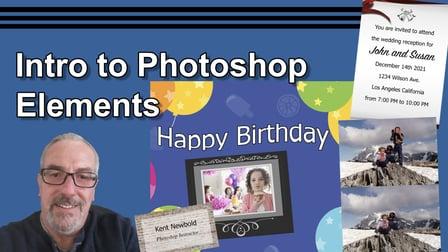
This class is designed for the beginner, someone who has never opened Photoshop Elements before will be able do just fine in this class. It is also a good refresher course for anyone who has worked with Photoshop Elements before. In this class you will learn: How to open a file; How to use the most common tools including the selection tools, the spot healing brush, the clone stamp tool, the type tool, and the color picker; How to use the layers panel; How to use Effects, Filters, Styles, and Graphics; Many of the keyboard short cuts to help speed up your work flow.

Self Paced
Self-Paced