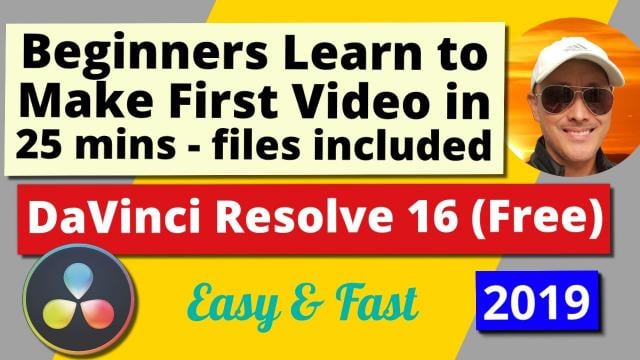
Beginners Learn Fast & Easy by Doing | DaVinci Resolve 16 (Free) | Create 1st Video in 25 Mins (Skillshare)

Offered by Skillshare,
Beginners Learn Fast & Easy by Doing | DaVinci Resolve 16 (Free) | Create 1st Video in 25 Mins (Skillshare)

Learn the Easiest and Fastest way to create your first video with the World's best, free, intuitive, yet advanced Video Editor - DaVinci Resolve 16. Why spend hundreds of dollars a year to do Beginner to Professional Video Editing, when you can do it for free with DaVinci Resolve. For those who are interested in DaVinci Resolve and haven't created their first video yet, I suggest you just GO AND DO IT! So you have your first experience doing actual creation. That to me is the best way to learn.

I designed this tutorial to make it as straightforward and simple for those with no experience, to confidently take their first steps into the exciting world of Film & Video Production.
All you have to do is download the program, my files I used to create the sample video, and follow this 25 minute step-by-step tutorial, and Viola! You will have created your first video and hopefully there will be no stopping you from making valuable, interesting, fabulous videos in the near future.
Be a Creator! Start Creating, It's Fun and Rewarding!
This course will cover all the elements you need to create your first video, including:

  • Adjust audio volume
  • Multiple video Audio Tracks
  • Adjust photo duration for the slideshow effect
  • Adding video and audio tracks, working with multiple tracks
  • Mute audio tracks
  • Scroll on mouse to navigate tracks
  • Fade in and fade out for both video and audio clips
  • Use curves to smoothen fade in and fade out
  • Add title text, change font, add stroke for more visible text
  • Add video transitions - Cross Dissolve
  • Edit with blade, split clip
  • Deliver, render, produce video
  • Format mp4 not quicktime
  • Add to render queue, start render

Course Goals:

  • You will not be intimidated by advanced video editors like DaVinci Resolve 16, in fact you will quickly learn to love what it can do for you.
  • In less than the time to watch a movie, you will have created your own mini movie.
  • You will learn the basics of video editing in DaVinci Resolve's Edit timeline page.
  • You will learn how to combine multiple video files, photos, audio files into one edited video file.
  • You will learn how to use transitions to smoothly go from one scene to another.
  • You will learn how to add titles and text to videos.
  • You will learn how to export your video to the proper format.
  • You will be able to unleash your Creative Passions and produce your own unique videos.
  • Go forth and set the world on fire with your ideas!

Create an identical video with the 7 files I used to create the sample video.
Download the course project files here (see Resources column on right).
Extra Class Project:
Create your own video with your own video, audio, photo files and share it with us. So we can give you feedback.
Go to Class
MOOC List is learner-supported. When you buy through links on our site, we may earn an affiliate commission.

Related Courses

After Effects 2019 Basic CLASS 1: Introduction (Skillshare) Skillshare
Skillshare

After Effects 2019 Basic CLASS 1: Introduction (Skillshare)

Adobe After Effects is a digital visual effects, motion graphics, and compositing application developed by Adobe Systems and used in the post-production process of film making and television production. Among other things, After Effects can be used for keying, tracking, compositing, and animation. It also functions as a very basic non-linear editor, audio editor, and media transcoder.

Self Paced
Self-Paced
Boost Your Brand with Video: Create a One Minute Promo Video Using Your Phone (Skillshare) Skillshare
Skillshare

Boost Your Brand with Video: Create a One Minute Promo Video Using Your Phone (Skillshare)

In this class you will learn how to create your first promotional video from start to finish. You don't need any fancy equipment to create your first promo video, all you need is your phone and a few accessories. In this class I am going to show how to create a promo video from start to finish. We will start with the script, then break down all the accessories you will be using. Next you will learn how to film yourself and get any additional shots need.

Self Paced
Self-Paced
VR and 360 Video Production (Coursera) Coursera
Google AR & VR

VR and 360 Video Production (Coursera)

Welcome to Daydream Impact Virtual Reality (VR) and 360 video production course! Our mission is to give you the skills needed to use VR to advocate for a cause and communicate your mission. This course will introduce you to Virtual Reality (VR) and 360 video production, guiding you through a step-by-step process to create VR content. To begin, we recommend taking a few minutes to explore the course site and review the material.

Aug 3rd 2026
4 Weeks
How to Create Video for Online Courses (Coursera) Coursera
University of Edinburgh

How to Create Video for Online Courses (Coursera)

Increasingly, as education pivots online, educators are looking to filmmaking as a way of creating new and exciting content. On this two-week course from the University of Edinburgh, you’ll learn how to turn your mobile phone into a full-featured video production suite to create effective and engaging online course videos and media. Develop the skills to script, storyboard, and film your videos.

Aug 16th 2026
2 Weeks
How To Color Grade Footage & Create Custom Video LUTs in Premiere Pro CC For Beginners (Skillshare) Skillshare
Skillshare

How To Color Grade Footage & Create Custom Video LUTs in Premiere Pro CC For Beginners (Skillshare)

Welcome to this beginners class on How To Color Grade Your Footage & Create Custom Video LUTs in Premiere Pro CC! Almost every big-budget feature film has been color graded to look a certain way, and in recent years, it's become increasingly easy to color grade your own footage using popular video editing software!

Self Paced
Self-Paced
How to Make a VR YouTube Video (Skillshare) Skillshare
Skillshare

How to Make a VR YouTube Video (Skillshare)

Hey, I run a VR YouTube Channel with consistent high views and engagement and I am going to show you how you can make your very own VR content. This is a beginners course, but the results will be outstanding. We’ll be using Unity and Adobe Premiere. In this class, you will learn the basics of Unity 3D, which you can also use for video game development.

Self Paced
Self-Paced
Introduction to Video Marketing: Plan, Produce & Publish to Drive Results (Skillshare) Skillshare
Skillshare

Introduction to Video Marketing: Plan, Produce & Publish to Drive Results (Skillshare)

Wish your marketing had more impact? Harness the power of video to connect with your target customers—no creative or production experience required! In this comprehensive introduction to video marketing, Powtoon’s Renee Teeley breaks down video marketing into actionable, achievable steps that anyone can follow.

Self Paced
Self-Paced
Create Basic Lower Thirds in Adobe After Effects 2019 (Skillshare) Skillshare
Skillshare

Create Basic Lower Thirds in Adobe After Effects 2019 (Skillshare)

In this tutorial I will show you create a basic lower third. Lower thirds are useful graphics for displaying short text in videos like a names and job titles. I will show you how to create this graphic in Adobe After Effects and also show you how to render it as a motion graphics template to be used in Adobe Premiere so you can update the text and easily create a new lower third without having to go back into After Effects.

Self Paced
Self-Paced
Intro to Film & Video - Exposing your Images (Skillshare) Skillshare
Skillshare

Intro to Film & Video - Exposing your Images (Skillshare)

In this class you will learn the basics of exposing video. It's very similar to photography in many ways, but there is a clear separation between shooting film or video and shooting photography.You'll follow along with Tyler Donley as you learn how to take any camera on the market and how to use the basic functions of your camera to control the exposure and color of your images.

Self Paced
Self-Paced