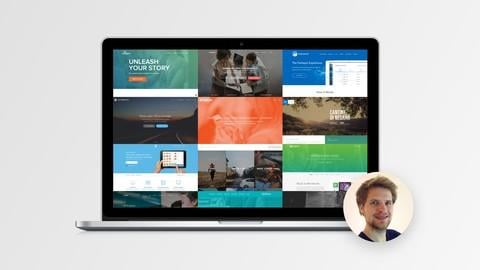
Web Design for Web Developers: Build Beautiful Websites! (Udemy)

Web Design for Web Developers: Build Beautiful Websites! (Udemy)

Learn web design in 1 hour with 25+ simple-to-use rules and guidelines — tons of amazing web design resources included!

Class Deals by MOOC List - Click here and see Udemy's Active Discounts, Deals, and Promo Codes.

What you'll learn

  • The 25+ guidelines of amazing web design: simple rules and guidelines that go straight to the point
  • Immediate FREE access to the course e-book "Best Resources for Web Design and Development with HTML5 & CSS3"
  • How to make text look professionally designed
  • How to correctly use the power of colors
  • How to get and use amazing images, fonts and icons to make your website shine — all for FREE.
  • How to create a layout using whitespace and visual hierarchy
  • How to keep yourself inspired to learn more and more about web design
  • How to make your websites convert better using 8 simple-to-use techniques

Description

IMPORTANT NOTE: The material of this course is also covered in my other course about web design and development with HTML5 & CSS3. Scroll to the bottom of this page to check out that course, too! If you're already taking my other course, you already have all it takes to start designing beautiful websites today!
"Best web design course on Udemy: If you're interested in web design, but want more than just a "how to use WordPress" course, I highly recommend this one." — Florian Giusti
"Very helpful to us left-brained people: I am familiar with HTML, CSS, JQuery, and Twitter Bootstrap, but I needed instruction in web design. This course gave me practical, impactful techniques for making websites more beautiful and engaging." — Susan Darlene Cain
"The most educational instructor ever!: Everything is good about this course, you learn a lot, the instructor are excellent and the production is flawless. Love this course, simple as that!" — Lovisa
Did you know that beautiful websites convert better that ones that don't stand out at all? This means more sales, more signups, and ultimately more money for you. Do you want to learn how to do exactly that?
If you wonder how you can make your next website really good looking, then you've come to the right place!
In this course, I will show you 25+ guidelines of amazing web design in less than 1 hour. No boring theory, no unnecessary stuff. You will learn dead simple web design rules and guidelines that go straight to the point — you can use them to improve your websites today!
In this course, we will use beautiful web design examples together with my 25+ guidelines of amazing web design to learn:
• How to make text look professionally designed
• How to correctly use the power of colors
• How to get and use amazing images, fonts and icons to make your website shine — all for FREE.
• How to create a layout using whitespace and visual hierarchy
• How to keep yourself inspired to learn more and more about web design
• How to make your websites convert better using 8 simple-to-use techniques
But there is even more: I provide you with tons of useful web design resources to get you started for your next web design project! You get immediate FREE access to the course e-book “Best Resources for Web Design and Development with HTML5 & CSS3". These are real-world resources used by real professionals in the web design industry!
You can use the rules and guidelines you'll learn in this course for everything you want: design your own Wordpress theme, personalize a Bootstrap website, start from scratch with HTML and CSS or mockup a website in Photoshop. The 25+ guidelines of amazing web design are universal and ready-to-use for any project.
This course is perfect for experienced web developers who want to learn how to make their websites look beautiful and professionally designed.
So start designing websites that convert today! The thing is: you will have a hard time to find a compilation of guidelines like the one I show you in this course anywhere else. But see for yourself and click the “Take this course" button right now.

Who this course is for:
Complete beginners who want to build stunning websites that no one can take their eyes off
Back-end developers who want to learn how to make their websites more beautiful
UX designers looking to improve the visual aspect of their projects

Go to Class
MOOC List is learner-supported. When you buy through links on our site, we may earn an affiliate commission.

Related Courses

Foundations of Objective-C App Development (Coursera) Coursera
University of California, Irvine

Foundations of Objective-C App Development (Coursera)

An introduction to the Objective-C programming language. This will prepare you for more extensive iOS app development and build a foundation for advanced iOS development topics. Objective-C programming requires a Mac laptop or desktop computer. An iOS device is optional if the learner is willing to working exclusively with the simulator. Some learners have been able to work with an OS X virtual machine on Windows, but explaining how to do that is beyond the scope of this course.

Jun 22nd 2026
4 Weeks
Introduction to Web Development (Coursera) Coursera
University of California, Davis

Introduction to Web Development (Coursera)

This course is designed to start you on a path toward future studies in web development and design, no matter how little experience or technical knowledge you currently have. The web is a very big place, and if you are the typical internet user, you probably visit several websites every day, whether for business, entertainment or education. But have you ever wondered how these websites actually work? How are they built? How do browsers, computers, and mobile devices interact with the web? What skills are necessary to build a website? With almost 1 billion websites now on the internet, the answers to these questions could be your first step toward a better understanding of the internet and developing a new set of internet skills.

Jun 29th 2026
5-12 Weeks
Responsive Web Design in Adobe XD (Coursera) Coursera
Google

Responsive Web Design in Adobe XD (Coursera)

Responsive Web Design in Adobe XD is the sixth course in a program that will equip you with the skills you need to apply to entry-level jobs in user experience (UX) design. In this course, you will design a responsive website using Adobe XD, a popular design tool. You will complete the design process from beginning to end: empathizing with users, defining their pain points, coming up with ideas for design solutions, creating wireframes and prototypes, and testing designs to get feedback.

Jun 29th 2026
5-12 Weeks
Introduction to CSS3 (Coursera) Coursera
University of Michigan

Introduction to CSS3 (Coursera)

The web today is almost unrecognizable from the early days of white pages with lists of blue links. Now, sites are designed with complex layouts, unique fonts, and customized color schemes. This course will show you the basics of Cascading Style Sheets (CSS3). The emphasis will be on learning how to write CSS rules, how to test code, and how to establish good programming habits.

Jun 29th 2026
4 Weeks
Web Design: Wireframes to Prototypes (Coursera) Coursera
California Institute of the Arts

Web Design: Wireframes to Prototypes (Coursera)

This course is focused on the application of the early UX research to actual user interfaces: the creation of wireframes, high-fidelity mockups, and clickable prototypes. This course is the continuation of the course Web Design: Strategy and Information Architecture, in which students completed the first half of a large scale project—developing a comprehensive plan for a complex website.

Jun 29th 2026
4 Weeks
Learn React Router 6 (Coursera) Coursera
Scrimba

Learn React Router 6 (Coursera)

Learn React Router v6, the most popular routing library for React applications and one of the most downloaded React support libraries ever. In this course, you’ll learn the most important parts of the React Router (v6) library while building an app called “VanLife”, an app for renting decked-out travel vans for your next road trip adventure.

Jun 29th 2026
3 Weeks
Introduction to Mobile Development (Coursera) Coursera
Meta

Introduction to Mobile Development (Coursera)

If you want to become a mobile developer, this course is a good place to start. You will learn about the day-to-day responsibilities of web and mobile developers and get a general understanding of the core and underlying technologies that power the internet. You’ll be introduced to core technologies like HTML and CSS, and get opportunities to practice using them.

Jun 29th 2026
4 Weeks
Getting Started with Front-End and Web Development (Coursera) Coursera
IBM

Getting Started with Front-End and Web Development (Coursera)

Have you encountered a website with stunning design, user-friendly interactivity, and dynamic elements and wondered how it was put together? If so, this course is designed for you! It is tailored for aspiring front-end developers or those who want to get started in this field. In this course, you will gain an understanding of front-end and web development, exploring the significance of User Interface (UI) and User Experience (UX) design.

Jun 29th 2026
5-12 Weeks