STOP taking BORING photos on your iPhone & Android - Quick transformation (Skillshare)

Offered by Skillshare,
STOP taking BORING photos on your iPhone & Android - Quick transformation (Skillshare)

You have now found the shortcut to start turning your snapshots into more strategic, purposeful and creative images...The class project is simply sharing with everyone, your before and after image.

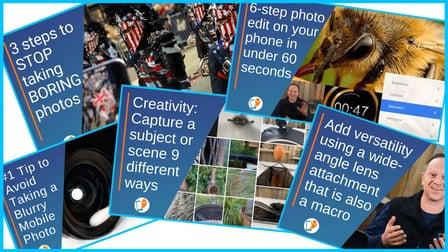
Video 1 - Learn how to STOP taking BORING photos:
In this video, I share with you my favourite technical, storytelling and compositional tip. Before you start exploring photo editing, you will place yourself in a much greater starting position by 'getting it right in camera.' You have probably heard that expression before.
It basically means becoming more familiar with your camera, taking advantage of some of the technical features. Identifying a clear subject and photography intention (motivation for taking out your phone) will make it easier to set up a strong composition. These few tips will see the biggest transformation in your images before you even get to the editing phase.
Video 2 - My number 1 tip to avoid taking blurry photos:
Be honest, when was the last time you did this? There is nothing worse than the feeling of taking the perfect photo… and later realising that it is blurry, soft or lacking clarity.
Do:

  • Check the lens for any foreign matter
  • Quite often blowing on the lens will work
  • Lint-free cloths are great for cleaning most of the flat surfaces you can access
  • A cotton bud is perfect for those difficult to access areas on and around the lens. This is most effective to remove fingerprints, oil, smudges, dirt, and dust on larger lens attachments.
  • If you have a phone cover additionally clean the inside of the cover
  • If you have a lens attachment, make sure to clean front and rear lens

Do not:

  • Use a cleaning solution. If you feel you need to, then apply cleaning solution onto a cloth and not directly onto the lens.
  • Use a tissue. It can leave more on the lens than it removes!

Video 3 - Discover your creativity by capturing a subject or scene 9 different ways:
This one is a bit of a challenge and a lot of fun!
Choose any object either fixed or movable and find 9 different unique ways to capture it. You can shoot from front, rear, side, low or high angle, include props or shoot at different times of the day when lighting changes. If you find this one to be a bit of a struggle, feel free to capture a location 9 different ways.
In the video, I encourage you to experiment looking for alternative capture angles, include props and study close up details of your subject or scene.
Quick tip: Look for a subject that has multiple viewpoints will be much interesting than capturing an egg 9 ways!
Video 4 - Quick 6-step photo edit process on any smartphone in under 60 seconds:
In this video I demonstrate my 6-step photo editing process that I share in all my in-person workshops with photo enthusiasts like yourself. Using the free app Snapseed, this system will enhance any of your existing favourite images. There are no adjustment settings as each image will benefit from different levels of enhancement in each tool. This quick process is structured to provide the most transformation int he shortest amount of time before fine-tuning through more area-specific 'local' adjustments.
Video 5 - Using a Struman Optics wide-angle lens to increase the versatility of your camera
In this video, I show you how to increase the versatility of your smartphone camera by using a smartphone lens attachment is. You can shoot further back for incredible wide-angle 100-degree perspective or close up with the built-in macro. This allows you to get right inside flowers and capture the stunning macro details, while also having a wide-angle to fill the frame with the surrounding context. This versatile lens provides creative opportunities to capture super-sharp dynamic images. The closer you hold the lens to the subject, the more narrow the depth of field (area in focus) becomes.


Go to Class
MOOC List is learner-supported. When you buy through links on our site, we may earn an affiliate commission.

Related Courses

Kotlin For Beginners: References, Immutability (Const and Val), Properties, Variables, Data Classes (Skillshare) Skillshare
Skillshare

Kotlin For Beginners: References, Immutability (Const and Val), Properties, Variables, Data Classes (Skillshare)

In this short class, you will learn the fundamentals of how to represent information virtually in a Kotlin program. About half of what we do as programmers is design data structures to represent real world information virtually, and it turns out that there are good and bad ways to do this! One of the most important takeaways of this class, is that it is critically important to separate things which change (mutable) from things which don't change (immutable).

Self Paced
Self-Paced
Nightscapes: Landscape Astrophotography (Skillshare) Skillshare
Skillshare

Nightscapes: Landscape Astrophotography (Skillshare)

Gain a new perspective on your universe that most people will never experience firsthand. This class will teach you all the tools necessary to photograph beautiful nighttime landscapes under the Milky Way. Whether you are a beginner that just got their first Digital SLR or a professional photographer looking to branch out into astrophotography for the first time, NIGHTSCAPES will teach you a unique form of photography that pushes the bounds of what you thought was possible with your camera.

Self Paced
Self-Paced
How to Enhance Eyes in Snapseed Like a Pro - iPhone & Android Mobile (Skillshare) Skillshare
Skillshare

How to Enhance Eyes in Snapseed Like a Pro - iPhone & Android Mobile (Skillshare)

Eyes are detailed,and often the main focal point of a portrait. In this tutorial, learn how to adjust the highlights and shadows, add and enhance colours, and apply sharpening to help any set of eyes look extraordinary. Welcome to my class, Today we will be using a powerful, yet free tool that is available on both iPhone and android.

Self Paced
Self-Paced
How to Edit Video & Photo Montages (Skillshare) Skillshare
Skillshare

How to Edit Video & Photo Montages (Skillshare)

This Course goes through the basics of compiling a video editing montage. Whether you want to create YouTube videos to educate or you want to create promotional videos for your company, this Course will walk you through just how to achieve it. You can tell much more in a 5-10 minute video than you ever could with thousands of pictures. Why not learn to leverage that?

Self Paced
Self-Paced
How to implement Picture-In-Picture in your Android Apps (Skillshare) Skillshare
Skillshare

How to implement Picture-In-Picture in your Android Apps (Skillshare)

In this course you will learn how to implement and use Picture In Picture feature in to your Android apps. also how to use BroadcastReceiver (register and unregister), Intent and PendingIntent. After this course you will be able to implement Picture-In-Picture confident in your projects, also you will be able to use BroadcastReceivers with PendingIntents and Intents.

Self Paced
Self-Paced
Basics Of Layers And Layer Masks In Photoshop (Skillshare) Skillshare
Skillshare

Basics Of Layers And Layer Masks In Photoshop (Skillshare)

Why work on layers at all? They do not destroy your original photo; You are working on top of or on copies of that photo; You will have more control; You can use blending modes to change the way layers interact; You can change the opacity of any effects; You will have or can add layer masks so that you can work selectively on your photo with any adjustments you make.

Self Paced
Self-Paced
Simple Mobile Editing for iPhone Using the VSCO App (Skillshare) Skillshare
Skillshare

Simple Mobile Editing for iPhone Using the VSCO App (Skillshare)

This class is an introduction to mobile photography editing using the VSCO app. After taking this class you will be able to successfully add simple edits that will bring the best out of your mobile photos. We will review how utilize five key features in the VSCO editing process. Exposure, contrast, saturation, cropping, and finally, choosing a filter. Your final project will consist of your own set of 4-8 photos that show your before and after editing process.

Self Paced
Self-Paced
Appetite to Learn With Chris “Ludacris” Bridges (Skillshare) Skillshare
Skillshare

Appetite to Learn With Chris “Ludacris” Bridges (Skillshare)

In this at-home learning experiment, discover new talents with Chris “Ludacris” Bridges, as he learns how to create flavorful food photography with Aundre Larrow. Chris “Ludacris” Bridges is a multi-talented rapper and actor, but he’s ready to take on new skills and discover hidden talents. In this one-on-one session with portrait photographer Aundre Larrow, Ludacris learns the basics of shooting food photography to create vibrant, appealing photos that make food look colorful and appetizing.

Self Paced
Self-Paced
Photoshop Retouching Crash Course: Create a Stunning Portrait with Your Phone Camera (Skillshare) Skillshare
Skillshare

Photoshop Retouching Crash Course: Create a Stunning Portrait with Your Phone Camera (Skillshare)

Welcome to this short and straight to the point course on how to turn your cell phone selfies into professional looking headshots! My name is Marouane Bembli. I'm a professional industrial designer with over 15 years experience in Photoshop and photo retouching and manipulation. In this course you'll learn how to edit a photo taken with almost any type of camera and make it profile pic worthy using simple Photoshop techniques.

Self Paced
Self-Paced