iOS Persistence and Core Data (Udacity)

Offered by Udacity,
iOS Persistence and Core Data (Udacity)

Learn how to store data between app launches. Persisting data is a core skill for any iOS developer. This course will teach you three techniques for storing data to your device’s hard drive: NSUserPreferences for small amounts of data, the Sandbox for files and Core Data when you have to play in the Big Leagues!

Class Deals by MOOC List - Click here and see Udacity's Active Discounts, Deals, and Promo Codes.

Just like computers, your iPhone has two types of memory: main memory (RAM) and the hard drive. In all the apps you’ve written, you’ve interacted with RAM, but this memory is limited, and it’s important that the apps you design use it as efficiently as possible. To use the RAM efficiently it is important to be able to store data on the hard drive.
It is also important for your apps to maintain state when they are turned off. The apps you’ve built probably aren’t persistent, meaning that they don’t save their state to the device’s hard drive. As RAM is volatile, data is lost when the app stops running. In this course, you’ll learn how to persist the state of the device using NSUserDefaults and Core Data.

What You Will Learn

Lesson 1
Simple Persistence

  • Learn about simple persistence and how to save small pieces of data.
  • Set user preferences using NSUserDefaults in an existing app.
  • Enable an app’s user preferences to appear in the Settings app.

Lesson 2
The iOS File System

  • Learn about the iOS File System and your app’s sandbox.
  • Read and save files using NSFileManager in an existing app.
  • Understand the performance implications of atomic (all-at-once) file operations.

Lesson 3
Introducing Core Data

  • Meet Core Data
  • Apple’s framework for managing the data layer.
  • Explore what a data layer is.
  • Convert a non-Core Data note-taking app to have a Core Data model.

Lesson 4
The Core Data Stack

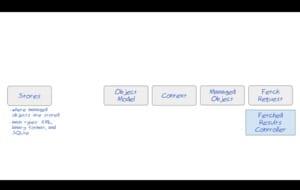
  • Set up the classes we need to get Core Data up and running.
  • Use the stack to manage model object creation and deletion.
  • Persist changes so that data stays put when you restart the app or device.

Lesson 5
Simpler Code with Core Data

  • Enable user interfaces to reactively update whenever the model changes.
  • Set up an NSFetchedResultsController to observe data changes and notify the UI.
  • Create a new version of a data model modify a table view to work with a fetched results controller and turn on caching.

Lesson 6
Core Data & Concurrency

  • Update the data model and safely migrate user data between versions.
  • Work with multiple managed object contexts for different types of tasks.
  • Keep the user interface responsive by sending lengthy tasks to a background queue.

Prerequisites and Requirements
This course assumes extensive iOS experience. Specifically, you’ve built several apps, know how to use core iOS libraries, and are familiar with networking and MVC design principles. Introduction to iOS App Development with Swift, UIKit Fundamentals, and iOS Networking with Swift are good courses to take if you need to familiarize yourself with these concepts.
The course also assumes basic familiarity with git. Specifically, you will need to be able to clone git repositories and checkout branches specific to each lesson. How to Use Git & GitHub is a great option if you need to brush up on these skills.
You will need access to a Mac computer running OS X 10.9 or later. However, you do not need an iPad or iPhone to complete the activities. All exercises can be completed using the iOS simulator built into Xcode.

Go to Class
MOOC List is learner-supported. When you buy through links on our site, we may earn an affiliate commission.

Related Courses

Introduction To Swift Programming (Coursera) Coursera
University of Toronto

Introduction To Swift Programming (Coursera)

Introduction to Swift Programming is the first course in a four part specialization series that will provide you with the tools and skills necessary to develop an iOS App from scratch. By the end of this first course you will be able to demonstrate intermediate application of programming in Swift, the powerful new programming language for iOS. Guided by best practices you will become proficient with syntax, object oriented principles, memory management, functional concepts and more in programming with Swift.

Sep 7th 2026
5-12 Weeks
Getting Started With Application Development en Français (Coursera) Coursera
Google Cloud

Getting Started With Application Development en Français (Coursera)

Dans ce cours, les développeurs d'applications apprennent à concevoir et développer des applications cloud natives qui intègrent parfaitement les services gérés de Google Cloud. Ils découvrent également comment appliquer les bonnes pratiques associées et comment utiliser les services de stockage Google Cloud appropriés pour le stockage d'objets, les données relationnelles, la mise en cache et l'analyse.

Sep 7th 2026
1 Week
Firebase Analytics: iOS (Udacity) Udacity
Udacity,Google

Firebase Analytics: iOS (Udacity)

Improve your apps with better user data. In this course, you’ll learn how to grow an app's user base using Firebase Analytics, a free and unlimited analytics solution. You'll be able to learn who your users are and how they interact with your app. You can then use this information to make informed decisions to improve your app, such as how difficult to make a level in a game, where to place an advertisement, or what products to stock.

Self Paced
Self-Paced
iOS Interview Prep (Udacity) Udacity
Udacity

iOS Interview Prep (Udacity)

Confidently take on the tech interview. This course is an excellent way to prepare for technical interviews. You’ll experience a mock interview, and review detailed analysis on how to field key industry questions. You’ll review common iOS Developer interview topics ranging from notifications and delegates to the model view controller, and learn best practices for behavioral questions and whiteboard problems.

Self Paced
Self-Paced
Developing Applications with Google Cloud: Foundations (Coursera) Coursera
Google Cloud

Developing Applications with Google Cloud: Foundations (Coursera)

In this course, you learn the fundamentals of application development on Google Cloud. You learn best practices for cloud applications, and how to select compute and data options to match your application use cases. You're introduced to generative AI and how it's used to help build applications. You learn about authentication and authorization, application deployment, continuous integration and delivery, and monitoring and performance tuning for your applications running in Google Cloud.

Sep 7th 2026
5-12 Weeks
Architecting with Google Kubernetes Engine: Workloads en Français (Coursera) Coursera
Google Cloud

Architecting with Google Kubernetes Engine: Workloads en Français (Coursera)

"Le cours ""Architecting with Google Kubernetes Engine: Workloads"" vous apprend à effectuer des opérations Kubernetes ; à créer et gérer des déploiements ; à utiliser les outils de mise en réseau GKE, et à attribuer un espace de stockage persistant à vos charges de travail Kubernetes. Ce cours fait partie d'une formation spécialisée consacrée à la création d'infrastructures informatiques efficaces à l'aide de Kubernetes et de GKE. Cette formation porte sur le déploiement et la gestion d'applications conteneurisées sur GKE et les autres services proposés par Google Cloud Platform.

Sep 7th 2026
1 Week
Explore Core Data Concepts in Microsoft Azure (Coursera) Coursera
Microsoft

Explore Core Data Concepts in Microsoft Azure (Coursera)

In this course, you will learn the fundamentals of database concepts in a cloud environment, get basic skilling in cloud data services, and build your foundational knowledge of cloud data services within Microsoft Azure. You will identify and describe core data concepts such as relational, non-relational, big data, and analytics, and explore how this technology is implemented with Microsoft Azure. You will explore the roles, tasks, and responsibilities in the world of data.

Aug 24th 2026
2 Weeks